Choosing the best hosting for WooCommerce is one of the most important decisions you can make when building an online store.
A WooCommerce website has different hosting needs than a basic blog. Your server has to handle product catalogs, customer accounts, shopping carts, checkout requests, payment integrations, order data, images, plugins, and traffic spikes. If the hosting environment is underpowered, your store can become slow, unstable, or difficult to maintain.
The good news is that there are plenty of WooCommerce hosting services designed for everything from small starter stores to high-traffic ecommerce businesses.
In this guide, we’ll compare 15 of the best hosting providers for WooCommerce in 2026, looking at performance, security, backups, scalability, support, staging, migration tools, and overall suitability for different types of stores.
WooCommerce itself recommends checking that your host supports current versions of WordPress, PHP, MySQL/MariaDB, HTTPS, and sufficient WordPress memory. Its current server recommendations call for WordPress 6.9+, PHP 8.3+, MySQL 8.0+ or MariaDB 10.6+, HTTPS, and a 256 MB+ WordPress memory limit.
Quick Comparison: Best WooCommerce Hosting in 2026
| Hosting Provider | Best For | Key Features | Hosting Type |
|---|---|---|---|
| SiteGround | Small and growing stores | Daily backups, CDN, SSL, WooCommerce tools | Managed/shared |
| Hostinger | Affordable WooCommerce hosting | NVMe, CDN, backups, managed WooCommerce | Managed |
| Bluehost | Beginners | WooCommerce setup, CDN, staging, support | Managed |
| Kinsta | Performance-focused stores | Edge caching, CDN, APM, isolated containers | Managed cloud |
| WP Engine | Managed WordPress/WooCommerce | Enhanced caching, staging, ecommerce tools | Managed |
| Pressable | Growing ecommerce stores | Auto-scaling, edge cache, staging | Managed cloud |
| Liquid Web / Nexcess | Larger stores | Autoscaling, staging, caching, support | Managed |
| Cloudways | Flexible cloud hosting | Cloud providers, Redis, Varnish, backups | Managed cloud |
| InMotion Hosting | Resource-intensive stores | NVMe, Redis, PHP workers, VPS resources | Cloud/VPS |
| Rocket.net | Speed and security | Enterprise CDN, Redis, WAF, automated protection | Managed cloud |
| DreamHost | Simple ecommerce sites | WordPress tools and WooCommerce support | Managed/shared |
| GreenGeeks | Eco-conscious stores | WooCommerce hosting, performance tools | Shared/managed |
| WordPress.com | All-in-one setup | Commerce plan, managed WordPress | Managed |
| WordPress VIP | Enterprise ecommerce | Autoscaling, global infrastructure, security | Enterprise |
| WP-focused cloud/VPS plans | Developers | Custom resources and server control | Cloud/VPS |
Important: Features, prices, resource limits, and promotional offers can change. Always check the provider’s current plan page before purchasing.
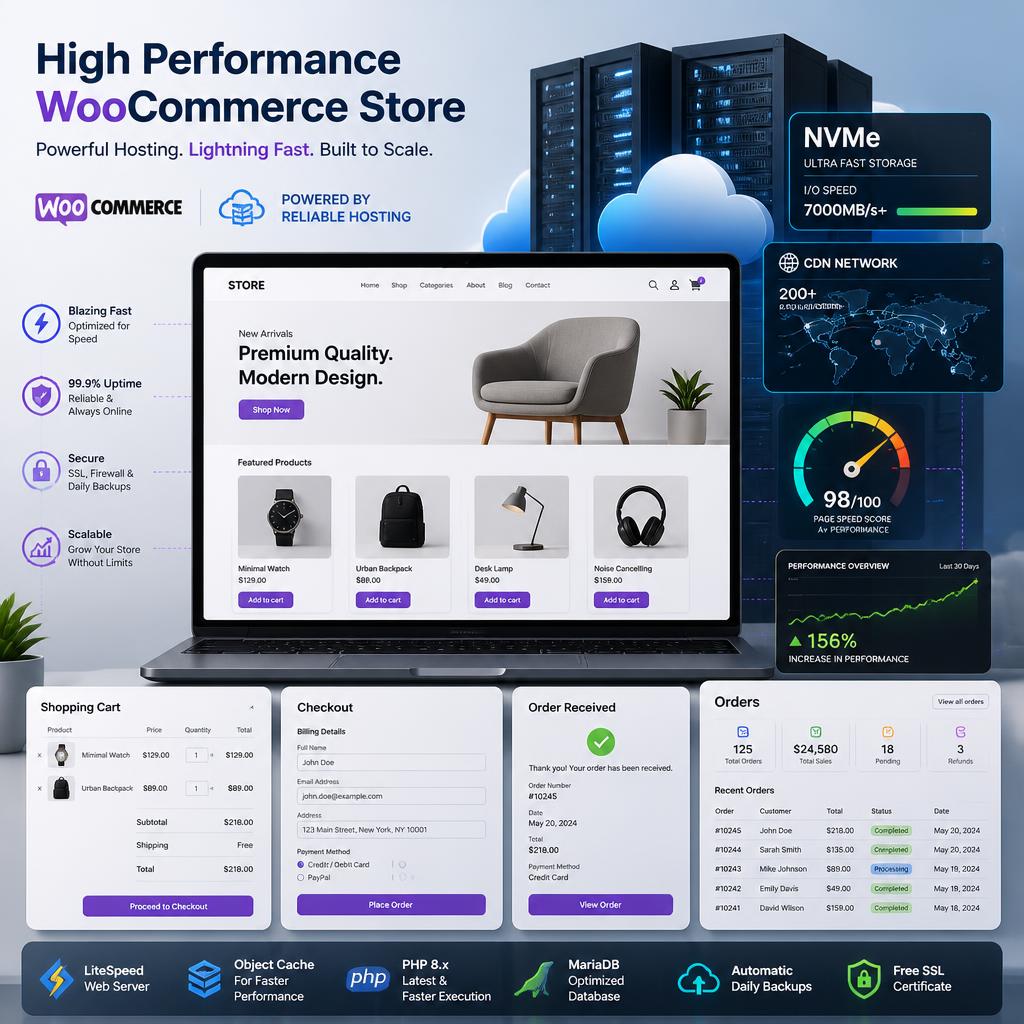
15 Best Hosting for WooCommerce in 2026
1. SiteGround — Best for Small and Growing WooCommerce Stores
SiteGround is a popular choice for store owners who want WooCommerce-specific features without managing a complicated server.
Its WooCommerce hosting includes features such as free website transfer, daily backups, free SSL, and 24/7 support. SiteGround currently advertises WooCommerce plans starting at $2.99/month on its promotional pricing, with renewal pricing higher than the introductory rate.
Why consider SiteGround?
- Free website migration
- Daily backups
- Free SSL
- WooCommerce-focused hosting
- 24/7 support
- CDN and performance features
- Suitable for small and growing stores
Best for: Small businesses, bloggers moving into ecommerce, and growing WooCommerce stores.
2. Hostinger — Best Affordable WooCommerce Hosting
Hostinger is particularly attractive if you’re looking for affordable WooCommerce hosting without giving up modern performance features.
Its current managed WooCommerce offering includes NVMe storage, free SSL certificates, CDN, backups, free migration, and 24/7 support. Hostinger also offers automatic security and performance features designed specifically for WooCommerce.
Highlights
- Managed WooCommerce environment
- NVMe storage
- Free CDN
- Free SSL
- Automatic backups
- Free migration
- 24/7 support
- Easy scaling
Best for: Beginners, small businesses, and store owners working with a limited hosting budget.
3. Bluehost — Best WooCommerce Hosting for Beginners
Bluehost is a practical option for people creating their first WooCommerce store.
Bluehost’s current WooCommerce plans include WooCommerce auto-installation, NVMe storage, CDN, managed WordPress updates, staging, SSL, backups, malware protection, and 24/7 support.
Its WooCommerce hosting is also listed among the hosts recommended on WooCommerce’s official hosting page.
Why beginners may like it
- Easy WooCommerce setup
- WooCommerce pre-installed
- Free site migration tools
- CDN and caching
- Staging environment
- Security features
- 24/7 support
Best for: First-time store owners and users who want a straightforward setup.
4. Kinsta — Best for Performance-Focused Stores
Kinsta focuses heavily on managed WordPress and WooCommerce performance.
Kinsta’s WooCommerce platform uses cloud infrastructure, isolated containers, global CDN delivery, edge caching, and performance monitoring. Its documentation currently lists 30 data-center locations and a Cloudflare-powered CDN.
Kinsta also specifically configures caching around WooCommerce functionality so dynamic areas such as cart and checkout aren’t treated like ordinary static pages.
Key advantages
- High-performance cloud infrastructure
- Edge caching
- Global CDN
- Application Performance Monitoring
- Automatic backups
- Isolated site containers
- WooCommerce-specific caching considerations
- Security tools
Best for: Businesses that prioritize performance and managed infrastructure.
5. WP Engine — Best Managed WordPress Hosting for WooCommerce
WP Engine is another established option for businesses that want managed WordPress infrastructure.
WP Engine’s current ecommerce offering builds on managed WordPress hosting with an eCommerce Performance Pack, which adds WooCommerce-focused performance and functionality.
Its WooCommerce documentation also explains how caching exclusions are handled for cart, checkout, customer accounts, and other dynamic WooCommerce functionality.
Best for: Established businesses, agencies, and stores that want managed WordPress infrastructure.
6. Pressable — Best for Growing Ecommerce Stores
Pressable is part of Automattic, the company behind WordPress.com and WooCommerce.
Pressable’s managed WooCommerce platform focuses on scalability, high availability, edge caching, automatic scaling, staging, backups, and developer tools.
Its current plans range from smaller stores to significantly larger installations, with higher tiers supporting hundreds of thousands or millions of visits.
Best features
- Automatic resource scaling
- Global edge caching
- WooCommerce-focused infrastructure
- Staging environments
- Free migrations
- Backups
- Developer tools
- 24/7 support
Best for: Growing stores expecting traffic increases or seasonal spikes.
7. Liquid Web / Nexcess — Best for Larger WooCommerce Stores
Liquid Web offers managed hosting for WordPress and WooCommerce through its Sites & Stores/Nexcess ecosystem.
Its managed WooCommerce offering includes features such as autoscaling, image optimization, staging, sales monitoring, checkout testing, caching, and 24/7/365 support.
Best for
- Larger catalogs
- Growing ecommerce businesses
- Stores needing additional server resources
- Businesses requiring managed support
- Traffic spikes
Best for: Serious ecommerce businesses that need more infrastructure than basic shared hosting.
8. Cloudways — Best Flexible Cloud WooCommerce Hosting
Cloudways takes a different approach. Instead of operating like traditional shared hosting, it provides managed cloud hosting with multiple underlying cloud infrastructure options.
Cloudways currently promotes ecommerce hosting with dedicated server resources, Nginx, Varnish, Redis, SSL, backups, and staging tools.
Why choose Cloudways?
- Flexible cloud infrastructure
- Dedicated resources
- Redis caching
- Varnish
- Automated backups
- SSL
- Staging
- Managed environment
Best for: Developers, agencies, and businesses that want more control over cloud infrastructure.
9. InMotion Hosting — Best for Resource-Heavy Stores
InMotion Hosting offers WooCommerce hosting on cloud infrastructure with features designed for more demanding WordPress websites.
Its current WooCommerce hosting includes options with NVMe SSD storage, Redis object caching, dedicated PHP workers, NGINX reverse proxy, and isolated resources. Its listed self-managed plans include a 99.99% uptime SLA.
Best for: Stores with moderate-to-heavy workloads and users who need stronger server resources.
10. Rocket.net — Best for Speed and Security
Rocket.net focuses heavily on performance and security.
Its WooCommerce platform includes an enterprise CDN, NVMe infrastructure, Redis, smart caching, WAF, malware protection, automated bot protection, and automated WooCommerce migrations.
Notable features
- Enterprise CDN
- NVMe servers
- Redis
- Smart caching
- WAF
- Malware protection
- Bot protection
- Managed migrations
- 24/7 support
Best for: Store owners who place a high priority on speed, security, and managed infrastructure.
11. DreamHost — Best for Simple WooCommerce Websites
DreamHost offers WordPress hosting that can be used with WooCommerce.
DreamHost’s documentation confirms that WooCommerce can be installed through its WordPress setup process.
It can make sense for a smaller ecommerce website that doesn’t require an elaborate managed WooCommerce stack.
Best for: Small online stores and users already comfortable with WordPress.
12. GreenGeeks — Best Eco-Conscious WooCommerce Hosting
GreenGeeks offers WooCommerce hosting aimed at stores that want a combination of performance, support, and environmentally conscious hosting.
Its current WooCommerce service includes different plans designed to accommodate stores from smaller websites upward.
Best for: Small businesses and store owners who want WooCommerce hosting with an eco-focused provider.
13. WordPress.com — Best All-in-One Managed Option
WordPress.com offers a Commerce plan designed for online stores.
The current Commerce plan includes WordPress hosting and supports WooCommerce, while WordPress.com’s documentation provides a guided setup process for installing and configuring WooCommerce.
Best for
- Users who prefer managed WordPress
- Beginners
- Content-heavy ecommerce businesses
- Users who don’t want to manage server infrastructure
14. WordPress VIP — Best Enterprise WooCommerce Hosting
WordPress VIP is designed for a completely different market: large organizations with complex infrastructure and enterprise requirements.
WordPress VIP supports WooCommerce and provides containerized infrastructure, global edge caching, autoscaling, backups, monitoring, and enterprise security capabilities.
Pricing is customized according to deployment requirements rather than presented as a standard low-cost hosting plan.
Best for: Large ecommerce brands, enterprises, publishers, and organizations with dedicated technical teams.
15. Seravo — WooCommerce Hosting for European-Focused Businesses
Seravo is another provider worth considering, particularly for businesses operating in European markets.
Seravo is currently included on WooCommerce’s official hosting recommendations and positions its service around managed WordPress and WooCommerce infrastructure, stability, scalability, and security.
Best for: Businesses looking for managed WordPress/WooCommerce infrastructure with a European focus.
What Makes the Best Hosting for WooCommerce?
Not every WordPress hosting plan is equally suitable for an ecommerce website. Before purchasing a plan, evaluate these factors.

1. Server Performance
WooCommerce generates more dynamic requests than a typical blog. Product searches, cart updates, checkout processes, account pages, and order management all require server resources.
Look for:
- Modern CPUs
- Sufficient RAM
- NVMe or SSD storage
- Current PHP versions
- Object caching
- PHP workers
- CDN support
WooCommerce’s own scaling guidance highlights resources such as CPU, RAM, OPcache, CDN, and persistent caching as important parts of a baseline hosting setup.
2. WooCommerce-Compatible Caching
Caching can dramatically improve performance, but ecommerce websites require careful configuration.
You don’t want a customer’s shopping cart or account information to be served from an inappropriate cached page.
For example, WP Engine specifically excludes dynamic WooCommerce areas such as cart and checkout from caching.
Expert tip: Don’t simply install multiple caching plugins. Ask whether your host already provides server-level caching and whether it is configured for WooCommerce.
3. SSL and Website Security
Every ecommerce website should use HTTPS.
SSL/TLS protects data transferred between customers and your website and is especially important for checkout and account pages. WooCommerce recommends using HTTPS throughout the store.
Look for:
- Free SSL
- Web application firewall
- Malware scanning
- DDoS protection
- Automated updates
- Secure backups
- Login protection
4. Automatic Backups
A store can contain years of product data, customer information, orders, settings, and customizations.
A reliable backup system should include:
- Automatic backups
- Off-site or redundant storage
- Multiple restore points
- Easy restoration
- Frequent backup schedules
For a busy store, daily backups may not always be enough. Depending on order volume, you may want more frequent backups or a separate backup system.
5. Scalability
A hosting plan that works for 500 visitors per day may not work for 50,000.
Think about upcoming events such as:
- Black Friday
- Cyber Monday
- Product launches
- Seasonal sales
- Advertising campaigns
- Influencer promotions
Cloud platforms and managed WooCommerce services can make scaling easier when traffic suddenly increases.
How to Choose WooCommerce Hosting
Follow these steps before purchasing.
Step 1: Estimate Your Traffic
Determine your current monthly visitors and expected growth.
Step 2: Check Your Store Size
Consider:
- Number of products
- Product variations
- Images
- Plugins
- Orders
- Customer accounts
Step 3: Check Server Requirements
Confirm that the provider supports current WooCommerce requirements for PHP, MySQL/MariaDB, HTTPS, and memory.
Step 4: Look at Resource Limits
Don’t compare hosting based only on storage.
Check:
- CPU
- RAM
- PHP workers
- Concurrent processes
- Database limits
- Inodes
- Bandwidth
- Visitor limits
Step 5: Review Backup and Restore Options
A backup is only useful if you can restore it quickly.
Step 6: Test Support Before Buying
Ask support a technical WooCommerce question. Their response can tell you more than a marketing page.
Best WooCommerce Hosting by Use Case
| If You Need… | Consider |
|---|---|
| Beginner-friendly setup | Bluehost |
| Low-cost starting point | Hostinger |
| Small business store | SiteGround |
| High-performance managed hosting | Kinsta |
| Managed WordPress ecosystem | WP Engine |
| Automatic scaling | Pressable |
| Larger WooCommerce store | Liquid Web/Nexcess |
| Cloud flexibility | Cloudways |
| More server resources | InMotion Hosting |
| Speed-focused hosting | Rocket.net |
| Simple WordPress setup | DreamHost |
| Eco-focused hosting | GreenGeeks |
| All-in-one managed WordPress | WordPress.com |
| Enterprise infrastructure | WordPress VIP |
| European-focused managed hosting | Seravo |
Best Practices for WooCommerce Hosting
Once your store is online, hosting is only one part of the performance equation.
Follow these practices:
- Keep WordPress and WooCommerce updated.
- Remove plugins you don’t actually use.
- Use a lightweight WooCommerce-compatible theme.
- Compress product images before uploading them.
- Use a CDN for static assets.
- Enable object caching when appropriate.
- Use staging before major updates.
- Monitor database performance.
- Run regular security checks.
- Test checkout after major changes.
- Keep independent backups for important stores.
- Monitor Core Web Vitals and real-world performance.
Common WooCommerce Hosting Mistakes
Choosing Hosting Based Only on Price
The cheapest plan isn’t necessarily the cheapest solution.
If poor hosting causes slow checkout pages, downtime, or frequent technical problems, the business cost can exceed the hosting savings.
Ignoring Renewal Prices
Many hosting companies advertise introductory prices. Always check what the plan costs when it renews.
Buying Too Many Resources Too Early
A small store doesn’t necessarily need an expensive enterprise server.
Start with an appropriate plan and upgrade when your traffic and resource requirements justify it.
Installing Too Many Optimization Plugins
More plugins don’t automatically mean better performance.
Server-level caching, CDN configuration, image optimization, database optimization, and a clean plugin stack usually matter more than simply adding another optimization plugin.
Forgetting About Checkout
A homepage can load quickly while checkout remains slow.
Always test:
- Product pages
- Cart
- Checkout
- Login
- Account dashboard
- Search
- Payment process
Expert Tips for Improving WooCommerce Performance
Use Staging Before Major Changes
A staging environment lets you test updates without immediately affecting your customers.
Keep Checkout Dynamic
Don’t aggressively cache pages that contain personalized customer or order information.
Monitor Your Database
WooCommerce stores significant amounts of transactional data. Large databases can become a performance problem when poorly optimized.
Use a CDN
A CDN can deliver static assets from locations closer to visitors. WooCommerce’s own performance documentation recommends considering CDN usage as part of site optimization.
Plan for Traffic Spikes
If you’re running paid advertising or a major promotion, don’t wait until the site becomes slow to investigate resource limits.
Frequently Asked Questions
What is the best hosting for WooCommerce?
The best hosting depends on your store’s size, budget, traffic, technical requirements, and growth plans. Hostinger and Bluehost can suit beginners and smaller stores, while Kinsta, WP Engine, Pressable, Liquid Web/Nexcess, and WordPress VIP target more demanding managed environments.
Is shared hosting good for WooCommerce?
Shared hosting can work for a small WooCommerce store, especially at the beginning. However, as traffic, product count, plugins, and orders increase, you may need more CPU, RAM, database resources, and better caching.
How much hosting does WooCommerce need?
There isn’t one universal resource requirement. WooCommerce’s current server recommendations specify at least 256 MB WordPress memory, while its scaling guidance identifies CPU, RAM, OPcache, CDN, and persistent caching as important considerations.
Is managed WooCommerce hosting worth it?
Managed WooCommerce hosting can be worthwhile if you don’t want to handle server optimization, updates, backups, security, and performance configuration yourself. It is particularly useful for business owners who prefer spending their time managing products, marketing, customers, and sales.
Does WooCommerce include hosting?
WooCommerce itself is an open-source ecommerce platform, so self-hosted WooCommerce does not automatically include traditional web hosting. You choose a hosting provider separately. WooCommerce’s current pricing documentation describes hosting as a separate cost determined by the provider you choose.
Do I need an SSL certificate for WooCommerce?
Yes. HTTPS is essential for a professional ecommerce store and helps protect information exchanged between customers and your website. WooCommerce recommends running stores over HTTPS.
Can cheap WooCommerce hosting handle a large store?
Sometimes, but it depends on the actual server resources and workload. A large catalog, high traffic, complex plugins, frequent orders, and intensive database queries can quickly exceed the limits of entry-level hosting.
Should I use a CDN with WooCommerce?
A CDN can improve delivery of static content such as images, CSS, JavaScript, and other assets. However, dynamic ecommerce pages need careful caching rules so customer-specific content isn’t incorrectly cached.