
Your web hosting provider can influence SEO more than you might expect.
Hosting does not directly make a website rank higher simply because you choose a particular company. However, hosting affects technical factors such as website speed, uptime, server response time, security, scalability, and reliability—all of which can influence the user experience and how search engines access your site.
A slow website can frustrate visitors. Frequent downtime can prevent search engines from crawling your pages. Poor server performance can make an otherwise well-optimized WordPress site feel sluggish.
That is why choosing the best web hosting for SEO should go beyond looking at the cheapest monthly price.
In this guide, you’ll learn what makes SEO-friendly hosting, which hosting features matter most, how different hosting types compare, and how to choose a hosting plan for your website.
What Makes Web Hosting SEO-Friendly?
SEO-friendly hosting provides a strong technical foundation for your website.
The most important factors include:
- Fast server response times
- Reliable uptime
- Good page-loading performance
- CDN compatibility
- SSL/HTTPS support
- Strong security
- Scalable resources
- Reliable backups
- Modern server technology
- Datacenter locations suitable for your audience
- Good support
- Easy website management
A hosting plan cannot replace quality content, search intent optimization, internal linking, or authoritative backlinks. But poor hosting can create technical problems that make SEO harder.
Hosting and SEO: The Connection
Think of SEO as a house.
Your content, links, metadata, and site architecture are the rooms and furniture. Web hosting is part of the foundation.
If the foundation is unreliable, the rest of your SEO work can suffer.
Key Hosting Factors That Affect SEO
1. Website Speed and Server Response Time
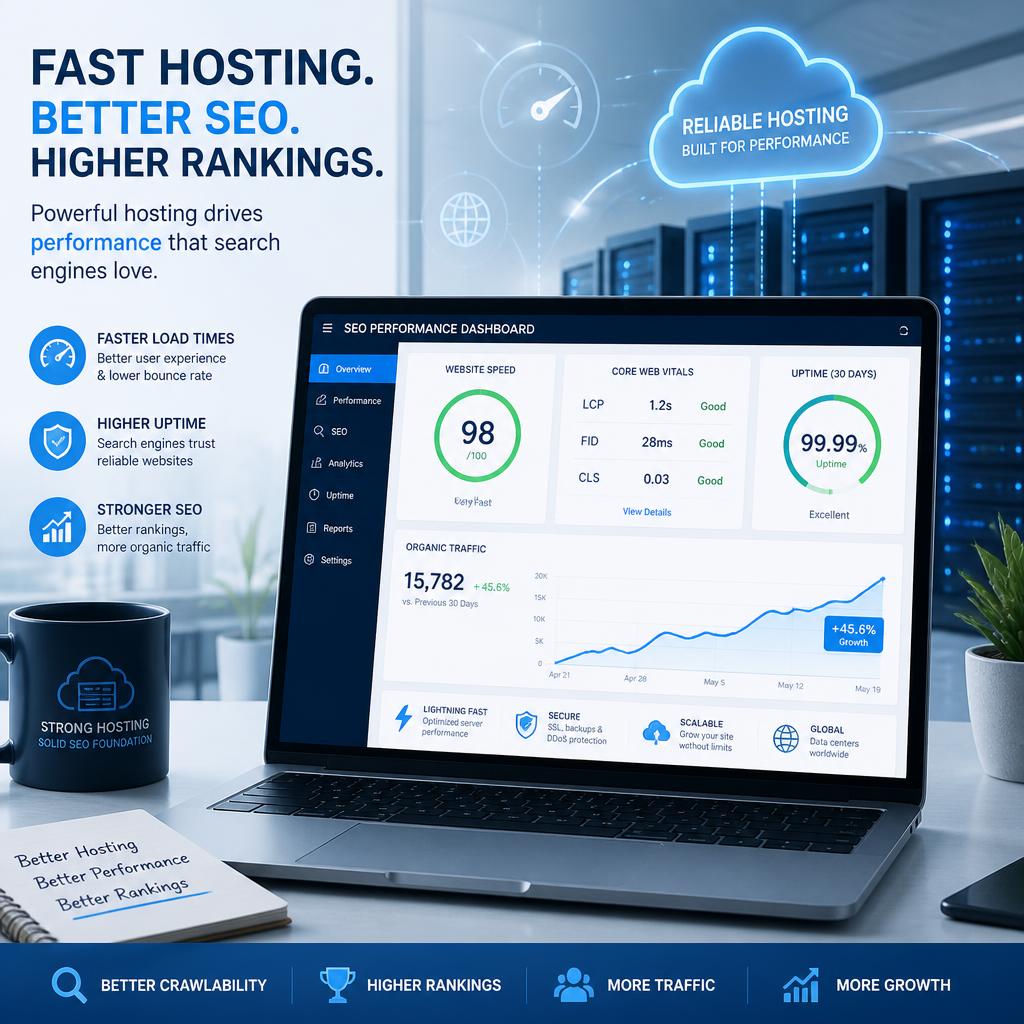
Website performance is one of the most important hosting considerations.
When someone visits your website, their browser needs to communicate with your server before receiving the page resources. A slow server can contribute to a poor loading experience.
Look for hosting that provides:
- Modern server hardware
- Adequate CPU and RAM
- Fast storage such as SSD or NVMe
- Efficient web-server software
- Server-side caching
- HTTP/2 or HTTP/3 support where appropriate
- CDN compatibility
However, remember that hosting is only one part of performance.
A website overloaded with huge images, unnecessary plugins, excessive JavaScript, or poorly optimized themes can remain slow even on good hosting.
2. Uptime and Reliability
Search engines need to access your website.
If your server frequently goes offline, users may encounter errors and crawlers may have difficulty accessing your pages.
Reliable hosting should provide strong uptime and infrastructure monitoring.
Don’t focus only on a marketing percentage. Check the provider’s infrastructure, service-level commitments, redundancy, and reputation.
3. Server Location
Server location can affect latency.
For example, if most of your visitors are in Europe, choosing infrastructure geographically closer to those visitors can reduce network distance.
However, server location is not a substitute for a CDN.
A CDN can distribute cached website assets through servers located closer to visitors around the world.
For international websites, consider hosting with:
- Multiple datacenter regions
- CDN integration
- Global network coverage
- Good international connectivity
4. SSL and HTTPS
HTTPS is essential for modern websites.
Your hosting provider should make it easy to install and maintain an SSL/TLS certificate.
Look for:
- Free SSL certificates
- Automatic certificate renewal
- Easy HTTPS configuration
- Secure account access
Never choose a hosting provider simply because it offers a free SSL certificate. Security, performance, support, and reliability still matter.
5. Security
Website security is closely connected to website reliability.
A compromised website can experience spam pages, malicious redirects, malware, injected links, or downtime—all of which can create serious SEO problems.
Good hosting should offer features such as:
- Malware monitoring
- Firewalls
- DDoS protection
- Secure account authentication
- Regular backups
- Server isolation where applicable
- Security updates
You should also keep your CMS, plugins, themes, and other software updated.
Best Types of Web Hosting for SEO
There isn’t one hosting type that is perfect for every website.
Your best option depends on traffic, technical requirements, budget, and growth plans.
| Hosting Type | Performance | Scalability | Management | Best For |
|---|---|---|---|---|
| Shared Hosting | Moderate | Low–Moderate | Easy | Small websites |
| Managed WordPress Hosting | High | Moderate–High | Very Easy | WordPress sites |
| VPS Hosting | High | High | Moderate | Growing websites |
| Cloud Hosting | High | Very High | Moderate | Growing/high-traffic sites |
| Dedicated Hosting | Very High | Very High | Advanced | Large websites |
Shared Hosting
Shared hosting places multiple websites on the same server.
Pros:
- Affordable
- Easy to use
- Beginner-friendly
- Suitable for small websites
Cons:
- Resources are shared
- Performance can vary
- Limited scalability
- Less control
Shared hosting can work perfectly well for a small blog or new business website, provided the provider maintains good infrastructure.
Managed WordPress Hosting
Managed WordPress hosting is designed specifically for WordPress websites.
Providers may handle tasks such as:
- WordPress updates
- Backups
- Caching
- Security
- Performance optimization
- Technical maintenance
This can be particularly useful for bloggers and businesses that want to focus on publishing content instead of server administration.
VPS Hosting
A Virtual Private Server provides more dedicated resources and control than typical shared hosting.
VPS hosting is useful when:
- Traffic is increasing
- Your website needs more resources
- You need server-level customization
- Shared hosting performance is no longer sufficient
The tradeoff is that VPS hosting can require more technical knowledge.
Cloud Hosting
Cloud hosting distributes infrastructure across cloud-based systems rather than relying on a single traditional server.
It can provide excellent scalability and is useful for websites experiencing variable or rapidly increasing traffic.
For larger websites, cloud hosting can provide a flexible infrastructure as traffic and resource requirements change.
Dedicated Hosting
Dedicated hosting gives you an entire physical server.
It can provide substantial resources and control but is usually unnecessary for a small blog.
Dedicated hosting makes more sense for websites with significant traffic, demanding applications, or specialized infrastructure requirements.
Features to Look for in SEO-Friendly Hosting
Before purchasing a hosting plan, compare these features.
Performance
Check whether the provider supports:
- NVMe or SSD storage
- Modern CPUs
- Server-side caching
- HTTP/2 or HTTP/3
- CDN integration
- Adequate RAM and CPU resources
Reliability
Look for:
- Strong uptime history
- Redundant infrastructure
- Monitoring
- Backup systems
- Disaster recovery options
Security
Look for:
- SSL/TLS
- Malware protection
- Firewalls
- DDoS mitigation
- Automatic backups
- Secure authentication
Scalability
Your hosting should be able to grow with your website.
Consider whether you can upgrade:
- CPU
- RAM
- Storage
- Bandwidth
- Database resources
without having to migrate to an entirely different provider.
Best Web Hosting for SEO: What to Prioritize
Instead of choosing hosting based only on price, use this checklist.
For a Small Blog
Prioritize:
- Reliability
- Fast servers
- SSL
- Backups
- CDN support
- Easy WordPress management
You probably don’t need an expensive dedicated server.
For a Growing Business Website
Prioritize:
- Performance
- Scalability
- Security
- Backups
- Technical support
- CDN compatibility
A good VPS, managed WordPress plan, or cloud platform may be appropriate depending on your technical needs.
For a High-Traffic Website
Prioritize:
- Scalable infrastructure
- Strong server resources
- High availability
- Advanced caching
- CDN integration
- Monitoring
- Security
- Expert technical support
At this level, hosting architecture becomes more important than simply choosing a basic hosting package.
Hosting vs. CDN: What’s the Difference?
Hosting and a CDN perform different jobs.
Web hosting stores and serves your website.
A CDN, or Content Delivery Network, distributes cached content through a network of locations closer to users.
For example, imagine your website is hosted in the United States but has visitors from Asia and Europe.
A CDN can help deliver static resources such as:
- Images
- CSS
- JavaScript
- Fonts
- Other cacheable assets
from geographically distributed locations.
Using a CDN alongside quality hosting can improve performance for international audiences.
How to Choose the Best Web Hosting for SEO
Follow this process before buying.
Step 1: Identify Your Website Type
Determine whether you’re building:
- A blog
- Affiliate website
- Business website
- Online store
- Portfolio
- News site
- Membership website
- Large content site
Different websites have different resource requirements.
Step 2: Estimate Your Traffic
A new blog with a few hundred visitors doesn’t need the same infrastructure as a website receiving hundreds of thousands of visits per month.
Estimate both current and expected traffic.
Step 3: Check Performance Features
Look beyond the advertised storage and bandwidth.
Investigate:
- Storage technology
- CPU resources
- RAM
- Caching
- CDN compatibility
- Database performance
- Server technology
Step 4: Check Backup and Security Features
Make sure you understand:
- How frequently backups run
- How long backups are retained
- Whether backups are automatic
- How restoration works
- What security protections are included
Step 5: Review Upgrade Options
Your hosting should support your growth.
A cheap plan becomes expensive if you need to migrate every time your traffic increases.
Step 6: Test Support Quality
Before committing, contact support with a technical question.
Pay attention to:
- Response time
- Technical knowledge
- Clarity
- Availability
Good support becomes especially valuable when your website experiences downtime or configuration problems.
Common Web Hosting Mistakes That Can Hurt SEO
Choosing Only Based on Price
The cheapest hosting plan isn’t necessarily the most cost-effective.
Poor performance or unreliable uptime can create problems that cost more to fix later.

Ignoring Server Resources
Some plans advertise unlimited or large amounts of storage while providing limited processing resources.
CPU, RAM, database performance, and server configuration can matter more than raw storage.
Using Too Many Plugins
Even excellent hosting cannot compensate for a badly optimized WordPress installation.
Remove unnecessary plugins and keep your software updated.
Forgetting Backups
A website without reliable backups is vulnerable to data loss.
Don’t assume your hosting provider’s backup system meets your requirements. Check the details.
Ignoring Renewal Prices
Some hosting plans have promotional introductory prices.
Always check:
- Initial price
- Renewal price
- Migration fees
- Backup costs
- Add-on costs
- Domain renewal fees
Assuming Hosting Alone Improves Rankings
Hosting supports SEO; it doesn’t replace SEO.
You still need:
- Helpful content
- Search intent alignment
- Strong site architecture
- Internal links
- Quality backlinks
- Technical SEO
- Good user experience
Best Practices for SEO-Friendly Hosting
Use these practices to get the most from your hosting environment:
- Enable HTTPS.
- Use a reputable CDN.
- Compress and properly size images.
- Enable appropriate caching.
- Keep WordPress and plugins updated.
- Remove unused plugins and themes.
- Monitor uptime.
- Maintain regular backups.
- Keep your database optimized.
- Monitor Core Web Vitals.
- Use modern image formats where appropriate.
- Choose a server region suitable for your audience.
- Upgrade hosting when your resource requirements increase.
Expert Tips for Better Hosting Performance
Don’t Chase Server Specifications Alone
A provider advertising enormous storage doesn’t automatically provide better performance.
Look at the overall infrastructure.
Measure Your Website
Use performance-testing tools to establish a baseline.
Check important metrics such as:
- Largest Contentful Paint
- Interaction to Next Paint
- Cumulative Layout Shift
- Time to First Byte
- Overall loading behavior
Then optimize the actual bottleneck instead of assuming the hosting company is responsible for every performance issue.
Separate Hosting Problems From Website Problems
If your website is slow, investigate systematically.
Possible causes include:
Hosting → WordPress → Theme → Plugins → Images → JavaScript → Database → Third-party scripts
This approach prevents unnecessary hosting upgrades when the actual problem is an oversized image or inefficient plugin.
SEO Hosting Checklist
Before purchasing hosting, ask:
- Does it provide reliable uptime?
- Does it use modern server infrastructure?
- Does it support HTTPS?
- Does it support CDN integration?
- Are backups included?
- Are security features included?
- Can resources be upgraded?
- Is technical support responsive?
- Is the server location suitable for my audience?
- Are renewal prices reasonable?
- Can I migrate my website easily?
- Can the hosting handle my expected traffic?
If the answer is yes to most of these questions, you’re starting from a solid technical foundation.
Frequently Asked Questions
Does web hosting affect SEO?
Yes, indirectly. Hosting can influence technical factors such as server response time, uptime, security, and website availability. These factors can affect user experience and how reliably search engines access your site.
Is fast hosting important for SEO?
Fast hosting can help improve website performance, but overall speed depends on many factors. Hosting, caching, images, code, themes, plugins, databases, and third-party scripts can all contribute to loading performance.
Is shared hosting bad for SEO?
Not necessarily. Quality shared hosting can be perfectly suitable for a small website. Problems can occur when servers are overloaded or when a website outgrows its available resources.
Does server location affect Google rankings?
Server location can influence network latency and therefore performance, but it should not be treated as a standalone ranking strategy. For international audiences, CDN usage can help deliver content efficiently across different regions.
Is WordPress hosting good for SEO?
Managed WordPress hosting can be useful because it may simplify caching, updates, backups, security, and performance management. However, hosting alone doesn’t guarantee better search rankings.
Do I need a VPS for SEO?
No. SEO itself doesn’t require VPS hosting. A VPS becomes useful when your website needs more resources, control, or scalability than your current hosting environment provides.
Can bad hosting hurt SEO?
Yes. Frequent downtime, slow server response, security problems, and resource limitations can create technical issues that negatively affect website accessibility and user experience.
Does changing hosting improve Google rankings?
Changing hosts can improve performance or reliability if the previous host was causing technical problems. However, simply moving to a different hosting company doesn’t automatically improve rankings.

Pingback: Top Providers for Speed, Scalability, and Reliability