
Running a small business means wearing many hats. One day you may be writing marketing copy, the next you are answering customer emails, managing finances, creating social media posts, or analyzing sales data.
The problem is not a lack of things to do. It is a lack of time.
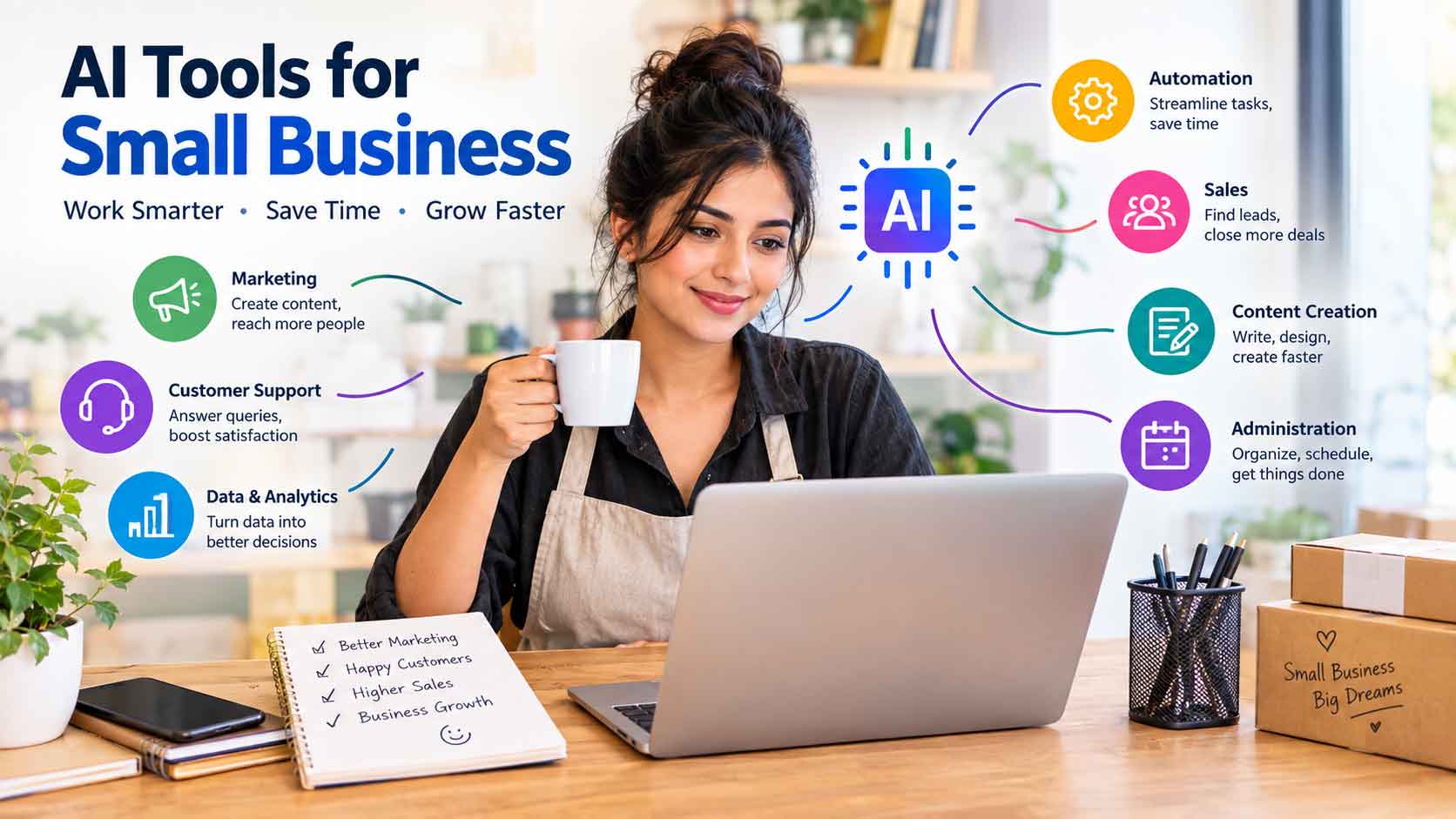
This is where AI tools for small business can make a meaningful difference. The right tools can automate repetitive work, speed up content creation, organize information, support customer service, and help business owners make better decisions without requiring a large team.
However, using AI effectively is not simply about choosing the tool with the longest feature list. A small business needs solutions that are affordable, easy to use, secure, and genuinely useful for its workflow.
In this guide, you will learn what AI tools can do for small businesses, which business functions benefit most, how to choose the right solutions, common mistakes to avoid, and practical ways to introduce AI into your daily operations.

What Are AI Tools for Small Business?
AI tools for small business are software applications that use artificial intelligence to help entrepreneurs and small teams complete business tasks more efficiently.
Depending on the tool, AI can help with:
- Writing emails and marketing content
- Creating social media posts
- Generating ideas and brainstorming
- Summarizing documents and meetings
- Customer support
- Sales and lead management
- Data analysis
- Scheduling and administrative work
- Website content
- Graphic and presentation creation
- Transcription and note-taking
- Workflow automation
The biggest advantage is not necessarily replacing human work. Instead, AI can reduce repetitive tasks so business owners and employees can spend more time on customers, strategy, creativity, and revenue-generating activities.
Why Small Businesses Should Consider AI
Large companies often have dedicated departments for marketing, customer service, finance, research, and operations. Small businesses may have only a few employees handling all of these responsibilities.
AI can help close that resource gap.
1. Save Time
Repetitive tasks can consume hours every week. AI can help draft emails, summarize information, organize notes, create first drafts, and perform other routine activities.
For example, instead of spending an hour creating five social media captions, a business owner can generate initial ideas quickly and then edit them for accuracy and brand voice.
2. Reduce Operational Costs
AI can potentially reduce the amount of manual work required for routine tasks. This can be particularly valuable for businesses operating with limited budgets.
The goal should not be to eliminate people. It should be to make existing employees more productive.
3. Improve Marketing
Small businesses need consistent marketing, but creating content regularly can be difficult.
AI can assist with:
- Blog outlines
- Product descriptions
- Email campaigns
- Social media ideas
- Ad variations
- SEO research
- Marketing calendars
Human review remains important because generic AI-generated content may not accurately reflect a company’s customers or brand.
4. Improve Customer Support
AI-powered chatbots and support assistants can help answer common questions, provide basic information, and direct customers toward appropriate resources.
For a business receiving repetitive questions about opening hours, shipping, returns, pricing, or services, automation can save considerable time.
5. Make Data Easier to Understand
Small businesses generate data through sales, websites, advertising, customer interactions, and accounting systems.
AI-powered analytics tools can help identify patterns and summarize complicated information in easier-to-understand language.

The Best Business Areas for AI
Not every business task needs AI. The strongest opportunities usually involve repetitive, time-consuming, information-heavy, or creative tasks.
AI for Marketing
Marketing is one of the most accessible areas for AI adoption.
AI can help businesses:
- Research content ideas
- Create content briefs
- Draft blog posts
- Generate social captions
- Develop email subject lines
- Repurpose existing content
- Brainstorm advertising concepts
- Analyze campaign performance
For example, a local clothing business could use AI to turn one product description into several social media captions, an email promotion, and a short website description.
AI for Customer Service
Customer service AI can assist with frequently asked questions and routine requests.
Useful applications include:
- Website chat assistants
- FAQ generation
- Support-ticket categorization
- Email drafting
- Conversation summaries
- Customer feedback analysis
A good implementation should always provide a clear path to human assistance when the request is complicated or sensitive.
AI for Sales
Sales teams can use AI to organize and analyze leads.
Possible applications include:
- Lead qualification
- Sales-email drafting
- CRM summaries
- Follow-up reminders
- Customer research
- Sales forecasting
- Call summaries
AI can help salespeople spend less time updating records and more time talking to potential customers.
AI for Administration
Administrative work is another strong use case.
AI can assist with:
- Meeting summaries
- Document organization
- Scheduling
- Email management
- Data entry
- Internal documentation
- Task lists
- Standard operating procedures
These small improvements can add up to substantial time savings over a month.
AI for Content Creation
Businesses often need visual and written content for websites, social platforms, presentations, advertisements, and newsletters.
AI-powered creative tools can help generate:
- Images
- Design concepts
- Presentations
- Video ideas
- Product descriptions
- Headlines
- Content outlines
The best results usually come from combining AI-generated drafts with human editing and brand-specific direction.
Types of AI Tools Small Businesses Can Use
| Business Need | AI Tool Category | Common Use |
|---|---|---|
| Marketing | AI writing assistant | Content and campaign drafts |
| Customer support | AI chatbot | Frequently asked questions |
| Sales | AI sales assistant | Lead research and follow-ups |
| Productivity | AI assistant | Research and organization |
| Meetings | AI meeting assistant | Transcription and summaries |
| Design | AI design tool | Graphics and marketing assets |
| Data | AI analytics tool | Reports and insights |
| Finance | AI-enabled accounting software | Bookkeeping and financial organization |
| HR | AI HR tools | Recruitment and employee workflows |
| Automation | AI workflow platform | Connecting business applications |
The right category depends on where your business currently loses the most time.
How to Choose the Right AI Tools for Small Business

Choosing AI software based only on popularity can lead to unnecessary expenses. Instead, evaluate each tool against your actual business needs.
Step 1: Identify Your Biggest Time-Wasting Tasks
Make a list of tasks that happen repeatedly.
For example:
- Answering similar customer emails
- Creating weekly social posts
- Preparing meeting notes
- Writing product descriptions
- Creating monthly reports
Start with one or two high-impact problems.
Step 2: Estimate the Potential Value
Ask:
- How many hours does this task take each week?
- How frequently does it occur?
- How much does human labor cost?
- Does automation improve accuracy or consistency?
- Will employees actually use the tool?
A tool that saves 10 minutes once a month may not be worth paying for. A tool that saves several hours every week could have much stronger value.
Step 3: Compare Features and Pricing
Do not automatically choose the most expensive solution.
Look at:
- Monthly cost
- User limits
- Usage limits
- Integrations
- Ease of use
- Security controls
- Customer support
- Export options
- Scalability
Step 4: Test Before Committing
Whenever possible, use a free trial or limited plan.
Test the tool with real business tasks rather than generic examples. This gives you a better understanding of its usefulness and limitations.
Step 5: Check Data and Privacy Practices
This is especially important when working with customer information, financial records, contracts, employee data, or confidential business information.
Before entering sensitive information into an AI system, understand:
- What data is collected
- How it is stored
- Who can access it
- Whether it is used for model improvement
- How information can be deleted
- What security controls are available
AI Tools vs. Traditional Software
AI does not automatically make traditional software unnecessary.
| Factor | Traditional Software | AI-Powered Software |
|---|---|---|
| Automation | Often rule-based | Can handle more flexible tasks |
| Content creation | Usually manual | Can generate drafts |
| Data analysis | Requires more manual interpretation | Can summarize patterns |
| Customer support | Fixed responses | More conversational |
| Setup | Often predictable | May require testing and supervision |
| Human oversight | Usually moderate | Often essential for AI outputs |
In many cases, the best solution is a combination of traditional software and AI features.
Pros and Cons of AI for Small Businesses
Pros
- Saves time on repetitive work
- Can improve productivity
- Helps small teams handle larger workloads
- Supports faster content creation
- Can provide useful summaries and insights
- May improve customer response times
- Can make sophisticated capabilities more accessible
Cons
- AI outputs can contain errors
- Subscription costs can accumulate
- Employees may need training
- Privacy and security require attention
- Over-automation can damage customer experiences
- Some tools provide inconsistent results
- Human judgment is still necessary
The objective is not to use AI everywhere. It is to use it where it provides measurable value.
Best Practices for Using AI in a Small Business
Start Small
Avoid introducing ten AI tools at once.
Choose one business problem, implement one solution, measure the result, and expand from there.
Create Clear Guidelines
Employees should understand what AI can and cannot be used for.
For example, a company might establish rules covering:
- Confidential information
- Customer data
- Human review
- Brand voice
- Fact-checking
- Approved AI applications
Keep Humans in the Loop
AI-generated information should be reviewed when accuracy matters.
This is particularly important for:
- Financial information
- Legal documents
- Customer complaints
- Medical or safety-related information
- Public-facing claims
- Business decisions
Build Reusable Prompts and Workflows
Instead of starting from scratch every time, create repeatable workflows.
For example:
Product information → AI draft → human review → brand formatting → publication
A standardized process can make AI much more useful across a team.
Measure Results
Track whether AI is actually improving the business.
Useful metrics include:
- Hours saved
- Cost per task
- Customer response time
- Conversion rate
- Content production
- Employee productivity
- Customer satisfaction
If a tool does not create meaningful value, reconsider whether you need it.
Common Mistakes to Avoid
1. Buying Too Many Tools
Using separate AI applications for every small task can create unnecessary complexity.
Start with your most important business problem.
2. Trusting AI Without Verification
AI can produce convincing but incorrect information. Always verify important facts before using them commercially.
3. Publishing Generic Content
AI-generated content can sound repetitive when businesses provide little original input.
Add:
- Real customer examples
- Company experience
- Original insights
- Product knowledge
- Industry-specific information
4. Ignoring Data Security
Never treat an AI tool as automatically safe for confidential business information.
Review its privacy and security policies before use.
5. Automating Customer Interactions Too Aggressively
Customers sometimes want a person, not a bot.
Use automation for simple questions and provide an easy way to reach a human when needed.
6. Focusing on Technology Instead of Results
The newest AI tool is not necessarily the best tool.
Business outcome should come before technology.
Expert Tips for Getting More Value From AI
Tip 1: Choose tasks with clear inputs and outputs.
AI works particularly well when you can clearly define what information goes in and what result you need.
Tip 2: Give AI business context.
Instead of asking for a generic marketing email, provide your target audience, product details, brand voice, offer, and desired action.
Tip 3: Use AI as a first-draft engine.
Let AI handle the initial version, then use human expertise to improve it.
Tip 4: Combine multiple tasks into workflows.
For example, a meeting can be transcribed, summarized, converted into action items, and organized into a project-management system.
Tip 5: Review performance regularly.
AI tools evolve quickly. Reassess your technology stack periodically and remove tools that no longer provide sufficient value.
People Also Ask: Frequently Asked Questions
What are the best AI tools for small businesses?
The best AI tool depends on the business problem. Common categories include AI writing assistants, customer-support chatbots, meeting assistants, design tools, analytics platforms, and workflow automation software.
Can AI help a small business save money?
Yes. AI can reduce the time required for repetitive tasks and help small teams accomplish more with existing resources. However, the savings depend on the task, implementation, and cost of the software.
Is AI suitable for businesses with only one employee?
Absolutely. Solo entrepreneurs can use AI for content creation, research, customer communication, organization, administrative work, and brainstorming. The key is choosing tools that solve genuine time-consuming problems.
Can AI replace employees in a small business?
AI can automate certain tasks, but replacing an entire employee is usually a more complicated question. Many businesses benefit more from using AI to increase employee productivity rather than eliminating human roles.
Are free AI tools good enough for small businesses?
Free tools can be useful for testing and basic tasks. However, paid solutions may provide additional features, integrations, security controls, higher usage limits, or business-focused support.
How can a small business start using AI?
Start by identifying one repetitive task that consumes significant time. Test an appropriate AI solution, establish a review process, measure the results, and expand only if the experiment succeeds.
What should businesses avoid putting into AI tools?
Avoid sharing confidential or sensitive information unless the service’s security, privacy, contractual terms, and organizational policies allow it. Always understand how a provider handles submitted data.
Does every small business need AI?
No. AI should solve a business problem, not become a goal by itself. If a process is already inexpensive, efficient, and reliable, adding AI may not provide enough benefit.
Internal Linking Opportunities
A comprehensive small-business website could internally link this article to related resources such as:
- AI tools for digital marketing
- AI tools for social media
- AI tools for bloggers
- AI meeting assistants
- AI voice generators
- AI transcription tools
- AI tools for resume writing
- AI tools for logo design
- Small business automation guide
- Digital marketing strategy guide
- Small business productivity guide
These links can create a strong topical cluster around AI-powered business solutions.
Authoritative External Reference Opportunities
For readers who want to investigate AI adoption, privacy, cybersecurity, and business technology further, consider linking to authoritative resources from organizations such as:
- U.S. National Institute of Standards and Technology (NIST)
- OECD
- International Organization for Standardization (ISO)
- Government small-business agencies
- Official documentation from individual software providers
Use primary sources whenever possible, especially for security, privacy, regulatory, and technical claims.
Pingback: 15 Best AI Tools for YouTube Creators to Grow Faster in 2026
Pingback: 15 Best AI Tools for Content Creation in 2026: Create Better Content Faster
Pingback: 15 Best SEO Tools for WordPress in 2026: Boost Rankings, Traffic & Website Performance - AI Tools, Software Reviews & Small Business Growth Guides | BlogUper