
Knowing where your website ranks in Google is one thing. Knowing why rankings changed, which pages gained or lost visibility, how competitors are performing, and whether those changes are actually affecting your SEO strategy is another.
That is where rank tracking software becomes essential.
Modern SEO rank trackers do much more than display a keyword’s position. The better platforms can monitor rankings by country, city, device, and search engine, track competitors, measure SERP features, preserve historical ranking data, and generate SEO reports. Some tools are also expanding beyond traditional Google results into AI search visibility. Semrush, for example, now combines traditional position tracking with monitoring across AI search experiences, while Ahrefs tracks numerous SERP features, including AI Overviews.
But you don’t necessarily need the most expensive platform.
The best rank tracking tools in 2026 depend on your goals, keyword volume, budget, local SEO requirements, reporting needs, and whether you need a complete SEO suite or a dedicated rank tracker.
This guide compares 15 popular options and explains what each tool is best suited for.
What Is Rank Tracking Software?
Rank tracking software monitors the positions of your website’s pages for specific keywords in search engine results.
For example, suppose you target the keyword “best project management software.” A rank tracker can tell you whether your page appears at position #4, #9, #15, or somewhere beyond the first 100 results.
Over time, you can monitor:
- Keyword position changes
- Google keyword rankings
- Organic search visibility
- Competitor rankings
- SERP features
- Local rankings
- Mobile versus desktop positions
- Ranking history
- Search visibility trends
- Keyword performance
This makes a Google rank tracker particularly useful when you’re actively publishing content, building backlinks, optimizing existing pages, or managing SEO campaigns for clients.
Best Rank Tracking Tools in 2026: Quick Comparison
| Tool | Best For | Tracking Strength | Local Tracking | Competitor Tracking |
|---|---|---|---|---|
| Semrush | All-in-one SEO | Daily position tracking | Yes | Yes |
| Ahrefs | SEO research + rankings | Global and local | Yes | Yes |
| SE Ranking | Agencies and growing businesses | Multi-location tracking | Yes | Yes |
| AccuRanker | Dedicated rank tracking | Daily + fast refreshes | Yes | Yes |
| SERPWatcher | Beginners | Simple daily tracking | Yes | Yes |
| Nightwatch | Local and granular SEO | Daily tracking | Yes | Yes |
| Wincher | Small businesses | Simple tracking | Yes | Yes |
| SEO PowerSuite Rank Tracker | Large keyword sets | Desktop tracking | Yes | Yes |
| Advanced Web Ranking | Agencies | High-volume tracking | Yes | Yes |
| ProRankTracker | Local SEO and agencies | Detailed position tracking | Yes | Yes |
| Moz Pro | Beginners and small teams | Keyword tracking | Yes | Yes |
| Ubersuggest | Budget-conscious users | Basic rank tracking | Yes | Yes |
| Google Search Console | Free first-party data | Search performance | Limited | No |
| Morningscore | Beginners | Easy SEO monitoring | Yes | Yes |
| Serpwatch | Automated reporting | Daily tracking | Yes | Yes |
Features and pricing can change, so verify current limits and plans before purchasing.
1. Semrush
Semrush is one of the most comprehensive options for businesses that want rank tracking alongside keyword research, competitor analysis, technical SEO, content tools, and reporting.
Its Position Tracking tool monitors rankings by location, device, and search engine. It also supports competitor tracking, SERP features, visibility metrics, alerts, and automated reports. Semrush says its position tracking now includes traditional search results as well as AI search experiences.
Best for: SEO professionals, agencies, marketers, and larger teams.
Pros:
- Broad SEO toolkit
- Daily ranking updates
- Competitor tracking
- Local and device-level tracking
- SERP feature monitoring
- Automated reporting
Cons:
- Can be expensive for beginners
- Large feature set may feel overwhelming
2. Ahrefs
Ahrefs combines rank tracking with powerful backlink, keyword, content, and competitor research.
Its Rank Tracker supports mobile and desktop tracking, location tracking from country to city and ZIP code, historical position data, SERP features, and competitor comparisons. Ahrefs currently lists 190+ locations and 19 SERP features, including AI Overviews.
One useful feature is the ability to compare ranking progress with competitors and identify ranking changes over time.
Best for: SEO specialists who need rank tracking combined with deep SEO research.
Pros:
- Strong competitor analysis
- Excellent backlink database
- Historical ranking data
- Mobile and desktop tracking
- Detailed SERP analysis
Cons:
- Better suited to serious SEO users
- Rank-tracking update frequency depends on the plan
3. SE Ranking
SE Ranking is particularly useful for agencies, freelancers, and growing businesses that need rank tracking alongside other SEO features.
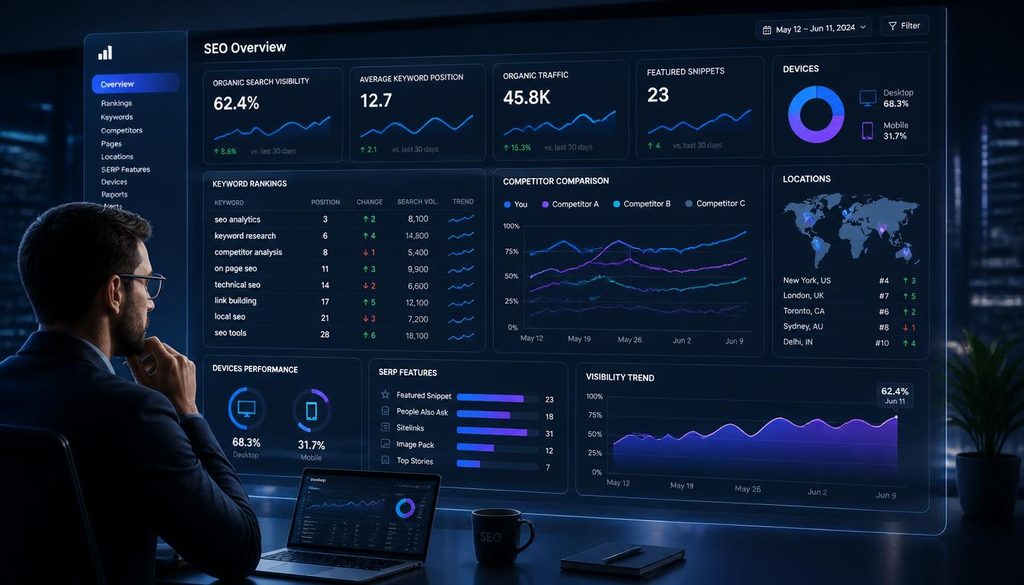
Its Rankings system supports multiple locations, devices, languages, and search engines including Google, Google Mobile, Google Maps, Yahoo, Bing, and YouTube. It also provides historical ranking changes and SERP feature information.
For local SEO, SE Ranking lets users track Google Maps rankings from specific points such as cities, regions, streets, or addresses.
Best for: Agencies and businesses wanting a broad SEO platform with strong rank tracking.
Pros:
- Multi-location tracking
- Google Maps tracking
- Competitor monitoring
- Agency-friendly features
- Multiple search engines
Cons:
- Some advanced features require higher plans
- Interface takes time to master
4. AccuRanker
AccuRanker focuses heavily on keyword rank tracking rather than trying to be an all-purpose SEO platform.
Its rank tracking provides daily updates, local and country-level rankings, SERP feature monitoring, pixel-position data, CTR information, and visibility metrics.
This focused approach makes it attractive to SEO teams and agencies that already have other tools for keyword research and backlink analysis.
Best for: Dedicated SEO rank tracking and large professional campaigns.
Pros:
- Strong rank-tracking focus
- Daily updates
- Local tracking
- SERP visibility metrics
- Useful for agencies
Cons:
- Less of an all-in-one SEO platform
- Can become costly as keyword requirements grow
5. SERPWatcher by Mangools
SERPWatcher is part of the Mangools SEO suite, alongside tools for keyword research and SERP analysis.
Its main advantage is simplicity. Beginners can monitor keyword positions without navigating a huge enterprise-style SEO platform.
Best for: Bloggers, freelancers, beginners, and small websites.
Pros:
- Simple interface
- Easy-to-understand reports
- Keyword position history
- Useful alongside Mangools keyword research
Cons:
- Lower keyword capacity than enterprise tools
- Fewer advanced features
6. Nightwatch
Nightwatch is designed around detailed rank tracking, particularly for users who need granular local and global visibility data.
Local tracking is especially useful when rankings vary significantly between cities or locations. This matters for businesses where “SEO agency near me” or similar location-dependent searches produce different results depending on the searcher’s location.
Best for: Local SEO, agencies, and businesses requiring granular tracking.
Pros:
- Local rank tracking
- Detailed segmentation
- Competitor monitoring
- Useful reporting capabilities
Cons:
- Advanced features may be unnecessary for small websites
- Can require more setup than beginner-focused tools
7. Wincher
Wincher focuses on straightforward keyword tracking and local SEO monitoring.
Its Local Rank Tracker allows businesses to monitor keywords and competitors across geographic areas and see where their business appears in Google Maps.
Best for: Small and medium-sized businesses that want straightforward SEO position tracking.
Pros:
- Simple workflow
- Local rank tracking
- Competitor monitoring
- Easy-to-understand reports
Cons:
- Less comprehensive than major all-in-one SEO suites
- Advanced SEO research may require another platform
8. SEO PowerSuite Rank Tracker
SEO PowerSuite takes a different approach from many cloud-based tools. Its Rank Tracker is part of a desktop SEO software suite.
It can be useful for users who want extensive keyword tracking and prefer having a broader SEO toolkit installed locally.
Best for: SEO professionals managing large keyword lists.
Pros:
- Extensive keyword tracking capabilities
- Desktop workflow
- Competitor analysis
- Local and search-engine tracking
Cons:
- Desktop software isn’t ideal for every team
- Reporting and collaboration workflows can differ from cloud platforms
9. Advanced Web Ranking
Advanced Web Ranking, often called AWR, is built heavily around rank tracking and reporting.
It is particularly relevant for agencies that manage many keywords and need customizable client reports. Current industry comparisons highlight its large-scale tracking and white-label reporting capabilities.
Best for: SEO agencies and high-volume reporting.
Pros:
- High keyword capacity
- Local and mobile tracking
- White-label reporting
- Extensive search engine coverage
Cons:
- More complex than beginner tools
- Primarily focused on professional SEO workflows
10. ProRankTracker
ProRankTracker is designed specifically around monitoring keyword rankings.
It can be useful when rank tracking is the primary requirement rather than a complete SEO suite.
Best for: Agencies, local SEO professionals, and businesses managing multiple projects.
Pros:
- Dedicated rank tracking
- Local SEO capabilities
- Reporting features
- Multi-project management
Cons:
- Not a complete replacement for keyword research or backlink platforms
- Advanced functionality may require higher plans
11. Moz Pro
Moz offers rank tracking as part of its broader Moz Pro SEO platform.
Its rank tracking features are designed to help users monitor keyword positions, competitors, and search visibility without requiring the complexity of an enterprise SEO system.
Best for: Beginners, small teams, and marketers already using Moz.
Pros:
- Beginner-friendly ecosystem
- Keyword tracking
- Competitor monitoring
- Broader SEO features
Cons:
- Some advanced requirements may call for specialized trackers
- Enterprise-scale users may need more granular functionality
12. Ubersuggest
Ubersuggest is aimed largely at users who want accessible SEO research without the complexity of premium enterprise platforms.
Its rank tracking can help website owners monitor targeted keywords and understand whether their SEO efforts are moving in the right direction.
Best for: Bloggers, small businesses, and SEO beginners.
Pros:
- Accessible interface
- Keyword research
- Rank tracking
- Competitor research
Cons:
- Not as specialized as dedicated rank trackers
- Advanced agencies may need more reporting and segmentation
13. Google Search Console
Google Search Console deserves a place on this list because it provides first-party Google search performance data for your own verified properties.
It isn’t a traditional rank tracking platform and doesn’t provide competitor rankings. However, its Performance report can show queries, clicks, impressions, click-through rate, and average position.
That makes it an excellent baseline for measuring real organic search performance.
Best for: Every website owner who wants free Google search data.
Pros:
- Free
- First-party Google data
- Click and impression data
- Query-level performance information
Cons:
- No competitor rank tracking
- Less granular than dedicated rank trackers
- Not designed for agency-style rank reporting
14. Morningscore
Morningscore combines SEO monitoring with a simplified interface designed to make SEO metrics easier to understand.
Its approach can be useful for users who want keyword tracking without becoming overwhelmed by highly technical SEO dashboards.
Best for: Beginners and small businesses.
Pros:
- Beginner-friendly interface
- SEO monitoring
- Keyword tracking
- Competitor insights
Cons:
- Advanced SEO teams may prefer deeper specialist tools
- Less focused on enterprise-scale rank tracking
15. Serpwatch
Serpwatch focuses on keyword position monitoring, competitor tracking, and automated SEO reporting.
For agencies, automated reporting can reduce the amount of manual work involved in preparing recurring client updates.
Best for: SEO professionals and agencies that prioritize reporting automation.
Pros:
- Rank monitoring
- Competitor tracking
- Automated reporting
- Local tracking capabilities
Cons:
- May be more functionality than a small website needs
- Compare keyword limits carefully before choosing a plan
Which Rank Tracking Tool Should You Choose?
Instead of looking for one universally “best” tool, match the platform to your workflow.
| If You Need… | Consider |
|---|---|
| All-in-one SEO platform | Semrush |
| Backlinks + SEO research + rankings | Ahrefs |
| Agency-friendly SEO platform | SE Ranking |
| Dedicated rank tracking | AccuRanker |
| Simple tracking for beginners | SERPWatcher |
| Local and granular tracking | Nightwatch |
| Straightforward tracking | Wincher |
| Large keyword projects | SEO PowerSuite / AWR |
| Free Google data | Google Search Console |
| Automated agency reports | ProRankTracker / Serpwatch |
This approach is more useful than choosing a tool based only on its number of features.
How to Choose the Best Rank Tracking Tool
Before subscribing, evaluate these seven factors.
1. Update Frequency
Ask how frequently rankings are refreshed.
If you’re running an active SEO campaign, daily rank tracking can be more useful than weekly data because it gives you a tighter view of ranking fluctuations.
However, daily updates aren’t automatically necessary for every website.
A stable informational site may not need to check rankings every day.
2. Location Tracking
Local businesses should pay close attention to geographic tracking.
A keyword can rank differently in:
- New York
- London
- Dhaka
- Toronto
- A specific ZIP code
- A specific city district
For local SEO, city-level or grid-based tracking can be significantly more useful than national averages.
3. Mobile vs. Desktop Rankings
Your mobile keyword rankings can differ from desktop results.
Choose a tracker that allows you to separate mobile and desktop data if mobile search is important to your audience.
4. Competitor Rank Tracking
A ranking number is more useful when you have context.
Suppose your page moves from #5 to #8.
That’s concerning—but what if three competitors also dropped and your overall search visibility increased?
Competitor rank tracking helps you understand the broader SERP environment rather than looking at one number in isolation.
5. SERP Features
Modern search results contain much more than ten blue links.
Depending on the query, you may encounter:
- Featured snippets
- Local packs
- Video results
- Image results
- Shopping results
- People Also Ask
- Top stories
- AI Overviews
- Other specialized SERP elements
Ahrefs, for example, currently tracks multiple SERP features and allows users to examine whether their site appears in specific features.
6. Historical Ranking Data
Don’t judge SEO performance from today’s ranking alone.
Historical data lets you identify:
- Long-term growth
- Ranking drops
- Seasonal patterns
- Algorithm-related volatility
- Successful content updates
- Failed optimization experiments
Position history can reveal trends that a single ranking snapshot cannot.
7. Reporting and Integrations
If you’re an agency, reporting may be just as important as tracking.
Look for:
- Automated reports
- PDF exports
- White-label reports
- Google Looker Studio integrations
- API access
- Scheduled emails
- Client dashboards
The right reporting system can save hours every month.
How to Use an SEO Rank Tracker Effectively
Simply opening your dashboard every morning isn’t an SEO strategy.
Use your rank tracker as part of a repeatable process.
Step 1: Build a Keyword Set
Start with keywords that matter to your business.
Group them into categories such as:
- Product keywords
- Service keywords
- Informational keywords
- Commercial keywords
- Local keywords
- Branded keywords
- High-priority revenue keywords
Step 2: Assign the Correct Location
Set the country, city, or ZIP/postal area relevant to your audience.
Step 3: Separate Mobile and Desktop
If your audience searches primarily on smartphones, pay particular attention to mobile rankings.
Step 4: Track Competitors
Add your major organic competitors and monitor how their rankings change.
Step 5: Watch Ranking Groups
Don’t obsess over every one-position movement.
Instead, monitor changes such as:
- Top 3
- Positions 4–10
- Positions 11–20
- Positions 21–50
- Positions 51–100
Moving from position #12 to #8 can be more strategically important than moving from #51 to #45.
Step 6: Connect Rankings to Traffic
Ranking improvements matter because they can contribute to organic traffic and conversions.
Where possible, compare ranking data with:
- Google Search Console
- Google Analytics
- Conversion data
- Revenue
- Leads
- Organic CTR
Common Rank Tracking Mistakes
Tracking Too Many Irrelevant Keywords
A huge keyword list isn’t automatically better.
Focus on terms connected to your:
- Products
- Services
- Audience
- Content strategy
- Business objectives
Checking Rankings Without Checking URLs
A keyword may rank because of a different page than the one you intended.
This can indicate keyword cannibalization or a page-targeting problem.
Ignoring Search Intent
A page ranking for a keyword isn’t necessarily successful if the keyword attracts the wrong audience.
For example, a commercial landing page may rank for an informational query but generate few conversions.
Comparing Different Locations
A ranking report from one country cannot be directly compared with a report from another location without accounting for search geography.
Treating Small Ranking Changes as Major Problems
Search rankings fluctuate.
A move from #7 to #8 doesn’t necessarily require an immediate content rewrite.
Look for sustained trends before making major changes.
Expert Tips for Better SEO Performance Tracking
Track important keywords, not vanity keywords
Prioritize terms that can drive qualified traffic, leads, sales, or strategic visibility.
Use ranking data with other metrics
Rankings are only one piece of SEO performance.
Combine them with:
- Impressions
- CTR
- Organic traffic
- Conversions
- Backlinks
- Engagement
- Revenue
Create keyword groups
Separate branded, non-branded, local, informational, commercial, and product keywords.
This makes SEO reporting much more meaningful.
Monitor ranking pages
Always know which URL is ranking for each important keyword.
If Google repeatedly switches between two pages, investigate possible cannibalization or search-intent problems.
Track SERP features
A traditional position doesn’t tell the entire story anymore. A page at position #4 may have different visibility depending on the SERP features appearing above it.
Don’t react to every fluctuation
SEO is a long-term process. Look for meaningful patterns rather than making decisions based on one day’s data.
Frequently Asked Questions
What is the best rank tracking tool in 2026?
There isn’t one tool that fits every SEO workflow. Semrush and Ahrefs combine rank tracking with broad SEO capabilities, while AccuRanker focuses more heavily on dedicated rank tracking. SE Ranking, Nightwatch, Wincher, and SERPWatcher address different needs around agency work, local SEO, simplicity, and budget.
What is a rank tracker?
A rank tracker is software that monitors where your website’s pages appear in search results for selected keywords. Advanced tools can also monitor competitors, locations, devices, SERP features, and historical ranking data.
Are free rank tracking tools available?
Yes. Google Search Console is the most important free starting point because it provides first-party performance data for your own verified websites. Dedicated free plans and trials also exist across parts of the SEO software market, although their keyword and reporting limits vary.
How often should I check keyword rankings?
For actively managed SEO campaigns, daily or frequent updates can provide useful monitoring. For smaller or less volatile websites, weekly review may be sufficient. The important point is to analyze trends rather than react to every small fluctuation.
Can rank trackers monitor local SEO?
Yes. Many modern tools support city-level, ZIP-code, map, or other geographic tracking. SE Ranking, for example, supports Google Maps tracking from specific geographic points, while Ahrefs supports tracking from country, city, and ZIP-code locations.
Why does my rank tracker show a different position than Google?
Search results can vary based on location, device, personalization, search settings, data timing, and the exact search environment. Rank trackers use defined configurations so results can be compared consistently over time.
Should I track mobile and desktop rankings separately?
If mobile search is important to your audience, yes. Separate device tracking can reveal differences that disappear when the data is combined.
What is SERP feature tracking?
SERP feature tracking monitors special search-result elements such as featured snippets, local packs, videos, images, and other enhanced results. It helps you understand visibility beyond traditional organic blue-link positions.
Can rank tracking improve SEO?
Rank tracking itself doesn’t improve rankings. Its value comes from helping you identify opportunities and problems. You can use ranking history to decide which pages need better content, stronger internal linking, improved search intent alignment, or other SEO work.

