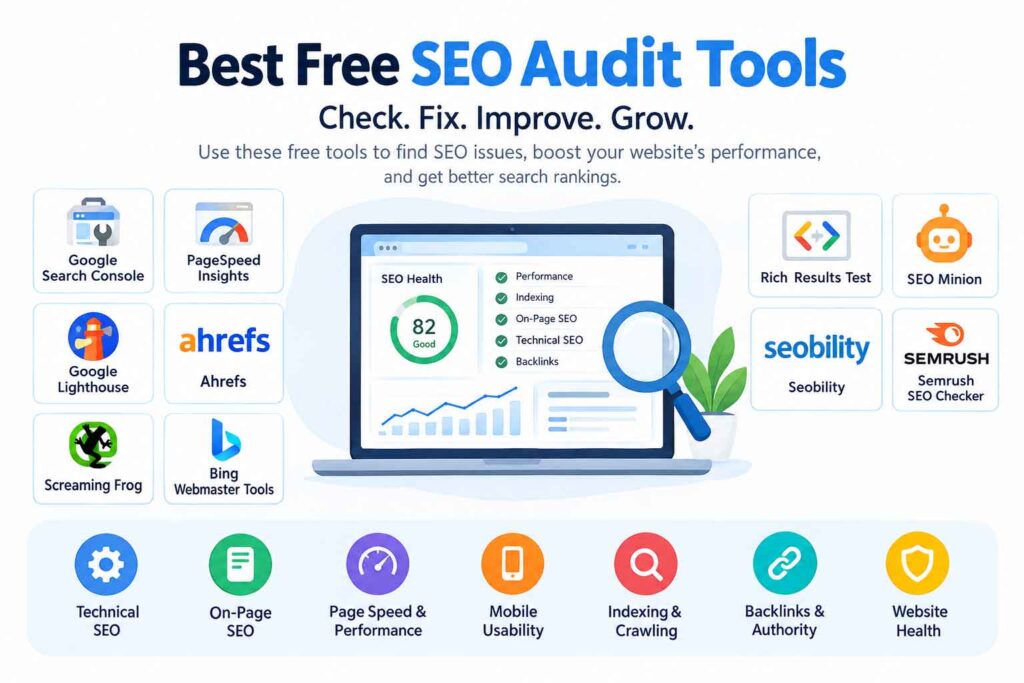
Running an ecommerce website means competing for thousands of searches—from broad terms such as “running shoes” to high-intent queries like “waterproof hiking shoes for women.” The challenge is not simply getting more visitors. You need to attract the right shoppers, make your product and category pages discoverable, and turn organic traffic into revenue.
That is where the best SEO tools for ecommerce websites can make a major difference.
Ecommerce SEO involves more than finding keywords. You may need to identify search opportunities, analyze competitors, optimize product descriptions, monitor rankings, discover broken links, improve site speed, manage internal links, and make sure search engines can properly understand products and variants.
The good news is that you do not need dozens of subscriptions to build a useful SEO workflow. A combination of free Google tools and one or two specialized platforms can cover most ecommerce SEO needs.
In this guide, we’ll examine 15 ecommerce SEO tools in 2026, what each tool does best, who should use it, and how to use it effectively.
What Should You Look for in Ecommerce SEO Tools?
Before choosing an SEO platform, consider the specific problems your store needs to solve.
The most useful SEO tools for ecommerce typically help with:
- Keyword research for products and categories
- Competitor analysis
- Search ranking tracking
- Technical SEO audits
- Product page optimization
- Backlink analysis
- Content optimization
- Site speed and Core Web Vitals
- Structured data and schema validation
- Internal linking
- Organic traffic analysis
- Search performance monitoring
Ecommerce websites also have unique SEO challenges, including duplicate URLs caused by filters, large product catalogs, discontinued products, pagination, product variants, and thin category pages. A tool that works well for a 30-page business website may not be enough for a store with thousands of URLs.

15 Best SEO Tools for Ecommerce Websites
1. Semrush
Best for: All-in-one ecommerce SEO and competitor research
Semrush is one of the most comprehensive ecommerce SEO software platforms. Its ecommerce toolkit combines keyword research, competitor analysis, rank tracking, site auditing, and visibility monitoring.
For ecommerce businesses, Semrush can help identify high-intent product and category keywords, discover competitor keyword gaps, monitor rankings, and audit technical problems. Its ecommerce offering also includes tools for analyzing product and category visibility across search environments.
Useful for:
- Ecommerce keyword research
- Competitor analysis
- Keyword gap research
- Rank tracking
- Technical SEO
- Site audits
- Product and category visibility
Pros:
- Broad SEO feature set
- Strong competitor research
- Useful for larger ecommerce teams
- Combines multiple workflows in one platform
Cons:
- Can be overwhelming for beginners
- Advanced features generally require a paid plan
Best use: Use Semrush when you want one platform to manage several parts of your ecommerce SEO strategy.
2. Ahrefs
Best for: Keyword research, competitor analysis, and backlinks
Ahrefs is particularly useful for understanding how competitors attract organic traffic and backlinks.
For ecommerce websites, it can help uncover keywords competitors rank for, analyze referring domains, research content opportunities, and evaluate search demand.
Ahrefs’ own ecommerce SEO guidance emphasizes optimizing category and product pages because these pages can be among the most commercially valuable pages on an online store.
Useful for:
- Keyword research
- Backlink analysis
- Competitor research
- SERP analysis
- Content research
- Rank tracking
Pros:
- Strong backlink data
- Excellent competitor research
- Useful keyword metrics
- Powerful content discovery
Cons:
- Advanced features can be expensive
- New users may need time to learn the platform
Best use: Choose Ahrefs when backlinks, competitor research, and keyword opportunities are central to your strategy.
3. Google Search Console
Best for: Free search performance data
Google Search Console is one of the most important free ecommerce SEO tools available.
It provides data about how your site performs in Google Search, including queries, impressions, clicks, click-through rate, and average position.
For ecommerce stores, this information can reveal pages that receive impressions but few clicks. Those pages may benefit from better title tags, meta descriptions, content, internal links, or search-intent alignment.
Use it to:
- Find queries generating impressions
- Monitor indexing
- Identify search performance changes
- Check individual URLs
- Find pages gaining or losing visibility
- Investigate search-related issues
Best use: Every ecommerce website should have Google Search Console connected and monitored regularly.
4. Screaming Frog SEO Spider
Best for: Technical SEO audits and large ecommerce websites
Ecommerce stores can accumulate thousands of URLs, making manual technical SEO checks difficult.
Screaming Frog SEO Spider crawls websites and identifies hundreds of SEO issues, including broken links, missing metadata, duplicate elements, redirect problems, and other technical opportunities. The free version can crawl up to 500 URLs, while a paid license removes that limit and adds advanced functionality.
It can also integrate with analytics and search data, allowing SEO teams to combine crawl information with performance metrics.
Useful for:
- Technical SEO
- Broken links
- Redirect audits
- Metadata analysis
- Internal linking
- Large ecommerce sites
- JavaScript-heavy websites
Best use: Use it when your store has hundreds or thousands of URLs and you need a detailed technical audit.
5. SE Ranking
Best for: Rank tracking and affordable SEO management
SE Ranking combines several common SEO workflows, including keyword rank tracking, competitor analysis, website auditing, keyword research, and backlink monitoring.
It can be useful for ecommerce businesses that need to monitor product and category rankings across multiple locations or search engines.
Useful for:
- Ecommerce keyword tracking
- Rank monitoring
- Competitor research
- Site audits
- Backlink monitoring
Best use: Small businesses and growing ecommerce teams that want several SEO functions without maintaining many separate tools.
6. Moz Pro
Best for: SEO fundamentals and keyword research
Moz Pro is a long-established SEO platform that provides tools for keyword research, rank tracking, site crawling, and link analysis.
For ecommerce businesses, its keyword research capabilities can help identify terms based on search demand and difficulty, while its crawling tools can help uncover technical issues.
Useful for:
- Keyword research
- Rank tracking
- Site audits
- Link analysis
- On-page SEO
Best use: Businesses looking for a mature SEO platform with a relatively approachable workflow.
7. Google Keyword Planner
Best for: Keyword discovery and search-demand research
Google Keyword Planner is primarily designed for Google Ads, but it can also be useful during ecommerce keyword research.
You can use it to discover variations around products, categories, services, and commercial search terms.
For example, an online footwear store could research variations around:
- running shoes
- trail running shoes
- waterproof running shoes
- women’s running shoes
- lightweight running shoes
Use keyword data as a starting point rather than treating search-volume estimates as an exact forecast of organic traffic.
Best use: Early-stage keyword discovery, especially when building product and category keyword lists.
8. Ubersuggest
Best for: Beginner-friendly keyword research
Ubersuggest offers keyword research, competitor analysis, backlink information, and site audit features.
It can be particularly useful for smaller ecommerce businesses that need straightforward keyword ideas without a highly complex interface.
Useful for:
- Long-tail keywords
- Keyword suggestions
- Competitor research
- Basic SEO audits
- Content ideas
Best use: Beginners and small online stores developing their first SEO strategy.
9. Sitebulb
Best for: Visual technical SEO auditing
Sitebulb focuses heavily on website crawling and technical SEO analysis. Its visual reports can make complicated site architecture and crawl problems easier to understand.
For ecommerce websites, this can be helpful when analyzing:
- Crawlability
- Internal linking
- Indexability
- Duplicate URLs
- Redirects
- Site architecture
- Metadata
Best use: SEO professionals who want detailed technical analysis presented in a visual, actionable format.
10. Surfer
Best for: Content optimization
Surfer is designed to help optimize content around search intent and relevant topics.
For ecommerce, it can be useful when creating or improving category pages, buying guides, comparison content, and informational content that supports product discovery.
However, avoid forcing keywords into product descriptions simply because a tool suggests them. Product copy should remain useful, natural, and persuasive.
Best use: Content teams that want data-assisted optimization for ecommerce content.
11. Google PageSpeed Insights
Best for: Page speed and Core Web Vitals analysis
A slow ecommerce website can create friction before a customer even reaches checkout.
Google PageSpeed Insights analyzes page performance and provides recommendations related to loading performance and user experience.
Use it to investigate important pages such as:
- Homepage
- Category pages
- Product pages
- Search pages
- Cart pages
Focus particularly on templates. If one product-page template has a performance problem, fixing the template can improve the experience across hundreds or thousands of URLs.
Best use: Technical teams and store owners working on site speed optimization and page experience.
12. Google Analytics 4
Best for: Measuring organic traffic and ecommerce behavior
Google Analytics 4 helps you understand what happens after users arrive on your store.
SEO traffic alone is not the final goal. You should also evaluate:
- Engagement
- Product views
- Add-to-cart activity
- Purchases
- Revenue
- Landing-page performance
- User journeys
This allows you to distinguish pages that generate traffic from pages that contribute to business outcomes.
Best use: Measuring whether your SEO traffic actually supports ecommerce performance.
13. Google Merchant Center
Best for: Product visibility across Google’s shopping ecosystem
Google Merchant Center is especially relevant to ecommerce businesses because it allows merchants to provide Google with product information.
It is not a conventional SEO crawler or keyword research platform, but it belongs in an ecommerce search-visibility toolkit.
You should keep product information such as:
- Product names
- Prices
- Availability
- Images
- Product identifiers
- Shipping information
accurate and consistent.
Google also supports merchant listing experiences using appropriate product structured data, which can provide information such as price, availability, shipping, and return details in eligible search experiences.
Best use: Product discovery and shopping visibility.
14. Rank Math
Best for: On-page SEO for WordPress and WooCommerce
If your ecommerce store runs on WordPress and WooCommerce, Rank Math can help manage many on-page SEO tasks directly within WordPress.
Depending on configuration and version, features can include:
- Meta titles and descriptions
- XML sitemaps
- Schema markup
- Redirect management
- On-page SEO checks
- WooCommerce-related SEO settings
Best use: WooCommerce stores that want SEO controls inside their WordPress workflow.
15. Yoast SEO
Best for: WordPress and WooCommerce SEO management
Yoast SEO is another widely used WordPress SEO solution.
For ecommerce websites running WooCommerce, it can help manage important SEO fundamentals such as metadata, structured data, XML sitemaps, canonical URLs, and other site-level SEO settings.
Best use: WordPress ecommerce sites that prefer managing core SEO settings directly inside their CMS.
Ecommerce SEO Tools Comparison
| Tool | Best For | Keyword Research | Technical SEO | Rank Tracking | Backlinks | Free Option |
|---|---|---|---|---|---|---|
| Semrush | All-in-one SEO | ✅ | ✅ | ✅ | ✅ | Limited |
| Ahrefs | Backlinks & competitors | ✅ | ✅ | ✅ | ✅ | Limited/free tools |
| Google Search Console | Search performance | ✅ | Basic | ✅ | Basic | ✅ |
| Screaming Frog | Technical audits | — | ✅ | — | — | ✅ Up to 500 URLs |
| SE Ranking | SEO management | ✅ | ✅ | ✅ | ✅ | Trial/limited |
| Moz Pro | SEO fundamentals | ✅ | ✅ | ✅ | ✅ | Limited |
| Keyword Planner | Keyword discovery | ✅ | — | — | — | ✅ |
| Ubersuggest | Beginner SEO | ✅ | ✅ | — | ✅ | Limited |
| Sitebulb | Technical auditing | — | ✅ | — | — | Trial |
| Surfer | Content optimization | ✅ | — | — | — | Limited |
| PageSpeed Insights | Performance | — | ✅ | — | — | ✅ |
| Google Analytics 4 | Traffic & conversions | — | — | — | — | ✅ |
| Merchant Center | Product visibility | — | — | — | — | ✅ |
| Rank Math | WooCommerce SEO | — | ✅ | — | — | Free version |
| Yoast SEO | WordPress SEO | — | ✅ | — | — | Free version |
Features and free-plan limitations can change, so check each provider’s current documentation before purchasing.
How to Choose the Right Ecommerce SEO Tool
You do not necessarily need all 15 tools.
Instead, build your stack around your store’s size, platform, and SEO objectives.
For a New Ecommerce Store
Start with:
- Google Search Console
- Google Analytics 4
- Google Keyword Planner
- Google PageSpeed Insights
- One WordPress/WooCommerce SEO plugin if applicable
This gives you a solid foundation without a large software budget.
For a Growing Ecommerce Business
Consider adding:
- Semrush or Ahrefs
- Screaming Frog
- A dedicated rank tracker
- Content optimization software
This combination gives you stronger competitor, keyword, technical, and ranking data.
For a Large Ecommerce Website
Large stores typically need more advanced crawling and monitoring.
A practical stack could include:
- Semrush or Ahrefs
- Screaming Frog or Sitebulb
- Google Search Console
- Google Analytics 4
- PageSpeed Insights
- Merchant Center
- Dedicated reporting dashboards
The goal is not to collect more tools. It is to create a workflow where every tool answers a specific SEO question.
How to Use Ecommerce SEO Tools Effectively
Step 1: Research Product and Category Keywords
Start with the terms customers actually use.
Separate keywords into groups such as:
- Informational
- Commercial investigation
- Transactional
- Branded
- Product-specific
- Category-specific
- Long-tail
For example, “best office chair” has a different intent from “buy ergonomic office chair with headrest.”
Step 2: Map Keywords to the Right Pages
Do not target every keyword on your homepage.
Instead:
- Product keywords → Product pages
- Category keywords → Category pages
- Informational questions → Blog or guide content
- Brand searches → Brand/product pages
- Comparison queries → Comparison or buying-guide content
This creates a clearer site structure and reduces keyword cannibalization.
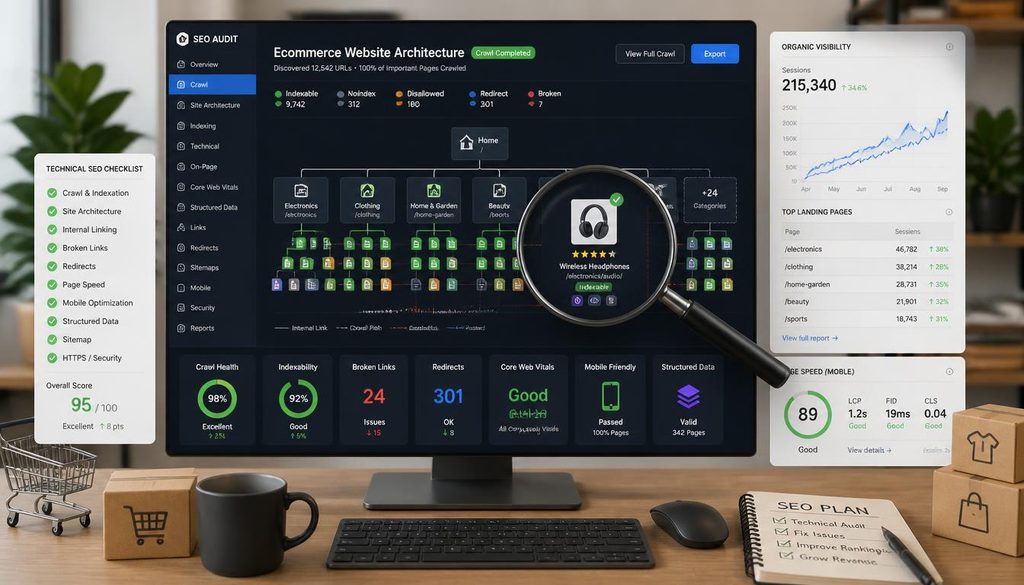
Step 3: Audit Your Website
Use a crawler to check for:
- Broken links
- Missing titles
- Duplicate titles
- Missing meta descriptions
- Incorrect canonicals
- Redirect chains
- Orphan pages
- Duplicate URLs
- Indexability problems
This is particularly important for ecommerce stores with faceted navigation and large catalogs.
Step 4: Optimize Product Pages
A strong product page should provide more than a product name and a short description.
Review:
- Product title
- Unique product description
- Images and alt text
- Specifications
- Reviews
- FAQs
- Internal links
- Relevant structured data
- Availability and pricing information
Google’s documentation explains that Product structured data can make eligible pages suitable for enhanced product-related search appearances.
Step 5: Monitor Rankings and Traffic
Track your most valuable keywords and URLs over time.
Do not focus only on average rankings. Compare rankings with:
- Organic clicks
- Impressions
- Conversion data
- Revenue
- Product visibility
- Landing-page performance
A keyword ranking in position three is useful, but the business value depends on what happens after the click.
Ecommerce SEO Best Practices
Optimize Category Pages
Category pages often target broader commercial searches.
Make them useful with:
- Helpful introductory copy
- Relevant products
- Clear navigation
- Supporting FAQs
- Internal links
- Descriptive headings
- Appropriate metadata
Build Strong Internal Links
Link related products, categories, guides, and supporting content together.
For example:
Blog guide → Category page → Product page
This can help users discover relevant products while creating a logical internal linking structure.
Improve Product Descriptions
Avoid copying manufacturer descriptions word-for-word across your store.
Create original descriptions that explain:
- Benefits
- Features
- Use cases
- Specifications
- Ideal customer
- Important buying considerations
Manage Product Variants Carefully
Products may have multiple colors, sizes, materials, or configurations. Google provides specific guidance for using ProductGroup and related structured data to describe product variants.
Keep Mobile SEO a Priority
A large proportion of ecommerce browsing happens on mobile devices.
Check:
- Mobile page speed
- Navigation
- Product image loading
- Buttons
- Search functionality
- Filters
- Checkout usability
Common Ecommerce SEO Mistakes
1. Creating Hundreds of Thin Product Pages
If products have almost identical descriptions, your site may provide little unique value.
Add genuinely useful information instead of simply expanding word count.
2. Ignoring Faceted Navigation
Filters can create huge numbers of URL combinations.
Review which filtered URLs should be crawlable or indexable and which should not become unnecessary search-engine destinations.
3. Using the Same Metadata Everywhere
Each important product and category page should have metadata that accurately reflects its content and search intent.
4. Forgetting Discontinued Products
When products disappear, do not automatically delete their URLs.
Depending on the situation, you may need to redirect, replace, update, or retire the page appropriately.
5. Focusing Only on Rankings
SEO is not successful simply because a keyword moves upward.
Look at the complete path:
Search visibility → Clicks → Product engagement → Conversions → Revenue
6. Over-Optimizing Product Copy
Do not turn product descriptions into lists of repeated keywords. Write for shoppers first.
Expert Tips for Ecommerce SEO
1. Start with your highest-value pages.
You do not need to optimize every URL simultaneously. Begin with categories and products that already generate impressions, clicks, revenue, or strong commercial demand.
2. Combine first-party and third-party data.
Google Search Console shows how your site performs in Google Search, while tools such as Semrush and Ahrefs provide broader competitive and keyword intelligence.
3. Audit templates, not just individual pages.
If 2,000 product pages use the same template, one template improvement can potentially benefit thousands of URLs.
4. Prioritize search intent over keyword density.
The right page for a search matters more than repeating the target phrase.
5. Connect SEO with revenue data.
Use analytics and ecommerce reporting to determine which organic landing pages contribute to purchases.
6. Review technical SEO regularly.
Ecommerce catalogs change constantly. New products, discontinued products, filters, redirects, and inventory changes can introduce SEO problems over time.
Frequently Asked Questions
What are the best SEO tools for ecommerce websites?
Popular options include Semrush, Ahrefs, Google Search Console, Screaming Frog, SE Ranking, Moz Pro, and Google Keyword Planner. The right combination depends on your store size, platform, budget, and SEO goals.
Are there free ecommerce SEO tools?
Yes. Google Search Console, Google Analytics 4, Google Keyword Planner, Google PageSpeed Insights, and Google Merchant Center are useful free tools. Screaming Frog also offers a free version that can crawl up to 500 URLs.
Which SEO tool is best for Shopify?
Shopify stores can use platforms such as Semrush, Ahrefs, SE Ranking, Screaming Frog, and Google Search Console. The best setup depends on whether your primary need is keyword research, competitor analysis, technical auditing, or rank tracking.
Which SEO tools work well with WooCommerce?
WooCommerce stores can combine Google Search Console with WordPress SEO plugins such as Yoast SEO or Rank Math, along with broader platforms such as Semrush or Ahrefs and crawlers such as Screaming Frog.
How do SEO tools help product pages?
They can help identify product-related keywords, analyze competitors, find technical issues, review metadata, monitor rankings, identify internal-linking opportunities, and validate structured data.
Do ecommerce websites need technical SEO tools?
Yes, particularly as the store grows. Large catalogs can generate broken links, duplicate URLs, redirect chains, indexability issues, and other technical problems that are difficult to identify manually.
How often should an ecommerce website perform an SEO audit?
A smaller store may perform a detailed audit every few months, while larger stores can benefit from more frequent automated monitoring and periodic deep crawls. Significant site migrations, platform changes, redesigns, or catalog restructuring should also trigger an SEO review.
Can SEO tools increase ecommerce sales?
SEO tools do not directly create sales. They provide data and diagnostics that can help businesses improve search visibility, attract more relevant visitors, optimize landing pages, and identify technical or content problems that may affect organic performance.