
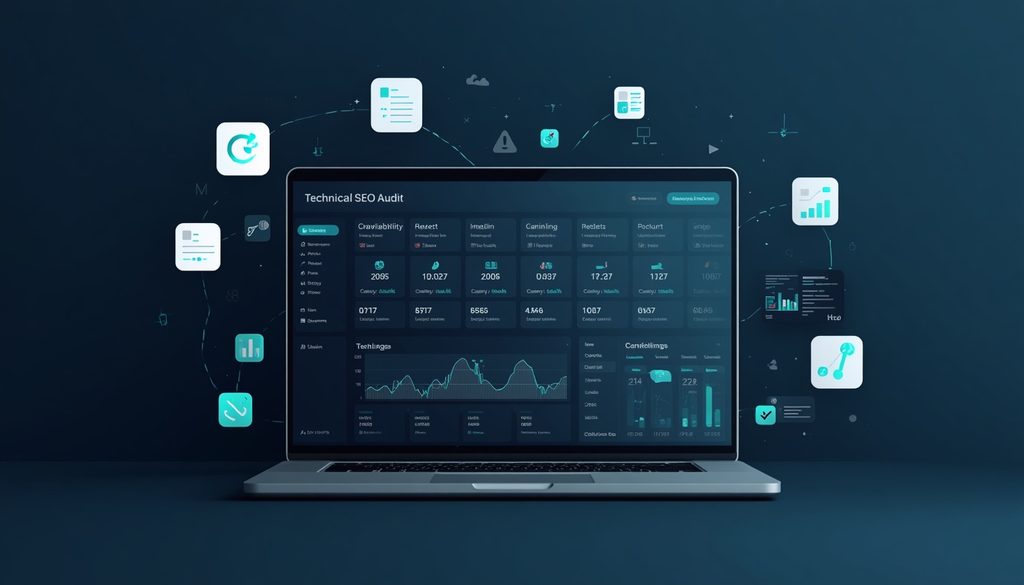
Technical SEO problems are often invisible to visitors. A website can look polished, publish excellent content, and still struggle in search because search engines cannot crawl, render, understand, or index important pages properly.
That is where the best technical SEO tools in 2026 become valuable. They can uncover broken links, redirect chains, duplicate pages, crawlability issues, slow-loading resources, indexing problems, missing canonical tags, structured-data errors, and other technical barriers.
But you do not need every SEO platform available. The right tool depends on what you are trying to diagnose.
In this guide, we compare 15 technical SEO tools for website audits, crawling, performance monitoring, indexability, JavaScript SEO, structured data, and more. Whether you are a beginner, SEO professional, developer, agency, or business owner, you will find options for different technical SEO workflows and budgets.
What Is Technical SEO?
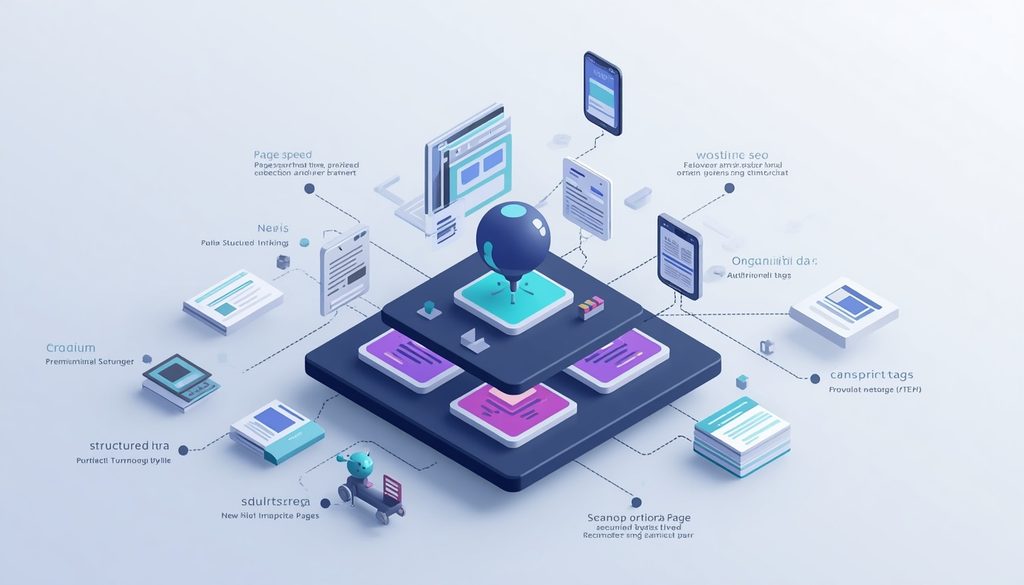
Technical SEO is the process of improving the technical aspects of a website so search engines can efficiently crawl, render, understand, and index its content.
Technical SEO commonly covers:
- Website crawlability
- Indexability
- Site architecture
- XML sitemaps
- Robots.txt
- Canonical tags
- HTTP status codes
- 301 redirects
- 404 errors
- Internal linking
- Duplicate content
- Mobile SEO
- Core Web Vitals
- Page speed
- Structured data and schema markup
- JavaScript SEO
- Hreflang implementation
- Crawl budget
- Log file analysis
A technical SEO audit brings these elements together to identify problems and prioritize fixes.
What Should You Look for in a Technical SEO Tool?
Not every technical SEO checker does the same job. Before choosing one, consider these capabilities.
1. Website Crawling
A good crawler should discover URLs, analyze links, identify status codes, and reveal technical problems at scale.
2. Indexability Analysis
Look for tools that can identify:
- Noindex directives
- Canonicalization issues
- Blocked resources
- Incorrect robots.txt rules
- Indexing inconsistencies
3. Performance Monitoring
Page speed and Core Web Vitals are important parts of modern website performance. A useful tool should help you understand problems affecting loading, responsiveness, and visual stability.
4. JavaScript SEO
JavaScript-heavy websites can require additional investigation because the HTML initially delivered to a crawler may not contain everything visible after rendering.
5. Reporting and Prioritization
For agencies and large websites, clear reports and actionable recommendations can save significant time.
6. Integrations
Connections with platforms such as Google Search Console, analytics systems, or developer workflows can make technical SEO investigations much easier.
15 Best Technical SEO Tools in 2026
| Tool | Best For | Key Technical SEO Uses | Free Option |
|---|---|---|---|
| Screaming Frog SEO Spider | Deep website crawling | Crawl errors, redirects, canonicals, metadata, internal links | Yes, with limits |
| Google Search Console | Google search diagnostics | Indexing, sitemap, search visibility, Core Web Vitals | Yes |
| Semrush Site Audit | All-in-one audits | Crawlability, HTTPS, redirects, markup, internal links | Limited |
| Ahrefs Site Audit | Large-scale auditing | Crawling, broken links, redirects, indexability | Limited |
| Sitebulb | Visual technical audits | Site architecture, crawl analysis, auditing | Trial available |
| PageSpeed Insights | Page performance | Core Web Vitals, performance diagnostics | Yes |
| Google Lighthouse | Technical performance | Performance, accessibility, best practices, SEO | Yes |
| JetOctopus | Large websites | Enterprise crawling, logs, Googlebot analysis | Trial available |
| Oncrawl | Enterprise SEO | Crawl data and log analysis | Paid |
| Botify | Enterprise technical SEO | Crawling, log analysis, crawl budget | Paid |
| ContentKing | Continuous monitoring | Real-time technical SEO changes | Paid |
| SE Ranking Website Audit | Small businesses/agencies | Site health, crawl issues, on-page technical problems | Trial available |
| Serpstat Site Audit | SEO auditing | Technical errors, site health, crawling | Limited |
| Schema Markup Validator | Structured data | Schema validation | Yes |
| Rich Results Test | Google rich-result eligibility | Structured data testing | Yes |
1. Screaming Frog SEO Spider
Screaming Frog SEO Spider is one of the most established SEO crawling tools for detailed technical website analysis.
It can crawl websites and analyze URLs, links, redirects, metadata, canonicals, directives, response codes, and other technical elements.
Best for
- Technical SEO professionals
- Developers
- Agencies
- Large website audits
- Detailed URL-level analysis
Key features
- Website crawling
- Broken-link discovery
- Redirect analysis
- Canonical analysis
- XML sitemap crawling
- Robots.txt testing
- Internal-link analysis
- Duplicate-content detection
- JavaScript rendering
- Custom extraction
Pros: Extremely detailed and flexible.
Cons: Its interface can feel overwhelming for beginners, especially during large crawls.
2. Google Search Console
Google Search Console should be part of almost every technical SEO workflow because it provides information directly related to how Google Search interacts with your site.
You can use it to investigate indexing, sitemap submissions, search performance, Core Web Vitals, mobile usability-related issues where applicable, and other Google Search signals.
Best for
- Website owners
- SEO beginners
- Developers
- SEO professionals
The major advantage is that it is free and provides first-party Google Search data.
Expert tip: Use Search Console alongside a crawler. Search Console can show issues from Google’s perspective, while a crawler lets you inspect the website’s actual URL structure in much greater depth.
3. Semrush Site Audit
Semrush Site Audit provides a broad technical SEO audit within an all-in-one SEO platform.
It can crawl websites and identify issues involving:
- Crawlability
- HTTPS
- Internal linking
- Redirects
- Canonicals
- Markup
- Performance
- International SEO
- Site architecture
Best for
Businesses, SEO specialists, content teams, and agencies that want technical auditing alongside keyword research and competitive analysis.
Its reporting and issue categorization can also make technical SEO easier to communicate to clients.
4. Ahrefs Site Audit
Ahrefs Site Audit is designed for crawling websites and identifying technical and on-page SEO problems.
It can help find:
- Broken links
- Redirect issues
- Duplicate pages
- Missing metadata
- Canonical problems
- HTTPS issues
- Internal-link opportunities
- Performance-related issues
Best for
SEO professionals who already use Ahrefs for keyword research, backlinks, and competitor analysis.
One benefit of using an integrated platform is that technical findings can be considered alongside a site’s broader organic-search data.
5. Sitebulb
Sitebulb focuses heavily on making technical SEO audits easier to interpret.
Instead of simply giving you a long list of errors, it provides visualizations and structured reports that help explain relationships between technical problems and site architecture.
Best for
- Technical SEO consultants
- Agencies
- Complex websites
- Visual learners
Sitebulb is particularly useful when you need to explain technical SEO findings to stakeholders who are not SEO specialists.
6. PageSpeed Insights
Google PageSpeed Insights is one of the most useful free tools for investigating webpage performance.
It provides performance measurements and diagnostics and includes Core Web Vitals data when sufficient real-user data is available.
Use it to investigate
- Loading performance
- Responsiveness
- Visual stability
- JavaScript-related performance issues
- Render-blocking resources
- Image optimization
- Browser caching opportunities
Best for
Developers, website owners, and SEO professionals who need a quick performance diagnosis for individual pages.
7. Google Lighthouse
Lighthouse is an open-source auditing tool that can analyze web pages across areas such as performance, accessibility, best practices, and SEO.
It is particularly useful during development because technical teams can run audits while building or improving a website.
Best for
Developers and technical SEO teams.
A useful workflow is to run Lighthouse during development and then use broader crawling and Search Console data after deployment.
8. JetOctopus
JetOctopus is designed for large-scale technical SEO analysis.
It combines website crawling capabilities with log-analysis features, making it useful for websites where understanding Googlebot behavior and crawl patterns is important.
Best for
- Large websites
- Ecommerce platforms
- Enterprise SEO
- Technical SEO specialists
For large sites, understanding which URLs search-engine crawlers actually visit can provide valuable context beyond a standard site crawl.
9. Oncrawl
Oncrawl is an enterprise-oriented technical SEO platform that combines crawl data with additional datasets, including server-log information.
This makes it useful for analyzing:
- Crawl behavior
- Crawl budget
- Indexability
- Site architecture
- Organic search performance
- Googlebot activity
Best for
Large websites and enterprise SEO teams dealing with millions of URLs or complicated technical architectures.
10. Botify
Botify focuses on enterprise SEO and large-scale website optimization.
Its technical SEO capabilities can help organizations understand how search-engine crawlers interact with their websites and how crawl activity relates to organic search performance.
Best for
- Enterprise websites
- International websites
- Large ecommerce platforms
- Technical SEO teams
For very large sites, log file analysis can provide insights that a conventional crawler cannot provide by itself.
11. ContentKing
ContentKing focuses on continuous website monitoring rather than relying exclusively on periodic audits.
This approach can be valuable when technical SEO changes frequently.
For example, an accidental change to:
- Robots.txt
- Canonical tags
- Noindex directives
- Redirects
- Internal links
- Title tags
could potentially affect organic search performance.
Continuous monitoring can help teams detect important changes sooner.
Best for
SEO teams and agencies managing websites where frequent changes need to be monitored.
12. SE Ranking Website Audit
SE Ranking offers website auditing features designed for businesses and SEO professionals.
Its technical audit can help identify issues involving crawling, indexing, links, redirects, HTTPS, page elements, and overall website health.
Best for
- Small businesses
- Freelancers
- Agencies
- SEO beginners
Its broader SEO platform can also reduce the need to manage multiple standalone tools.
13. Serpstat Site Audit
Serpstat includes technical website auditing as part of its wider SEO platform.
It can help identify technical problems and organize them into categories that make website optimization easier to manage.
Best for
Businesses and SEO professionals looking for an integrated platform covering technical audits alongside other SEO tasks.
14. Schema Markup Validator
Structured data helps search engines understand specific information contained on a webpage.
The Schema Markup Validator can be used to validate Schema.org structured data and identify implementation problems.
Useful for checking
- Schema syntax
- Structured-data properties
- Schema types
- Markup errors
Best for
Developers and SEOs implementing or debugging structured data.
Remember that valid schema does not automatically guarantee that Google will display a rich result.
15. Google Rich Results Test
Google’s Rich Results Test helps determine whether structured data on a page is eligible for supported rich-result experiences.
It is particularly useful when implementing structured data such as eligible product, article, breadcrumb, organization, or other supported markup.
Best for
- Developers
- SEO specialists
- Ecommerce websites
- Structured-data audits
Use it together with a Schema.org validator when you need to distinguish between valid structured data and eligibility for Google rich results.
How to Choose the Right Technical SEO Tool
There is no single technical SEO tool that is perfect for every website.
Use your website’s size, technical complexity, workflow, and budget to narrow the options.
| Your Situation | Tools to Consider |
|---|---|
| Beginner | Google Search Console, PageSpeed Insights, Lighthouse |
| Small business | Semrush, Ahrefs, SE Ranking |
| Technical SEO specialist | Screaming Frog, Sitebulb |
| Agency | Screaming Frog, Semrush, Ahrefs, Sitebulb |
| Large ecommerce site | JetOctopus, Oncrawl, Botify |
| Developer | Lighthouse, PageSpeed Insights, Screaming Frog |
| Structured-data work | Schema Markup Validator, Rich Results Test |
| Continuous monitoring | ContentKing |
| JavaScript-heavy website | Screaming Frog, Sitebulb, Lighthouse |
| Log file analysis | Oncrawl, Botify, JetOctopus |
How to Perform a Technical SEO Audit
Using several tools together usually produces better results than relying on a single audit.
Step 1: Crawl the Website
Start with a crawler such as Screaming Frog, Sitebulb, Semrush, or Ahrefs.
Look for:
- 4xx errors
- 5xx errors
- Redirect chains
- Orphaned pages
- Duplicate URLs
- Missing canonicals
- Internal-link problems
Step 2: Check Google Search Console
Review indexing information and identify pages that Google has problems accessing or indexing.
Compare this data with your crawler results.
Step 3: Check Robots.txt and XML Sitemap
Make sure important pages are not accidentally blocked.
Your XML sitemap should generally contain the URLs you actually want search engines to discover and index.
Step 4: Review Canonical Tags
Check whether canonical tags consistently identify the preferred version of duplicate or similar URLs.
Step 5: Analyze Core Web Vitals
Use PageSpeed Insights and other performance tools to investigate page-speed and user-experience issues.
Step 6: Review Internal Linking
Important pages should not be buried several clicks deep without a good reason.
Review your site’s internal-link structure and make sure important pages receive relevant contextual links.
Step 7: Check Structured Data
Validate structured data and separately test whether applicable markup qualifies for Google’s supported rich results.
Step 8: Prioritize the Fixes
Do not try to fix every warning simultaneously.
Prioritize problems that:
- Prevent important pages from being crawled.
- Prevent important pages from being indexed.
- Create widespread duplication.
- Cause major rendering or performance problems.
- Affect large sections of the site.
Common Technical SEO Mistakes
Even experienced teams can overlook basic technical problems.
1. Blocking Important Pages in Robots.txt
A robots.txt rule can prevent crawlers from accessing URLs that you actually want them to discover.
2. Using Noindex Incorrectly
A noindex directive tells search engines not to index a page. Applying it accidentally to valuable pages can remove them from search visibility.
3. Creating Redirect Chains
A redirect from URL A to B and then B to C creates an unnecessary chain. Wherever practical, redirect directly to the final destination.
4. Ignoring Broken Internal Links
Broken links create poor user experiences and can make crawling less efficient.
5. Treating Every Audit Warning as Equally Important
Technical SEO tools can generate hundreds or thousands of warnings.
Volume does not equal severity.
A small metadata warning is not necessarily as important as accidentally blocking thousands of valuable URLs.
6. Ignoring JavaScript Rendering
If important content or links depend heavily on JavaScript, check how search engines can access and render the content.
7. Fixing Symptoms Instead of Causes
If thousands of URLs have similar errors, look for the template, CMS, plugin, or architectural issue responsible for generating them.
Best Practices for Technical SEO in 2026
A strong technical SEO process should be ongoing rather than a one-time cleanup.
Keep Your Site Crawlable
Make sure important resources and pages can be discovered by search-engine crawlers.
Maintain a Clean Site Architecture
Create a logical hierarchy that makes important content easy to discover.
Monitor Indexability
Regularly check for unexpected noindex directives, canonical changes, and other indexing problems.
Optimize Performance
Monitor Core Web Vitals and investigate performance regressions after major design or development changes.
Keep Sitemaps Clean
Your XML sitemap should represent the URLs you actually want search engines to discover and index.
Monitor Technical Changes
Changes to templates, CMS settings, plugins, JavaScript, redirects, and deployment processes can introduce SEO problems.
Combine Tools
No single platform sees every part of technical SEO.
A practical combination might be:
Google Search Console + Screaming Frog + PageSpeed Insights
For larger organizations, add enterprise crawling and log-analysis capabilities when necessary.
Expert Tips for Using Technical SEO Tools
Tip 1: Crawl Before You Fix
Do not make isolated changes based on assumptions. Establish a baseline crawl first.
Tip 2: Segment Large Websites
For large ecommerce or publishing websites, analyze URL groups separately.
For example:
- Product pages
- Category pages
- Blog posts
- Filter URLs
- Search-result pages
- International versions
This can reveal patterns that disappear inside an enormous site-wide report.
Tip 3: Compare Crawls
Running another crawl after implementing major fixes can show whether the problem was actually resolved.
Tip 4: Combine Crawler Data With Search Console
A crawler tells you what exists on the website.
Search Console provides additional information about Google’s interaction with the site.
The two datasets answer different questions.
Tip 5: Involve Developers Early
Technical SEO problems often originate in code, templates, CMS configurations, hosting, JavaScript, or deployment systems.
A strong SEO-development workflow can prevent recurring issues instead of repeatedly fixing symptoms.
People Also Ask: Technical SEO Tools
What is the best technical SEO tool?
The right choice depends on your requirements. Screaming Frog is particularly useful for detailed crawling, while Google Search Console is essential for Google Search diagnostics. Enterprise websites may require specialized crawling and log-analysis platforms.
What is the best free technical SEO tool?
Google Search Console, PageSpeed Insights, Lighthouse, Schema Markup Validator, and Google’s Rich Results Test are useful free options for different technical SEO tasks.
Can I do a technical SEO audit for free?
Yes. A basic audit can be performed using Google Search Console, PageSpeed Insights, Lighthouse, and free versions or trials of selected crawling tools.
Is Screaming Frog good for technical SEO?
Yes. Screaming Frog is widely used for detailed website crawling and technical analysis. It is particularly useful when you need URL-level information about links, redirects, directives, canonicals, and other technical elements.
How often should I perform a technical SEO audit?
There is no universal schedule. Smaller websites may conduct comprehensive audits periodically and monitor important changes between audits. Large or frequently changing websites may benefit from continuous monitoring and more frequent crawling.
What tools check Core Web Vitals?
PageSpeed Insights and Google Search Console are useful for Core Web Vitals analysis. Lighthouse can also provide performance diagnostics for individual pages.
Which technical SEO tools are best for developers?
Developers may find Lighthouse, PageSpeed Insights, Screaming Frog, and browser developer tools particularly useful because they expose technical performance, rendering, links, resources, and SEO-related implementation issues.
Do technical SEO tools improve rankings automatically?
No. Tools identify potential problems and provide diagnostic information. The actual SEO benefit comes from correctly identifying, prioritizing, and implementing appropriate fixes.
Internal Linking Opportunities
If you are building a broader SEO content cluster, consider linking this article to related guides such as:
- Best AI Tools for SEO
- Best SEO Tools for Keyword Research
- Best SEO Tools for Content Optimization
- Best AI Tools for Content Creation
- Best AI Writing Tools
- Complete Technical SEO Guide for Beginners
- Core Web Vitals Guide
- On-Page SEO Checklist
- SEO Audit Checklist
These supporting pages can create a stronger topical structure and help readers move naturally from technical SEO tools to related SEO workflows.
Authoritative External References
For technical SEO research and implementation, prioritize primary documentation and official resources, particularly:
- Google Search Central documentation
- Google Search Console documentation
- Google PageSpeed Insights
- Chrome Lighthouse documentation
- Schema.org documentation
- Google Rich Results documentation
These sources are especially useful when a technical recommendation depends on current search-engine requirements or structured-data specifications.


Pingback: 15 Best SEO Tools for Ecommerce Websites in 2026: Boost Rankings, Traffic & Sales