SEO often involves a lot of repetitive browser work: checking title tags, reviewing headings, analyzing Google search results, finding broken links, checking redirects, researching keywords, and inspecting technical SEO elements.
You can do all of these tasks manually, but that quickly becomes inefficient.
That’s where SEO Chrome extensions can help.
The right browser extensions put useful SEO data directly into the pages and Google search results you’re already viewing. Instead of switching between multiple dashboards, you can inspect important SEO signals with a few clicks.
In this guide, we’ve selected 15 of the best free SEO Chrome extensions for 2026, covering on-page SEO, keyword research, SERP analysis, technical SEO, backlinks, competitor research, and website analysis.
Important: “Free” doesn’t always mean every feature is unlimited. Some extensions provide a genuinely free core tool, while others offer free features alongside optional paid functionality. We’ve highlighted those differences where relevant.
Quick Comparison: Best Free SEO Chrome Extensions
| Chrome Extension | Best For | Free? | Main SEO Use |
|---|---|---|---|
| Detailed SEO Extension | On-page SEO | Yes | Titles, headings, meta, links |
| SEOquake | SERP analysis | Yes | SEO metrics and page analysis |
| Keyword Surfer | Keyword research | Yes | Search volume and keyword ideas |
| SEO Minion | SEO checks | Yes | Broken links, SERP preview, hreflang |
| SEO META in 1 CLICK | Meta analysis | Yes | Meta tags and headings |
| Ahrefs SEO Toolbar | SEO research | Yes* | On-page, links, SERPs |
| MozBar | Authority analysis | Free tier | Domain/page authority |
| Redirect Path | Technical SEO | Yes | Redirects and HTTP status |
| Check My Links | Broken links | Yes | Link checking |
| HeadingsMap | Heading analysis | Yes | H1–H6 structure |
| NoFollow | Link attributes | Yes | Nofollow/sponsored/UGC |
| Wappalyzer | Competitor research | Free tier | Technology detection |
| Google Lighthouse | Technical audits | Yes | Performance and SEO audits |
| Hreflang Tag Checker | International SEO | Yes | Hreflang validation |
| View Rendered Source | JavaScript SEO | Yes | Rendered HTML analysis |
*Some Ahrefs metrics and advanced functionality require an Ahrefs account or paid subscription. Its current free features include on-page reports, redirect tracing, broken-link checking, SERP features, and other research tools.
1. Detailed SEO Extension
Best for: On-page SEO analysis
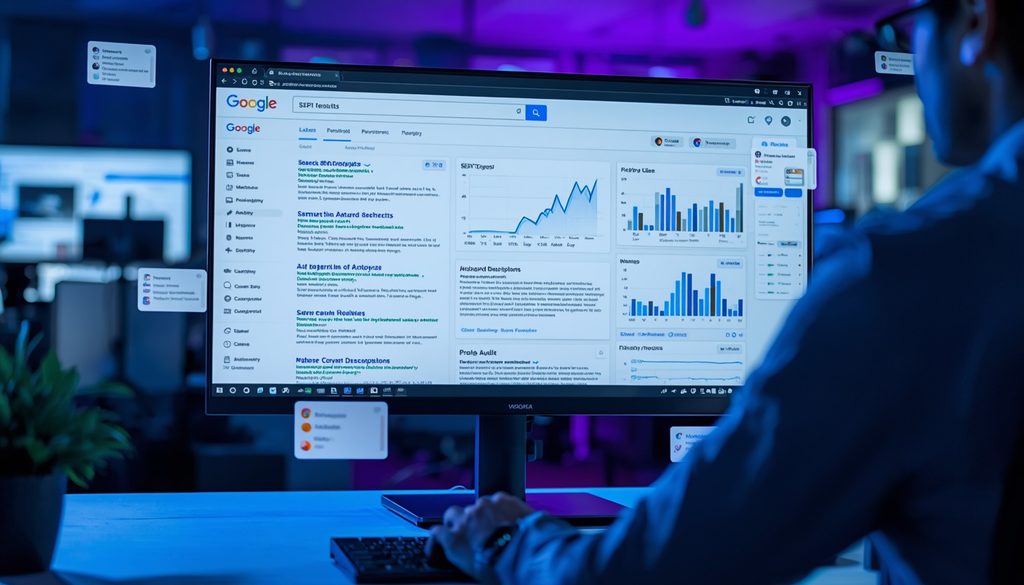
Detailed SEO Extension is one of the most useful free SEO Chrome extensions for quickly inspecting a webpage.
Instead of opening the source code, you can see important SEO information in one place.
What you can check
- Title tag
- Meta description
- Heading structure
- Canonical URL
- Robots directives
- Schema markup
- Links
- Images and alt attributes
- Hreflang
- Word count
It’s particularly useful for bloggers, content writers, and SEO specialists who frequently analyze competing pages.
Practical example
Suppose you’re researching a page ranking on Google for your target keyword. Open the page and use the extension to quickly examine its title, H1, headings, meta description, and other on-page elements.
You can then compare that structure with your own article.
Best use: Competitor analysis and pre-publishing on-page SEO checks.
2. SEOquake
Best for: SERP analysis and SEO auditing
SEOquake is a long-standing browser extension for analyzing search results and webpages.
It can provide SEO information directly in your browser and is particularly useful when researching competitors.
Useful features include:
- SERP analysis
- On-page SEO information
- Keyword-related data
- Internal and external links
- Page information
- SEO parameters
- Website comparisons
One advantage is that it lets you investigate search results without opening a separate SEO platform.
Best for
SEOquake works well when you need to quickly investigate multiple Google results and understand the competitive landscape.
Best use: SERP research and quick SEO audits.
3. Keyword Surfer
Best for: Free keyword research
Keyword Surfer is particularly useful for content writers and bloggers.
It brings keyword information directly into Google search results, allowing you to research search demand while performing normal Google searches.
You can use it for:
- Keyword research
- Search-volume estimates
- Keyword ideas
- Related searches
- Content research
- SERP analysis
For example, if you’re planning an article around “SEO Chrome extensions,” Keyword Surfer can help you explore related keyword ideas without immediately opening a separate keyword research platform.
Best use: Finding keyword ideas during content planning.
4. SEO Minion
Best for: Everyday SEO checks
SEO Minion is a multifunctional extension designed for common SEO tasks.
It can help with several areas that would otherwise require separate tools.
Useful features include:
- Broken-link checking
- SERP preview
- Heading analysis
- Hreflang checking
- Link analysis
- On-page SEO checks
It’s especially useful for bloggers and website owners who don’t need a large enterprise SEO platform but still want practical browser-based tools.
Best use: Routine website and content checks.
5. SEO META in 1 CLICK
Best for: Quickly inspecting metadata
As its name suggests, SEO META in 1 CLICK provides a quick way to inspect important metadata on a webpage.
Instead of manually searching through HTML, you can review SEO information from the extension interface.
Check elements such as:
- Title
- Meta description
- Headings
- Canonical
- Robots directives
- Open Graph information
- Links
- Images
It’s especially handy when checking competitors.
For example, you can open the top-ranking pages for a keyword and quickly compare their titles and heading structures.
Best use: Fast metadata and heading analysis.
6. Ahrefs SEO Toolbar
Best for: On-page SEO, links, and SERP research
The Ahrefs SEO Toolbar is one of the most comprehensive browser-based SEO tools available.
Its current free functionality includes an on-page SEO report, redirect tracer, HTTP headers, broken-link checking, link highlighting, SERP-related features, and other research capabilities.
It can also help inspect:
- Title and meta description
- Headings
- Canonical tags
- Noindex/nofollow directives
- Hreflang
- Structured data
- Outgoing links
- Broken links
- Redirects
- Image information
With an appropriate Ahrefs account, additional SEO metrics can become available.
Best use: Combining on-page analysis and backlink/competitor research in one browser extension.
7. MozBar
Best for: Domain and page authority research
MozBar is useful when you want quick access to Moz’s authority-related metrics while browsing.
SEO professionals often use it to investigate the relative authority of websites and pages appearing in search results.
Useful for:
- Competitor research
- Link prospecting
- SERP analysis
- Domain comparisons
- Page-level analysis
Remember that authority metrics are third-party estimates, not Google ranking factors themselves.
That means you shouldn’t treat a Domain Authority or Page Authority number as a direct prediction of rankings.
Best use: Competitor and backlink prospect research.
8. Redirect Path
Best for: Technical SEO and redirect debugging
Redirect issues can be difficult to identify when you’re simply browsing a website.
Redirect Path makes this process much easier by showing HTTP status codes and redirect chains.
It can identify responses such as:
- 301 redirects
- 302 redirects
- 404 errors
- 500 errors
- Meta redirects
- JavaScript redirects
Ayima, the developer of Redirect Path, describes it as a tool for identifying redirect chains and HTTP status codes directly while browsing.
Why SEO professionals need it
Imagine an old URL redirects to URL B, which redirects to URL C.
A redirect-checking extension makes this chain much easier to spot.
Best use: Technical SEO audits, migrations, and redirect troubleshooting.
9. Check My Links
Best for: Finding broken links
Broken links can create poor user experiences and make website maintenance more difficult.
Check My Links scans a webpage and identifies links that may be broken.
It’s particularly useful for:
- Large blog posts
- Resource pages
- Link-building research
- Content audits
- Competitor analysis
For example, if you have an old 3,000-word resource article containing dozens of links, running a link checker can save considerable manual effort.
Best use: Broken-link audits.
10. HeadingsMap
Best for: Heading structure analysis
A well-organized heading structure makes long-form content easier to understand.
HeadingsMap provides a visual representation of headings on a webpage.
You can quickly identify:
- H1
- H2
- H3
- H4
- H5
- H6
Why this matters
Imagine you’re analyzing a competitor’s 4,000-word guide.
Rather than reading the entire article first, you can inspect its heading hierarchy and understand how the content is organized.
This is useful for identifying potential content gaps and improving your own article structure.
Best use: Content planning and heading analysis.
11. NoFollow
Best for: Link attribute analysis
NoFollow is a simple utility extension for identifying link attributes on webpages.
It can help SEO professionals quickly identify links using attributes such as:
nofollowsponsoredugc
This can be particularly useful during backlink audits and competitor research.
Example
When evaluating a page containing dozens of external links, manually inspecting each link’s HTML is inconvenient.
A browser extension can make those attributes much easier to spot.
Best use: Link auditing and backlink research.
12. Wappalyzer
Best for: Competitor technology research
Wappalyzer isn’t exclusively an SEO extension, but it can be extremely useful for SEO competitor analysis.
It identifies technologies used by websites, such as:
- CMS platforms
- Analytics tools
- Ecommerce platforms
- JavaScript frameworks
- Advertising technologies
- Marketing tools
SEO use case
Suppose a competitor’s website has excellent organic visibility.
You can use a technology-detection extension to investigate what platform and tools the website uses.
This doesn’t tell you why the competitor ranks, but it can provide useful technical context.
Best use: Competitor and technology research.
13. Google Lighthouse
Best for: Technical website audits
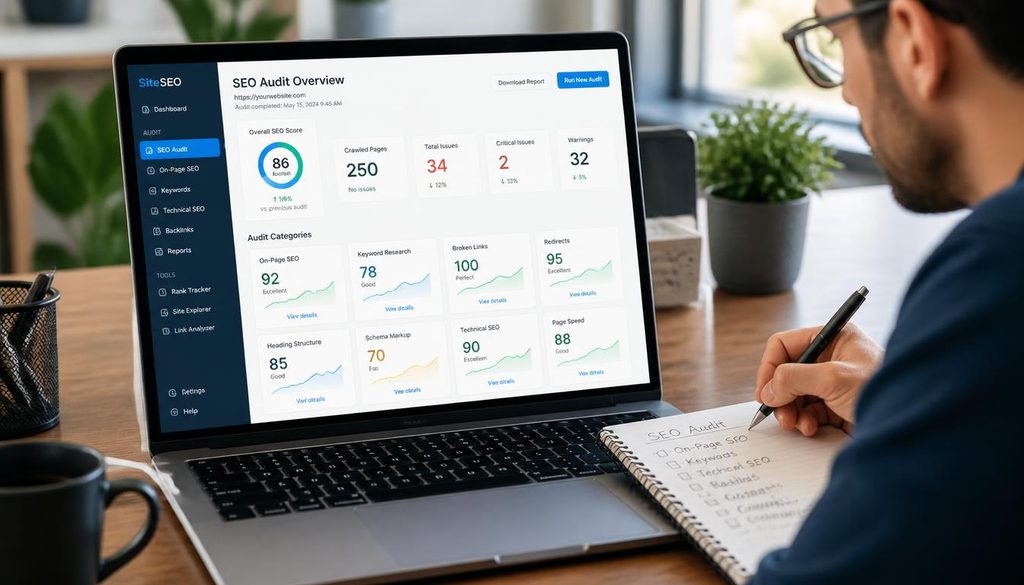
Lighthouse is Google’s open-source auditing tool and is also available through Chrome’s developer tools.
It can analyze areas including:
- Performance
- Accessibility
- Best practices
- SEO
- Progressive web app considerations
From an SEO perspective, Lighthouse can help identify technical and performance issues that deserve further investigation.
However, don’t treat its SEO score as a complete SEO audit. Technical SEO involves much more than a single score.
Best use: Performance and technical website checks.
14. Hreflang Tag Checker
Best for: International SEO
If your website targets multiple countries or languages, hreflang implementation becomes important.
Hreflang Tag Checker helps inspect and validate hreflang relationships.
Useful for:
- Multilingual websites
- International websites
- Country-specific pages
- Language targeting
- Hreflang troubleshooting
For example, an international ecommerce website might have separate English, French, German, and Spanish versions of the same product page.
Checking hreflang relationships can help identify implementation problems.
Best use: International SEO audits.
15. View Rendered Source
Best for: JavaScript SEO
Modern websites frequently rely on JavaScript.
That can make SEO debugging more complicated because the HTML delivered initially isn’t always identical to what appears after JavaScript executes.
View Rendered Source can help you compare the original source with the rendered page.
Why this matters
You may discover that:
- The title changes after rendering
- Content is injected through JavaScript
- Links appear only after rendering
- Metadata differs between source and rendered HTML
This makes the extension particularly useful for technical SEO professionals working on JavaScript-heavy websites.
Best use: JavaScript SEO and rendering analysis.
Which Free SEO Chrome Extension Should You Use?
You don’t need to install all 15 extensions.
In fact, installing too many browser extensions can create unnecessary clutter and may affect browser performance.
Instead, choose extensions according to your workflow.
| Your SEO Task | Useful Extension |
|---|---|
| On-page SEO | Detailed SEO Extension |
| Keyword research | Keyword Surfer |
| SERP research | SEOquake |
| Meta analysis | SEO META in 1 CLICK |
| Backlink research | Ahrefs SEO Toolbar |
| Authority research | MozBar |
| Redirect debugging | Redirect Path |
| Broken links | Check My Links |
| Heading analysis | HeadingsMap |
| International SEO | Hreflang Tag Checker |
| JavaScript SEO | View Rendered Source |
| Technology research | Wappalyzer |
| Performance audit | Lighthouse |
How to Use SEO Chrome Extensions Effectively
Simply installing an extension won’t improve your rankings.
The value comes from using the data to make better SEO decisions.
Step 1: Start with Google Search
Search your target keyword and examine the first-page results.
Look at:
- Search intent
- Content formats
- Titles
- Headings
- Featured snippets
- Related searches
- Competitor pages
Step 2: Analyze the top-ranking pages
Use an on-page extension to inspect:
- Title tags
- Meta descriptions
- H1
- H2/H3 structure
- Canonical tags
- Internal links
- External links
- Schema
Step 3: Research keyword opportunities
Use a keyword-focused extension to discover related queries and search-volume estimates.
Don’t automatically target every keyword you find.
Instead, select terms that match your content’s search intent.
Step 4: Check technical elements
For important pages, investigate:
- HTTP status
- Redirect chains
- Canonicals
- Indexability
- Hreflang
- Structured data
- Rendered HTML
Step 5: Turn observations into improvements
The extension is only the research layer.
Your final decisions should be based on the overall website, search intent, content quality, technical setup, and actual performance data.
Best Practices for SEO Browser Extensions
1. Don’t treat extension metrics as absolute truth
Search volume, authority scores, traffic estimates, and keyword difficulty are often estimates.
Use them for direction, not as guaranteed measurements.
2. Combine multiple data sources
For important decisions, compare extension data with:
- Google Search Console
- Google Analytics
- Google Trends
- Your SEO platform
- Server or crawl data
3. Don’t optimize solely for an extension score
A webpage doesn’t rank because an extension says it has a perfect score.
Focus on:
- Search intent
- Helpful content
- Crawlability
- Indexability
- Internal linking
- Page experience
- Relevant entities
- Strong topical coverage
4. Keep your extension stack lean
You rarely need five extensions doing the same thing.
A simple setup could include:
Detailed SEO Extension + Keyword Surfer + Ahrefs SEO Toolbar + Redirect Path
That covers a large portion of everyday SEO research.
Common Mistakes to Avoid
Installing too many extensions
More extensions don’t necessarily mean better SEO.
Assuming free means unlimited
Some tools have free core functionality but restrict advanced metrics or usage.
Confusing third-party metrics with Google signals
Metrics such as DA, PA, DR, and estimated traffic are useful for analysis but aren’t direct Google ranking measurements.
Ignoring search intent
Keyword volume alone doesn’t tell you what type of content should rank.
Using extensions instead of first-party data
Your own Google Search Console and analytics data are often more valuable for understanding your website’s actual performance.
Forgetting technical SEO
It’s easy to spend hours researching keywords while overlooking:
- Broken redirects
- Canonical problems
- Indexation issues
- JavaScript rendering
- Internal linking problems
Expert Tips for Getting More From SEO Chrome Extensions
Use extensions during competitor research
Instead of randomly browsing competitor websites, create a repeatable process:
- Search your target keyword.
- Open several relevant ranking pages.
- Inspect their titles and headings.
- Review content structure.
- Check internal and external links.
- Look for missing topics.
- Build a better, more useful content outline.
Use extensions before publishing
Before publishing an important page, quickly check:
- Title
- Meta description
- H1
- Heading hierarchy
- Canonical
- Robots directives
- Links
- Images
- Structured data
Use technical extensions during migrations
Redirect Path and similar tools can be particularly useful when moving URLs, changing site structures, or migrating domains.
Don’t confuse research with optimization
An extension can tell you what exists.
Your SEO expertise determines what should change.
Frequently Asked Questions
What is the best free SEO Chrome extension?
There isn’t one extension that is ideal for every SEO task. Detailed SEO Extension is useful for on-page analysis, Keyword Surfer for keyword research, Redirect Path for technical SEO, and Ahrefs SEO Toolbar for broader SEO research.
Are SEO Chrome extensions free?
Many SEO Chrome extensions offer meaningful free functionality. However, some are freemium products where advanced metrics, higher usage limits, or additional features require an account or paid subscription.
Can Chrome extensions improve Google rankings?
No extension directly improves rankings. They help you research, diagnose, and optimize your website more efficiently. The resulting improvements to content, technical SEO, links, and user experience can contribute to better organic performance.
Which Chrome extension is best for keyword research?
Keyword Surfer is a useful free option for getting keyword-related information while searching Google. It is best used alongside first-party and dedicated keyword research data rather than as the only source of keyword decisions.
Which SEO extension can check title and meta description?
Several extensions can inspect title tags and meta descriptions, including Detailed SEO Extension, SEO META in 1 CLICK, and Ahrefs SEO Toolbar. Ahrefs’ current free toolbar specifically includes on-page reports covering content structure and indexability-related information.
What is the best SEO Chrome extension for technical SEO?
The answer depends on the technical issue you’re investigating. Redirect Path is useful for redirects and HTTP status codes, Hreflang Tag Checker for international SEO, View Rendered Source for JavaScript-related investigation, and Lighthouse for performance and technical audits.
Can I use SEO Chrome extensions for competitor analysis?
Yes. Extensions can help you inspect competitor titles, headings, links, technologies, authority metrics, structured data, and other visible SEO elements. However, competitor research should be combined with broader SERP and keyword analysis.
How many SEO Chrome extensions should I install?
Install only the extensions that support your workflow. For many SEO professionals, a small combination covering on-page analysis, keyword research, technical SEO, and backlink research is enough.
Internal Linking Opportunities
If you’re building an SEO-focused content hub, this article can naturally link to related resources such as:
- Best Free SEO Tools in 2026
- Best Keyword Research Tools in 2026
- Best Free Backlink Checker Tools
- Best Rank Tracking Tools in 2026
- Best Technical SEO Tools in 2026
- Best Local SEO Tools in 2026
- Best SEO Tools for Bloggers in 2026
- Best SEO Tools for Small Businesses in 2026