
Starting SEO can feel overwhelming. You hear about keyword research, search volume, backlinks, technical SEO, domain authority, SERPs, Core Web Vitals, and dozens of other concepts—then discover there is a different tool for almost everything.
The good news is that you don’t need dozens of expensive subscriptions to start doing SEO effectively.
The best SEO tools for beginners help you answer practical questions: What are people searching for? Which keywords should I target? Is my website technically healthy? Which pages receive organic traffic? Why isn’t a page ranking? And what are competitors doing differently?
In this guide, we’ll look at 15 beginner-friendly SEO tools in 2026, including free options and more advanced platforms. You’ll learn what each tool does, who should use it, its main strengths and limitations, and how to build a simple SEO workflow without wasting money.
Quick answer: Beginners can build a strong foundation with Google Search Console, Google Analytics, Google Trends, PageSpeed Insights, and a crawler such as Screaming Frog. Add a dedicated SEO platform such as Ahrefs, Semrush, Moz, Ubersuggest, or SE Ranking when you need deeper keyword, competitor, backlink, or rank-tracking data.
What Should Beginners Look for in an SEO Tool?
Before choosing a tool, focus on the SEO tasks you actually need to accomplish.
A useful beginner SEO tool should ideally offer:
- Simple navigation that doesn’t require extensive training
- Useful keyword research and search-volume data
- Website auditing for common technical problems
- Rank tracking or performance monitoring
- Competitor research
- Backlink analysis
- Actionable recommendations
- A free plan or trial, when available
- Pricing that makes sense for your website size and goals
Remember that SEO tools provide data and analysis. They don’t automatically create better rankings. You still need to choose useful topics, create valuable content, improve your website, and earn relevant links and mentions.
15 Best SEO Tools for Beginners in 2026
1. Google Search Console
Best for: Monitoring Google search performance
Price: Free
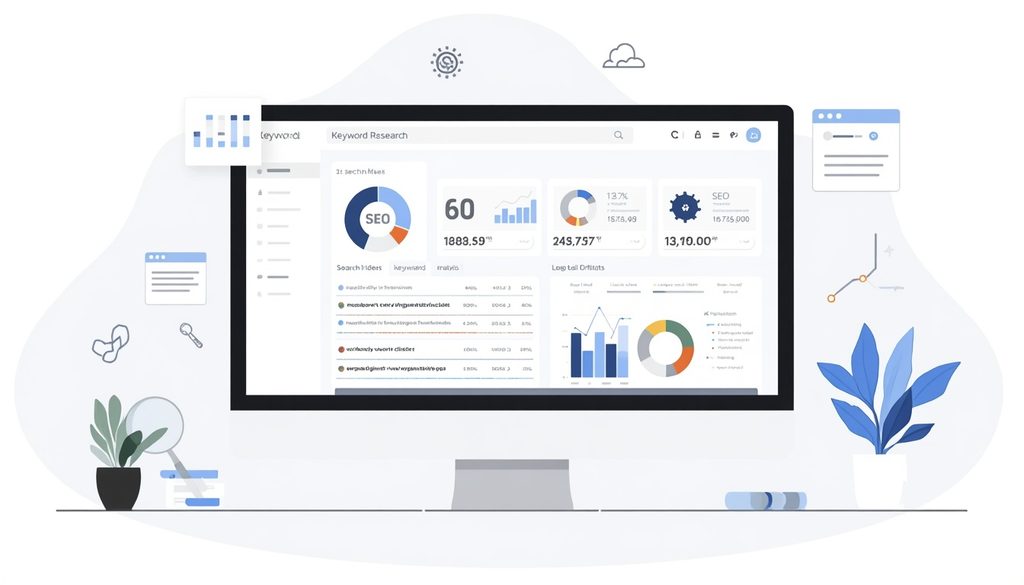
If you’re serious about SEO, Google Search Console (GSC) should be one of the first tools you set up.
It provides first-party information about how Google’s search results are performing for your website, including queries, clicks, impressions, click-through rate, and average position.
It’s particularly useful because you’re looking at your site’s actual Google Search performance rather than a third-party estimate.
What beginners can use it for
- Finding keywords your pages already appear for
- Monitoring clicks and impressions
- Checking average search position
- Identifying indexing issues
- Submitting sitemaps
- Reviewing search performance by page and query
- Finding opportunities to improve existing content
Google Search Console can also be connected with Google Analytics to combine search performance with website behavior data.
Pros
- Completely free
- First-party Google search data
- Excellent for beginners
- Useful at every SEO skill level
Cons
- Limited competitor research
- Doesn’t provide the broad keyword databases of premium SEO platforms
2. Google Analytics 4
Best for: Understanding organic traffic and user behavior
Price: Free
Google Analytics 4 (GA4) isn’t a traditional keyword research tool, but it’s extremely valuable for SEO performance tracking.
It helps you understand what happens after someone reaches your website.
You can examine traffic sources, landing pages, engagement, events, conversions, and other user behavior metrics.
GA4 categorizes unpaid search traffic as Organic Search, allowing you to analyze traffic arriving through search engines.
Beginner use case
Suppose you publish 20 blog posts. Search Console tells you which pages receive Google impressions and clicks, while Analytics can help you understand what visitors do after arriving.
That combination is much more useful than looking at rankings alone.
Pros
- Free
- Excellent traffic analysis
- Useful for measuring business outcomes
Cons
- Can feel complicated initially
- Doesn’t replace dedicated keyword research software
3. Google Keyword Planner
Best for: Basic keyword discovery
Price: Free with a Google Ads account
Google Keyword Planner was designed for advertising, but beginners can still use it for keyword research.
It can help you discover related search terms and understand approximate search-demand levels.
For example, if you’re writing about “SEO tools for beginners,” you could investigate related terms such as:
- SEO tools
- SEO software
- keyword research tools
- free SEO tools
- SEO tools for small businesses
Don’t treat keyword volume as the only deciding factor. A keyword with lower volume can be valuable if it closely matches your audience’s needs.
4. Google Trends
Best for: Identifying search trends and comparing topics
Price: Free
Google Trends is one of the easiest SEO tools for beginners because you don’t need to understand complicated metrics.
You can compare topics, investigate seasonal interest, and see whether interest in a subject is increasing or decreasing.
For example, a content creator could compare several SEO-related topics before deciding which one deserves a new article.
Why it matters
Search volume alone doesn’t tell you whether interest is changing.
Google Trends can provide additional context when deciding when and what to publish.
5. PageSpeed Insights
Best for: Checking page performance and user experience
Price: Free
PageSpeed Insights analyzes individual web pages and reports performance-related information for mobile and desktop experiences.
It is particularly useful for beginners who want to identify obvious page-speed problems without learning how to use a complex technical SEO crawler.
Use it to investigate issues involving:
- Loading performance
- Core Web Vitals
- Images
- JavaScript
- CSS
- Browser caching
- Page resources
Beginner tip
Don’t obsess over achieving a perfect score simply because the number looks impressive.
Instead, use the report to identify meaningful performance problems and prioritize improvements that benefit real users.
6. Screaming Frog SEO Spider
Best for: Technical SEO and website crawling
Price: Free version available; paid version for larger or advanced crawls
Screaming Frog SEO Spider is a desktop crawler that examines website URLs and surfaces technical and on-page information.
It can help beginners discover problems such as:
- Broken links
- Redirects
- Missing title tags
- Missing meta descriptions
- Duplicate elements
- Heading issues
- Canonical problems
- Indexability issues
A 2026 comparison from Semrush identifies Screaming Frog as a specialist crawler for technical SEO, while noting that its free version is available for smaller crawls.
Best approach: Start with smaller websites and learn what each report means before attempting large technical audits.
7. Ahrefs
Best for: Keyword research, backlinks, and competitor analysis
Price: Paid plans; free webmaster features are available for verified websites
Ahrefs is a comprehensive SEO platform covering keyword research, backlinks, content research, competitor analysis, rank tracking, and site auditing.
For beginners, its biggest advantage is that it brings many SEO tasks into one interface.
Useful features
- Keyword Explorer
- Site Explorer
- Site Audit
- Rank Tracker
- Content research
- Backlink analysis
- Competitor research
Ahrefs can be particularly useful once you’ve learned the fundamentals and need deeper competitive data.
Pros
- Broad SEO feature set
- Strong competitor and backlink research
- Useful keyword research capabilities
Cons
- Paid plans can be expensive for a new website
- The amount of data can initially feel overwhelming
8. Semrush
Best for: All-in-one SEO and digital marketing research
Price: Paid plans with limited free functionality
Semrush combines SEO research with a broader digital marketing toolkit.
Beginners can use it for:
- Keyword research
- Competitor analysis
- Site audits
- Rank tracking
- Backlink research
- Content optimization
- Competitive research
Its Site Audit platform is designed to identify technical and on-page SEO problems, and Semrush’s 2026 audit-tool comparison lists it as suitable for technical, on-page, and broader search-health auditing.
Best for: Users who expect to work across SEO and other digital marketing activities rather than needing a single-purpose tool.
9. Moz Pro
Best for: Beginner-friendly SEO research and link metrics
Price: Paid plans
Moz Pro provides keyword research, site auditing, rank tracking, competitive research, and link analysis.
One concept beginners may encounter frequently is Domain Authority (DA).
DA is a Moz-developed metric designed to estimate the ranking strength of a website relative to others. It isn’t a Google ranking factor, so don’t treat a DA score as Google’s assessment of your site.
Moz can be useful for learning fundamental SEO concepts while gradually moving into more advanced research.
10. Ubersuggest
Best for: Budget-friendly keyword research
Price: Free and paid options
Ubersuggest is aimed at marketers, bloggers, and small businesses that want straightforward SEO research without immediately committing to a large enterprise-style platform.
It provides features for:
- Keyword ideas
- Search-volume research
- Content ideas
- Competitor research
- Backlink analysis
- Site audits
For beginners, the relatively simple interface can make it easier to explore keyword research without getting buried in dozens of advanced reports.
11. SE Ranking
Best for: Rank tracking and all-in-one SEO workflows
Price: Paid plans with limited/free functionality depending on feature
SE Ranking combines several common SEO tasks, including:
- Rank tracking
- Keyword research
- Competitor analysis
- Website auditing
- Backlink monitoring
- Reporting
It’s worth considering when you want multiple SEO functions in one platform but don’t necessarily need the largest possible enterprise toolkit.
12. AnswerThePublic
Best for: Finding questions and content ideas
Price: Free and paid options
AnswerThePublic is useful when you’re struggling to understand what questions people ask around a topic.
For a topic such as “SEO,” you might discover questions related to:
- How SEO works
- How to do keyword research
- How long SEO takes
- Which SEO tools beginners should use
- How to improve rankings
This makes it useful for content planning and search-intent research.
13. Yoast SEO
Best for: On-page SEO inside WordPress
Price: Free and premium options
If your website runs on WordPress, Yoast SEO can help you manage several basic on-page SEO elements directly from the WordPress editor.
Depending on the configuration and version, it can assist with areas such as:
- SEO titles
- Meta descriptions
- XML sitemaps
- Canonical URLs
- Content analysis
- Internal linking suggestions
- Schema-related features
It’s particularly helpful for beginners because you can work on SEO while editing the actual page.
14. Google Business Profile
Best for: Local SEO
Price: Free
For businesses that serve specific locations, Google Business Profile is an important part of local search visibility.
A properly managed profile can help businesses provide Google with information such as:
- Business name
- Address
- Phone number
- Website
- Opening hours
- Services
- Photos
- Customer reviews
Local SEO requires more than simply creating a profile, but it’s an important foundation for location-based businesses.
15. Ahrefs Webmaster Tools
Best for: Free website auditing and backlink insights for verified sites
Price: Free for eligible verified websites
If you’re not ready to pay for a full SEO platform, Ahrefs Webmaster Tools can be an interesting starting point.
It provides website owners with access to certain SEO data after verifying ownership, including site-audit and backlink-related information.
This makes it useful for learning how technical SEO and backlinks work without immediately purchasing a comprehensive subscription.
Best SEO Tools for Beginners: Comparison Table
| Tool | Best For | Free Option | Beginner Difficulty |
|---|---|---|---|
| Google Search Console | Search performance | ✅ | Easy |
| Google Analytics 4 | Traffic & behavior | ✅ | Medium |
| Google Keyword Planner | Keyword ideas | ✅ | Easy |
| Google Trends | Trends & topics | ✅ | Easy |
| PageSpeed Insights | Page speed | ✅ | Easy |
| Screaming Frog | Technical SEO | ✅ Limited | Medium |
| Ahrefs | Backlinks & research | Limited | Medium |
| Semrush | All-in-one SEO | Limited | Medium |
| Moz Pro | SEO research | Trial/limited | Easy–Medium |
| Ubersuggest | Keyword research | Limited | Easy |
| SE Ranking | Rank tracking | Limited | Easy–Medium |
| AnswerThePublic | Content ideas | Limited | Easy |
| Yoast SEO | WordPress SEO | ✅ | Easy |
| Google Business Profile | Local SEO | ✅ | Easy |
| Ahrefs Webmaster Tools | Site audit & backlinks | ✅ | Easy–Medium |
Which SEO Tools Should a Beginner Use First?
You don’t need to install all 15.
A simple starting stack could look like this:
For a new website
- Google Search Console — monitor Google Search performance.
- Google Analytics 4 — measure traffic and user behavior.
- Google Trends — investigate topic trends.
- PageSpeed Insights — check performance.
- Screaming Frog — periodically crawl the site.
For keyword research
Add one dedicated platform such as:
- Ahrefs
- Semrush
- Ubersuggest
- Moz
- SE Ranking
For WordPress
Add:
- Yoast SEO
This approach keeps your SEO workflow manageable instead of creating a dashboard overload.
How to Use SEO Tools as a Beginner
A tool is only useful if you turn its data into action.
Use this simple workflow.
Step 1: Find Relevant Keywords
Start with your audience rather than a tool.
Ask:
What would someone search for if they needed my product, service, or information?
Then use keyword research tools to discover related terms, search demand, keyword difficulty, and long-tail opportunities.
Step 2: Analyze the SERP
Search your target keyword manually.
Look at:
- Search intent
- Ranking page types
- Featured results
- Related questions
- Content depth
- Titles and descriptions
- Competitor weaknesses
The goal isn’t to copy the top-ranking pages. It’s to understand what searchers expect.
Step 3: Create Better Content
Build content around the actual problem behind the keyword.
For example, someone searching for “best SEO tools for beginners” probably doesn’t need a 5,000-word technical discussion about crawling algorithms.
They need to know:
- Which tools are easiest?
- Which are free?
- What does each tool do?
- Which tools should they start with?
- When should they upgrade?
Match the content to that intent.
Step 4: Audit the Website
Run regular checks for:
- Broken links
- Slow pages
- Missing metadata
- Indexing issues
- Duplicate content
- Redirect problems
- Mobile usability
- Internal-linking opportunities
Step 5: Measure Results
Use Search Console and Analytics to monitor:
- Impressions
- Clicks
- CTR
- Average position
- Organic traffic
- Landing pages
- Engagement
- Conversions or key events
Search Console data can also be integrated into Analytics so you can connect search visibility with what visitors do after arriving on the website.
Common SEO Mistakes Beginners Make
1. Buying Too Many Tools
More software doesn’t automatically produce better SEO.
Start with the tools that answer your immediate questions.
2. Chasing Search Volume
High-volume keywords often attract intense competition.
A highly relevant long-tail keyword with modest search volume may be more useful for a new website.
3. Treating Tool Scores as Google Scores
Metrics such as Domain Authority, keyword difficulty, and various site-health scores are third-party measurements.
Google doesn’t use every tool’s proprietary score as a ranking factor.
Use these metrics for comparison and prioritization—not as absolute truth.
4. Ignoring Search Intent
A page can target the correct keyword and still fail to satisfy the searcher’s goal.
Always examine the SERP before creating important content.
5. Checking Rankings Every Day
Rankings fluctuate.
Instead of obsessing over daily movement, look for meaningful trends over time and connect rankings with impressions, clicks, traffic, and business results.
6. Ignoring Technical SEO
Great content can’t compensate for every technical problem.
Make sure important pages can be crawled, indexed, loaded, and accessed properly.
Best Practices for Using SEO Tools
Follow these principles to get more value from your SEO software.
Use multiple data sources
Don’t rely entirely on one third-party platform.
For example, use:
- Search Console for Google’s search-performance data
- Analytics for traffic and behavior
- A keyword platform for research
- A crawler for technical analysis
Prioritize problems
Not every warning requires immediate action.
Fix issues according to their potential impact rather than trying to achieve a perfect tool score.
Keep a record
Track changes to:
- Content
- Titles
- Internal links
- Technical fixes
- Backlinks
- Rankings
- Organic traffic
This makes it easier to understand what actually influenced performance.
Review existing content
SEO isn’t only about publishing new articles.
Look for pages with:
- High impressions but low CTR
- Rankings around positions 5–20
- Declining traffic
- Outdated information
- Missing related topics
- Weak internal links
These pages can often provide excellent optimization opportunities.
Expert Tips for Beginners
Start with first-party data. Google Search Console and Google Analytics can tell you what is actually happening on your website.
Learn the concepts before the dashboards. Understand search intent, crawling, indexing, keywords, links, and content quality before trying to master every feature.
Use keyword difficulty as a guide, not a rule. Different tools calculate difficulty differently.
Target long-tail keywords strategically. Specific searches can reveal clearer intent and often make better starting points for smaller websites.
Don’t confuse rankings with success. A ranking is useful only when it contributes to meaningful traffic, engagement, leads, sales, or another relevant business outcome.
Optimize for people first. SEO tools can identify opportunities, but they cannot replace firsthand knowledge of your audience.
Frequently Asked Questions
What is the best SEO tool for beginners?
There isn’t one tool that handles every beginner’s needs. Google Search Console is an essential free starting point for understanding Google Search performance. Beginners can then add tools for keyword research, technical audits, competitor research, or rank tracking as needed.
Are there free SEO tools for beginners?
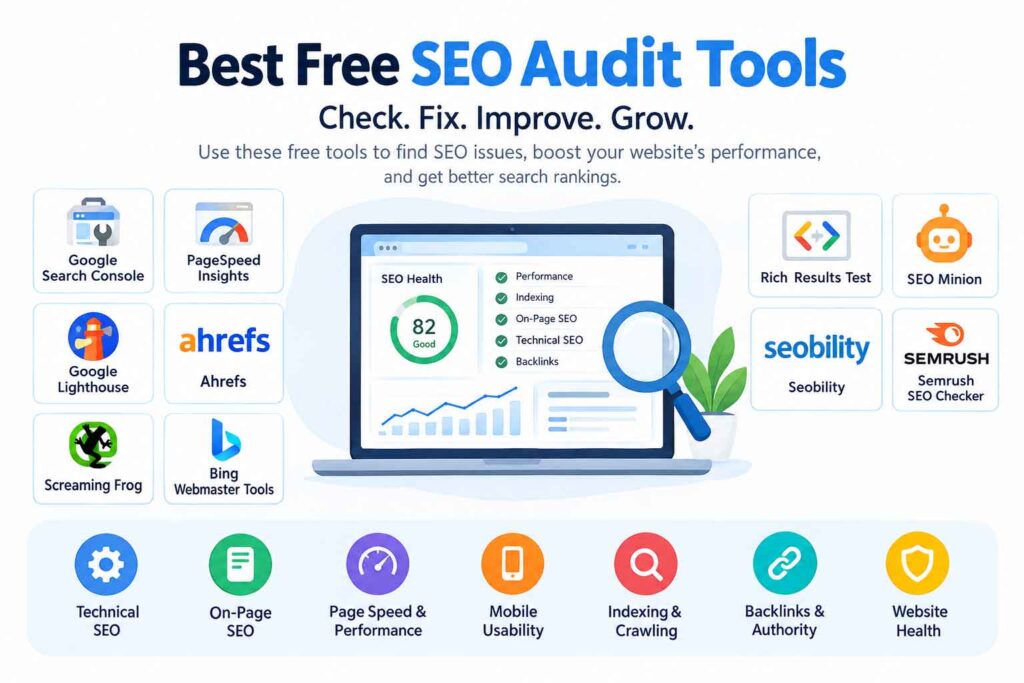
Yes. Google Search Console, Google Analytics, Google Trends, Google Keyword Planner, and PageSpeed Insights are useful free options. Screaming Frog and some commercial SEO platforms also offer limited free functionality.
Can I do SEO without paid tools?
Yes. A beginner can learn and perform many fundamental SEO tasks using free tools. Paid platforms become more useful when you need deeper competitor research, larger keyword databases, extensive backlink data, or advanced rank tracking.
Which SEO tool is best for keyword research?
Ahrefs, Semrush, Moz, Ubersuggest, SE Ranking, and Google Keyword Planner can all support keyword research. The most appropriate option depends on your budget, required data, website size, and how advanced your workflow is.
What SEO tools should bloggers use?
Bloggers can start with Google Search Console, Google Trends, Google Keyword Planner, and PageSpeed Insights. A platform such as Ahrefs, Semrush, Ubersuggest, or SE Ranking can be added when more detailed keyword and competitor research becomes necessary.
Do SEO tools improve Google rankings automatically?
No. SEO tools provide information, diagnostics, and research capabilities. They can help you identify opportunities and problems, but ranking improvements still depend on factors such as content quality, relevance, technical accessibility, links, competition, and how well your pages satisfy search intent.
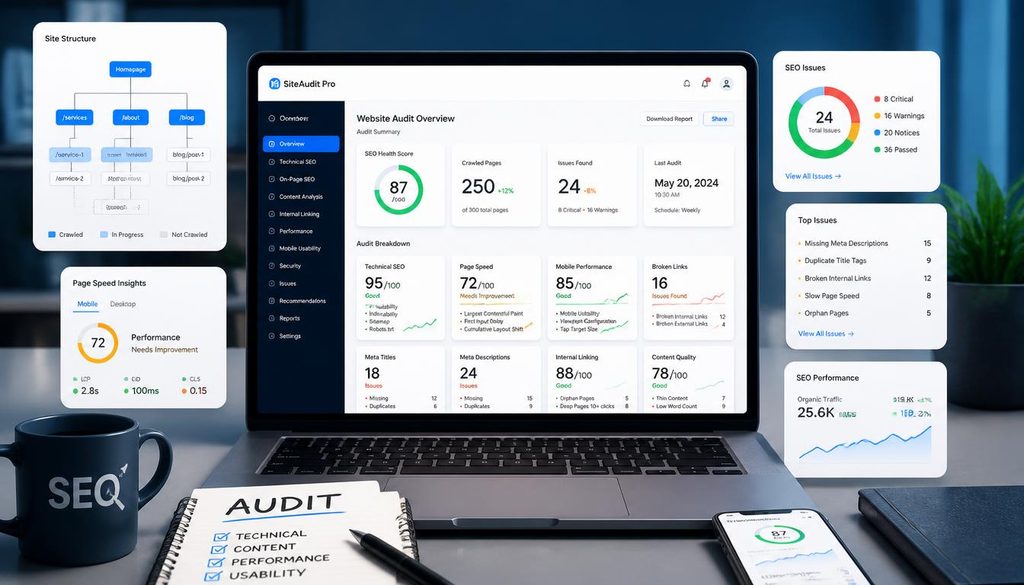
How often should beginners perform an SEO audit?
A small website can perform a more detailed technical audit periodically and monitor important issues continuously. The ideal frequency depends on how often the website changes, its size, and how technically complex it is.
Should I use several SEO tools at the same time?
Yes, but keep your stack focused. Different tools are designed for different jobs. For example, Search Console can provide Google search-performance data while a crawler handles technical checks and a dedicated SEO platform handles competitor or keyword research.
Internal Linking Opportunities
If you’re building a larger SEO resource hub, this article can naturally link to related content such as:
- Best SEO Tools for Bloggers
- Best AI Tools for SEO
- Best Keyword Research Tools
- Best SEO Tools for Small Businesses
- Best Free SEO Tools
- Best Rank Tracking Tools
- Best Technical SEO Tools
- How to Do Keyword Research
- On-Page SEO Checklist
- Technical SEO Guide for Beginners
These links can help readers move from beginner concepts into more specific SEO topics.
Authoritative External References
For reliable first-party information, beginners should also consult Google’s official documentation for Google Search Console, Google Analytics, and search-related guidance.
Google Analytics documentation explains how organic search traffic is categorized and analyzed, while the Search Console–Analytics integration connects search queries and clicks with subsequent website behavior.

Pingback: 15 Best Free SEO Chrome Extensions in 2026: Boost Rankings & SEO Productivity