
Choosing the best AI chatbot is no longer as simple as picking the most popular name. Today’s leading AI assistants can write articles, analyze documents, search the web, generate images, help with code, summarize research, automate tasks, and even work across connected applications.
The challenge is knowing which chatbot is actually right for your specific needs.
A student may care most about explanations and research. A content creator may prioritize writing and brainstorming. A developer needs reliable coding assistance. A business may need collaboration, security, integrations, and customer support automation.
This guide compares 15 of the best AI chatbots in 2026, focusing on practical use cases rather than hype. You’ll find options for writing, research, coding, education, business, productivity, creative work, and general-purpose conversations.
Quick Comparison: Best AI Chatbots in 2026
| AI Chatbot | Best For | Key Strength | Free Option |
|---|---|---|---|
| ChatGPT | Overall use | Versatile AI assistant and productivity | Yes |
| Claude | Writing & analysis | Long-form reasoning and documents | Yes |
| Gemini | Google users | Search, multimodal work, Google ecosystem | Yes |
| Perplexity | Research | Web search with citations | Yes |
| Microsoft Copilot | Microsoft users | Microsoft 365 integration | Yes |
| Grok | Current information | Web/X search and conversational answers | Yes |
| Meta AI | Everyday use | Consumer assistant and multimodal capabilities | Yes |
| DeepSeek | Reasoning & coding | Strong reasoning and cost efficiency | Yes |
| Le Chat | European AI ecosystem | Search, documents, coding and creation | Yes |
| Poe | Multiple models | Access to many models in one interface | Yes |
| Character.AI | Roleplay & entertainment | Character-based conversations | Yes |
| You.com | Research & productivity | Search and AI-assisted workflows | Yes |
| Pi | Personal conversations | Conversational and supportive interaction | Yes |
| Qwen Chat | Multilingual tasks | Broad language and multimodal capabilities | Yes |
| Kimi | Long-context work | Long documents and complex tasks | Yes |
Quick pick: For most people, ChatGPT is the strongest all-around choice. For research, consider Perplexity; for long-form writing, Claude; for Google-centered workflows, Gemini; and for Microsoft 365 users, Copilot.
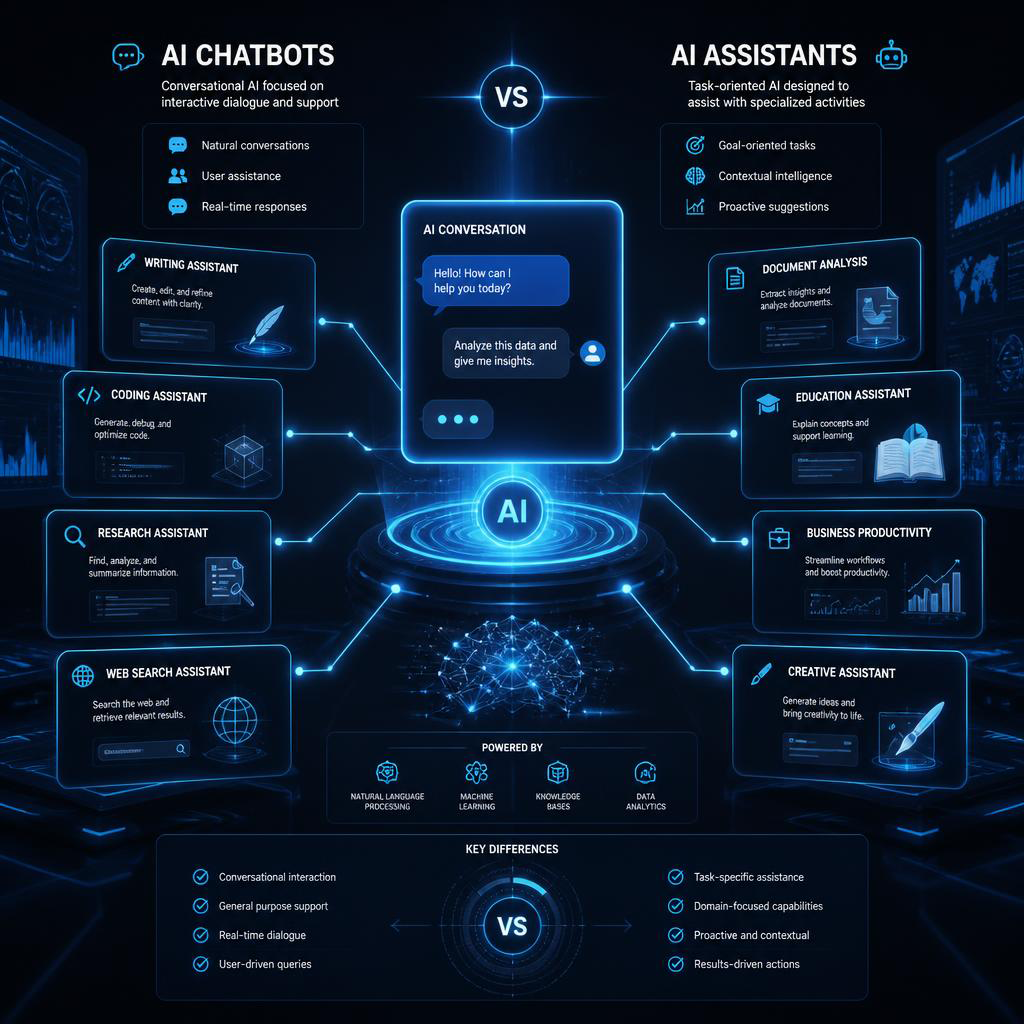
What Is an AI Chatbot?
An AI chatbot is software that uses artificial intelligence, natural language processing, machine learning, and large language models to communicate with users through natural-language conversations.
Modern chatbots have evolved far beyond simple question-and-answer systems.
A capable chatbot can now:
- Answer questions
- Write and edit content
- Summarize documents
- Analyze data
- Search the web
- Generate and explain code
- Translate languages
- Brainstorm ideas
- Analyze images and files
- Create images or other media
- Assist with research
- Automate repetitive tasks
- Provide personalized assistance
The result is a new generation of AI-powered assistants that can function as writing partners, research assistants, coding helpers, tutors, and productivity tools.
15 Best AI Chatbots in 2026
1. ChatGPT — Best Overall AI Chatbot
Best for: General-purpose use, writing, coding, research, productivity, and multimodal tasks.
ChatGPT remains one of the strongest all-around choices because it combines conversation, writing, coding, file analysis, web research, image capabilities, data analysis, voice interaction, and project-based workflows in one platform.
Its Projects feature lets users keep chats, files, instructions, and context together for long-running work.
Its research capabilities are particularly useful for complicated questions. Deep research can search and synthesize information into structured, cited reports, with controls for sources and research direction.
Pros
- Excellent all-purpose assistant
- Strong writing and coding capabilities
- File and image analysis
- Research and web capabilities
- Useful productivity features
Cons
- Advanced capabilities can depend on the subscription
- Responses still require fact-checking for important decisions
Best choice for: People who want one chatbot capable of handling many different tasks.
2. Claude — Best AI Chatbot for Writing
Best for: Writing, editing, analysis, coding, and long documents.
Claude is particularly appealing to writers, researchers, developers, and professionals who regularly work with substantial amounts of text.
Its strength is not simply producing words quickly. It is useful for maintaining context, analyzing complicated material, restructuring documents, and helping users reason through problems.
Anthropic has also expanded Claude into specialized professional workflows, including scientific research and tool-connected work. Claude Science, for example, is designed as a workbench for scientific workflows and auditable artifacts.
Pros
- Excellent long-form writing
- Strong reasoning and analysis
- Useful for coding
- Good for large documents
Cons
- Some advanced capabilities require paid access
- Less focused on being a traditional search engine
Best choice for: Writers, editors, researchers, and knowledge workers.
3. Gemini — Best AI Chatbot for Google Users
Best for: Google ecosystem users, research, multimodal tasks, and productivity.
Gemini is Google’s conversational assistant and is deeply connected to the company’s broader ecosystem.
One of its biggest advantages is its ability to combine conversational assistance with web information and multimodal inputs.
Gemini’s Deep Research can conduct real-time research using Google Search and can incorporate additional sources such as Gmail, Drive, uploaded files, and NotebookLM notebooks where supported.
Pros
- Strong multimodal capabilities
- Excellent Google ecosystem integration
- Useful research features
- Good for everyday productivity
Cons
- Some advanced features depend on Google plans
- Feature availability can vary by region
Best choice for: Users who already rely heavily on Google services.

4. Perplexity — Best AI Chatbot for Research
Best for: Research, fact-finding, current information, and source discovery.
Perplexity takes a different approach from traditional AI chat assistants. It combines conversational responses with search and source citations.
Its Research mode performs multiple searches, reads sources, reasons through findings, and creates a structured report.
Perplexity also offers Pro Search for more complex questions and supports multiple underlying models.
Pros
- Excellent for research
- Citations make sources easier to verify
- Strong current-information workflow
- Multiple search modes
Cons
- Not always the best choice for purely creative conversations
- Research quality still depends on the sources it retrieves
Best choice for: Students, journalists, marketers, researchers, and anyone who needs source-backed answers.
5. Microsoft Copilot — Best for Microsoft 365 Users
Best for: Business productivity and Microsoft applications.
Microsoft Copilot is especially useful for people who spend much of their working day inside Microsoft’s ecosystem.
Its value comes from connecting conversational assistance with productivity workflows involving applications such as Word, Excel, PowerPoint, Outlook, and Teams.
Microsoft continues to update Copilot across its productivity products, with new capabilities released throughout 2026.
Pros
- Strong Microsoft 365 integration
- Useful for workplace productivity
- Good business workflow potential
- Familiar interface for Microsoft users
Cons
- Best experience is tied closely to Microsoft’s ecosystem
- Advanced business capabilities can require paid licensing
Best choice for: Businesses and professionals already using Microsoft 365.
6. Grok — Best for Current Conversations and Web/X Information
Best for: Current events, web search, conversational exploration, and multimodal tasks.
Grok has developed into a broad AI assistant rather than simply a chatbot associated with X.
Grok 4.6 focuses on long-running agentic tasks, coding, research, interactive work, and visual tasks.
Its current feature set includes web and X search, voice, image and video creation, file analysis, and connectors for services such as email, files, and calendars.
Pros
- Strong current-information capabilities
- Web and X search
- Voice and multimodal features
- Useful for complex workflows
Cons
- Best experience may require a paid plan
- Current-event answers should still be independently verified
7. Meta AI — Best Everyday Social AI Assistant
Best for: Everyday conversations, creative tasks, and Meta ecosystem users.
Meta AI is designed as a consumer-focused assistant while also benefiting from Meta’s rapidly developing model ecosystem.
Meta’s 2026 research efforts have expanded into multimodal reasoning, coding, agentic tasks, image generation, video, and voice technologies.
Pros
- Convenient for everyday users
- Strong multimodal direction
- Connected to Meta’s broader ecosystem
- Increasingly capable reasoning
Cons
- Some advanced features are still evolving
- Availability can vary across products and regions
8. DeepSeek — Best for Reasoning and Coding Value
Best for: Reasoning, coding, technical questions, and users looking for a powerful free chatbot.
DeepSeek has become a major alternative for users interested in advanced reasoning and technical work.
Its current V4 generation supports agent capabilities and a 1-million-token context across official services, according to DeepSeek’s documentation.
Pros
- Free access
- Strong reasoning capabilities
- Excellent technical focus
- Large context capabilities
Cons
- Users should evaluate privacy and data policies for their particular use
- Some workflows may be less polished than larger consumer platforms
9. Le Chat — Best European AI Chatbot Option
Best for: General assistance, research, documents, coding, and image generation.
Mistral’s Le Chat provides web search, document uploads, code interpretation, image generation, Canvas, and mobile apps.
It is an interesting choice for users who want a capable conversational platform from a European AI company.
Pros
- Web search
- Document handling
- Coding tools
- Image generation
- Free tier available
Cons
- Smaller ecosystem than the largest competitors
- Advanced limits vary by plan
10. Poe — Best for Comparing Multiple AI Models
Best for: Users who want access to multiple AI models from one place.
Poe’s major advantage is model variety.
Instead of committing to one assistant, users can interact with models from different providers within the same platform. Poe currently lists models from companies including OpenAI, Anthropic, Google, and DeepSeek.
Pros
- Many models in one interface
- Easy model comparison
- Large bot ecosystem
- Useful for experimentation
Cons
- Usage limits vary by plan
- Model access can change over time
Best choice for: Power users who want to compare different AI assistants.
11. Character.AI — Best for Character Conversations
Best for: Roleplay, entertainment, creative conversations, and fictional characters.
Character.AI focuses on conversational experiences built around personalities and characters.
Rather than optimizing primarily for research or business productivity, its appeal is the ability to have interactive conversations with customized characters.
Pros
- Highly engaging conversations
- Excellent for creative roleplay
- Large character ecosystem
Cons
- Not primarily designed for professional research
- Accuracy and factual reliability vary by character
12. You.com — Best for AI-Powered Search Workflows
Best for: Research, search, writing, and productivity.
You.com combines search-oriented experiences with conversational AI and productivity capabilities.
It can be useful for people who want an alternative to conventional search while still maintaining a conversational workflow.
Pros
- Search-focused experience
- Useful for research
- Multiple AI-oriented workflows
Cons
- Interface and features evolve frequently
- Users should verify important information
13. Pi — Best for Natural Conversations
Best for: Personal conversations, brainstorming, reflection, and casual assistance.
Pi takes a more conversational approach. Its strength is creating natural, approachable interactions rather than focusing entirely on productivity benchmarks.
It can be useful when you want to think through an idea, explore possibilities, or have a more conversational exchange.
Pros
- Natural conversational style
- Friendly interaction
- Useful for brainstorming
Cons
- Not the strongest option for advanced coding
- Less suitable for source-heavy research
14. Qwen Chat — Best for Multilingual and Multimodal Use
Best for: Multilingual conversations, technical tasks, and multimodal workflows.
Qwen Chat is part of Alibaba’s Qwen ecosystem and is particularly interesting for users working across languages and technical domains.
It can be considered when multilingual performance, technical assistance, and access to the broader Qwen model family are important.
Pros
- Strong multilingual focus
- Useful for technical tasks
- Broad model ecosystem
Cons
- Less familiar to many mainstream users
- Feature availability can vary
15. Kimi — Best for Long-Context Work
Best for: Large documents, research, and complex information-heavy tasks.
Kimi is designed around handling substantial amounts of information and can be particularly useful when a task involves lengthy documents or extensive context.
It is worth considering for users whose main challenge is managing large amounts of information within a single workflow.
Pros
- Strong long-context orientation
- Useful for document-heavy tasks
- Good for research-oriented workflows
Cons
- Less established globally than the largest chatbot brands
- Availability and capabilities can change quickly
Which Is the Best AI Chatbot for Your Needs?
There is no single winner for every situation.
The best AI chatbot depends on what you actually need it to do.
| Your Goal | Recommended Chatbot |
|---|---|
| Best overall | ChatGPT |
| Writing | Claude |
| Research | Perplexity |
| Google productivity | Gemini |
| Microsoft 365 | Copilot |
| Coding | ChatGPT / Claude / DeepSeek |
| Current web information | Perplexity / Grok |
| Multiple AI models | Poe |
| Free experimentation | DeepSeek / ChatGPT / Gemini |
| Character conversations | Character.AI |
| Multimodal work | Gemini / ChatGPT |
| Long documents | Claude / Gemini / Kimi |
| Business productivity | ChatGPT / Copilot / Claude |
Best AI Chatbot for Writing
For writers, the strongest candidates are Claude and ChatGPT.
Claude is particularly useful when you need to work through long-form material, refine tone, restructure content, or analyze extensive documents.
ChatGPT is more versatile if your workflow also involves research, data analysis, image generation, file processing, and other productivity tasks.
What to look for in a writing assistant
- Context retention
- Editing quality
- Tone control
- Research capabilities
- Document handling
- Fact-checking workflow
- Custom instructions
- Export and collaboration options
Best AI Chatbot for Business
For businesses, the decision should go beyond response quality.
Look at:
- Security and privacy
- Administrative controls
- Integration options
- Team collaboration
- Data handling
- Workflow automation
- Pricing at scale
- Customer support
- Compliance requirements
- Reliability
ChatGPT, Claude, Microsoft Copilot, and Gemini are particularly worth evaluating for professional environments.
For customer service, specialized AI chatbot platforms may be more appropriate than general-purpose assistants because they can integrate with knowledge bases, CRM systems, ticketing systems, and support workflows.
Best AI Chatbot for Students
Students typically need more than an answer generator.
A useful educational assistant should help you:
- Understand difficult concepts
- Create study plans
- Summarize notes
- Practice questions
- Explain mistakes
- Research topics
- Organize information
- Analyze documents
Perplexity can be especially useful when source discovery matters, while ChatGPT and Gemini offer broader study and multimodal capabilities.
Tip: Use chatbots to understand material and improve your thinking—not simply to submit generated answers as your own work.
Best AI Chatbot for Coding
Developers should evaluate chatbots based on more than their ability to generate a short code snippet.
A strong AI coding assistant should be able to:
- Understand large codebases
- Explain unfamiliar code
- Debug errors
- Write tests
- Refactor code
- Reason about architecture
- Work with documentation
- Handle multi-step development tasks
ChatGPT, Claude, DeepSeek, and Grok are strong candidates, but the best choice depends heavily on your programming language, development environment, and workflow.
How to Choose the Best AI Chatbot
Use this five-step process.
1. Define your primary task
Decide whether you mainly need:
- Writing
- Research
- Coding
- Education
- Business
- Customer service
- Productivity
- Creative work
2. Test the free version
Before paying, give two or three platforms the same prompts.
Compare their:
- Accuracy
- Speed
- Writing quality
- Reasoning
- Context handling
- Citations
- Ease of use
3. Test your real workflow
Don’t test only simple questions.
Upload the type of document you actually use. Give it a real writing assignment. Ask it to solve a genuine coding problem or analyze real research.
4. Check privacy and data policies
For confidential business documents, contracts, customer data, financial information, or proprietary code, understand how your chosen platform handles submitted information.
5. Compare total cost
Don’t judge chatbot pricing by the monthly subscription alone.
Consider:
- Usage limits
- Team seats
- Model access
- File limits
- Research limits
- API costs
- Integration costs
Common Mistakes When Choosing an AI Chatbot
Choosing based only on popularity
The most popular chatbot isn’t automatically the best one for your workflow.
Assuming every answer is accurate
Even advanced systems can make mistakes. Verify important claims, calculations, citations, and recommendations.
Ignoring privacy
Never treat a general chatbot as automatically appropriate for sensitive information.
Paying before testing
Most major platforms provide some form of free access. Test your actual use cases first.
Using one chatbot for everything
Different systems have different strengths. A research-focused tool may outperform a general assistant for source discovery, while a coding-focused workflow may favor another platform.
Expert Tips for Getting Better Results
Give the chatbot context
Instead of:
“Write an article about marketing.”
Try:
“Create a 1,500-word beginner-friendly article about content marketing for small businesses. Use practical examples, clear H2 headings, and a professional but conversational tone.”
Ask for structured output
Specify whether you want:
- A table
- Checklist
- Step-by-step guide
- Summary
- Comparison
- Code
- Report
Provide constraints
Tell the chatbot your audience, goal, tone, format, and limitations.
Verify important information
Use citations and primary sources whenever accuracy matters.
Iterate
The best results often come from a conversation rather than one massive prompt.
People Also Ask: Best AI Chatbots
What is the best AI chatbot in 2026?
ChatGPT is the strongest overall choice for many users because it combines writing, research, coding, file analysis, data analysis, image capabilities, and productivity tools. However, Perplexity can be better for source-focused research, while Claude can be preferable for long-form writing.
What is the best free AI chatbot?
There is no universal winner. ChatGPT, Gemini, DeepSeek, Claude, Perplexity, Grok, and other platforms offer free access with different limitations. The best option depends on your use case.
Which AI chatbot is best for writing?
Claude and ChatGPT are strong choices for writing, editing, brainstorming, and long-form content. Test both using your own writing workflow before choosing.
Which AI chatbot is best for research?
Perplexity is particularly strong for research because its workflow emphasizes web search and citations. ChatGPT and Gemini also provide sophisticated research capabilities.
Which AI chatbot is best for coding?
ChatGPT, Claude, DeepSeek, and Grok are all worth considering. Your development environment and the complexity of your codebase should determine the final choice.
Are AI chatbots accurate?
They can be highly useful, but they are not guaranteed to be correct. Always verify important information, particularly medical, financial, legal, academic, and business-critical claims.
Can AI chatbots replace Google Search?
Not completely. Chatbots are excellent for conversational exploration and synthesis, while traditional search remains useful for discovering websites, comparing sources, navigating directly to services, and verifying information.
Can businesses use AI chatbots for customer service?
Yes. Businesses can use conversational AI for FAQs, lead qualification, support triage, knowledge-base access, and automated conversations. For large-scale customer service, specialized chatbot software with CRM and help-desk integration may be more appropriate than a general-purpose assistant.
Internal Linking Opportunities
If you’re building a larger content cluster around AI tools, consider linking this article to related guides such as:
- Best AI Tools for Content Creation
- Best AI Tools for SEO
- Best AI Video Generators
- Best AI Image Generators
- Best AI Tools for Productivity
- Best AI Tools for YouTube Creators
- Best ChatGPT Alternatives
- Best AI Tools for Students
- Best AI Coding Assistants
These links can create a stronger topical structure and help readers move from general chatbot information to specific use cases.
Authoritative External References
For readers who want to verify features or explore the platforms directly, useful primary sources include OpenAI’s documentation on ChatGPT capabilities and research, Google’s Gemini documentation, Anthropic’s Claude resources, and Perplexity’s feature documentation.
Because chatbot capabilities, model names, usage limits, and pricing change frequently, always check the provider’s current documentation before making a purchasing decision.


Pingback: 15 Best AI PDF Summarizers in 2026: Summarize PDFs Faster & Smarter
Pingback: 15 Best AI Tools for Productivity in 2026: Work Smarter, Save Time & Get More Done
Pingback: AI Tools for Small Business: How to Work Smarter, Save Time, and Grow Faster