
Local search has become increasingly competitive. A business can have an excellent website and still miss valuable customers if it does not appear prominently in Google Maps, the Local Pack, or location-based organic results.
That is where local SEO tools make a difference.
The right platform can help you track Google Maps rankings, audit your Google Business Profile, find citation opportunities, monitor reviews, research local keywords, analyze competitors, and manage multiple business locations.
Google says local results are primarily influenced by relevance, distance, and prominence. Complete business information, reviews, links, and other signals can all contribute to how prominently a business appears locally.
But you don’t necessarily need an expensive all-in-one platform.
Some businesses need precise geo-grid rank tracking. Others need citation management. Agencies may prioritize white-label reporting and multi-location workflows, while a small business might only need a few focused tools.
This guide covers the 15 best local SEO tools in 2026, what each one does well, who should use it, and how to choose the right combination for your business.
What Are Local SEO Tools?
Local SEO tools are software platforms designed to help businesses improve and measure their visibility in location-based search results.
Depending on the product, a local SEO platform may help with:
- Google Business Profile optimization
- Google Maps rank tracking
- Local keyword research
- Citation building and auditing
- NAP consistency
- Review monitoring
- Competitor analysis
- Local website audits
- Multi-location SEO
- Local reporting
- Reputation management
A useful local SEO stack usually combines several of these capabilities rather than relying on one metric.
For example, if a dentist notices that it ranks well near its office but poorly several miles away, a geo-grid rank tracker can reveal that geographic pattern. If the same business discovers inconsistent phone numbers across directories, a citation management tool can help identify and correct those listings.
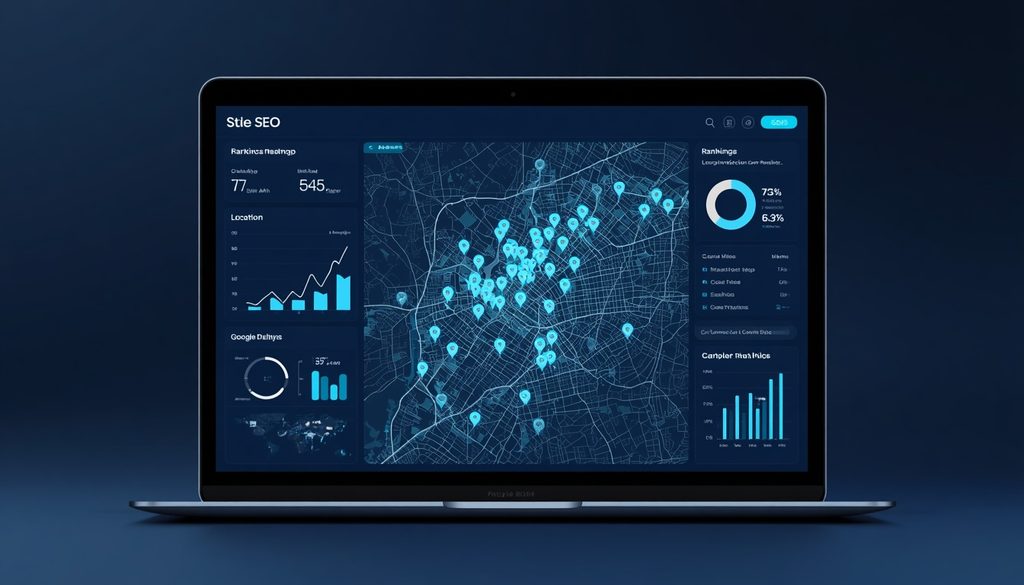
Quick Comparison: Best Local SEO Tools in 2026
| Tool | Best For | Key Strength |
|---|---|---|
| BrightLocal | Local SEO campaigns | Comprehensive local SEO toolkit |
| Semrush Local | Businesses using Semrush | Listings, reviews, GBP and Maps tracking |
| Whitespark | Citations and local rankings | Citation research and granular rank tracking |
| Local Falcon | Google Maps tracking | Geo-grid visualization |
| Moz Local | Listing management | Business listing distribution and management |
| Yext | Enterprise businesses | Large-scale listings and reputation management |
| Google Business Profile | Every local business | Essential free business presence |
| Google Search Console | Local website SEO | Organic search performance |
| Google Keyword Planner | Keyword research | Search demand and keyword ideas |
| Ahrefs | SEO and competitors | Backlinks, keywords and competitive research |
| SE Ranking | Rank tracking | Local and broader SEO monitoring |
| Screaming Frog | Technical SEO | Website crawling and technical audits |
| Localo | Small businesses | Simple local SEO workflows |
| Birdeye | Reputation management | Reviews and customer experience |
| Uberall | Multi-location brands | Listings and location marketing |
1. BrightLocal
Best for: Agencies, local businesses, and comprehensive local SEO campaigns.
BrightLocal is one of the most established platforms built specifically around local SEO.
Its toolkit includes local rank tracking, citation auditing, local search audits, Google Business Profile insights, review monitoring, competitor research, and reporting. BrightLocal also offers Local Search Grid for visualizing rankings across geographic points.
Its Citation Tracker can identify incorrect NAP information, duplicate listings, and citation opportunities that competitors have but your business lacks.
Pros
- Strong local rank tracking
- Citation auditing and building
- Google Maps visibility analysis
- Review monitoring
- Useful agency reporting
- Multi-location support
Cons
- The number of features can feel overwhelming for beginners
- Costs increase as your tracking and location requirements grow
Best choice if: You want a dedicated local SEO platform rather than a general-purpose SEO suite.
2. Semrush Local
Best for: Businesses and agencies already using Semrush.
Semrush Local combines several local marketing tasks in one system.
Its current local toolkit includes Listing Management, Review Management, Google Business Profile management, and Map Rank Tracker. Its Map Rank Tracker can visualize Google Maps rankings as geographic heatmaps.
Semrush also offers broader SEO capabilities, making it particularly useful when local SEO is part of a larger organic search strategy.
Pros
- Strong connection with the wider Semrush ecosystem
- Listings management
- Review management
- Map rank tracking
- Competitor research
- Useful for multi-location businesses
Cons
- Can be more platform than a small business needs
- Some local features require additional location-based costs
Semrush’s current Local pricing lists a Base plan at $30/month per location when billed annually, with higher tiers adding listing and review management. Pricing can change, so check the current plan before purchasing.
3. Whitespark
Best for: Citation research and detailed local rank tracking.
Whitespark focuses heavily on the areas that matter to local search professionals.
Its Local Citation Finder discovers citation opportunities by analyzing competitors and existing business listings. Its Local Rank Tracker can monitor Google and Bing Local Pack, Maps, and organic rankings across different locations.
Whitespark also offers Local Ranking Grids that can monitor rankings across geographic points.
Pros
- Excellent citation research
- Granular local rank tracking
- Strong competitor citation analysis
- Useful for agencies and specialists
- Individual tools can be purchased separately
Cons
- Less of an all-in-one platform
- Some businesses may need multiple products
Whitespark’s current pricing shows individual products rather than forcing users into one large bundle, with Local Rank Tracker starting at $14/month and Local Ranking Grids starting at $10/month.
4. Local Falcon
Best for: Google Maps and geo-grid rank tracking.
Local Falcon is particularly useful when you want to understand where a business ranks geographically.
Instead of checking rankings from only one location, Local Falcon can scan multiple geographic points and display ranking performance through visual maps. Its current system supports customizable grids from 3×3 to 21×21.
This matters because local rankings can vary dramatically from one neighborhood or street to another.
Pros
- Excellent geo-grid visualization
- Detailed Google Maps tracking
- Geographic competitor analysis
- Useful for agencies
- Supports large-scale local campaigns
Cons
- Primarily focused on local visibility rather than general SEO
- Beginners may not need its deeper tracking capabilities
Best choice if: Your biggest question is, “Where exactly do we rank across the city?”
5. Moz Local
Best for: Straightforward listing management.
Moz has long been known for SEO tools, and Moz Local focuses specifically on business listings and local presence.
It can be useful for businesses that need to manage business information across directories without adopting a much larger local marketing platform.
Pros
- Simple approach
- Established SEO brand
- Listing management focus
- Useful for small and medium-sized businesses
Cons
- Less specialized for advanced geo-grid analysis
- Advanced users may need additional tools
Best choice if: Your priority is keeping core business information organized and consistent.
6. Yext
Best for: Enterprise and multi-location businesses.
Yext is designed for organizations managing large numbers of locations and digital business information.
Yext currently describes its Listings platform as supporting 200+ direct publisher integrations and managing information across millions of locations. It also offers review management and other location-based visibility features.
That scale makes it particularly relevant to franchises, healthcare networks, retailers, hospitality groups, and other organizations with many locations.
Pros
- Strong enterprise capabilities
- Large publisher network
- Multi-location management
- Review management
- Centralized business information
Cons
- Enterprise-focused
- May be excessive for a single-location business
7. Google Business Profile
Best for: Every local business.
Google Business Profile is not simply another SEO tool—it is foundational to local search visibility.
It allows eligible businesses to manage their presence on Google Search and Maps, including information such as business hours, categories, photos, services, and other profile details.
Google states that local rankings are primarily based on relevance, distance, and prominence and recommends providing complete and detailed business information.
Pros
- Free
- Essential for local businesses
- Direct connection to Google Maps
- Business information management
- Customer review functionality
Cons
- Limited advanced SEO reporting
- Requires other tools for detailed competitive analysis
Expert tip: Optimize your Google Business Profile before investing heavily in additional local SEO software.
8. Google Search Console
Best for: Measuring organic website performance.
Google Search Console provides data about how your website performs in Google Search.
It isn’t exclusively a local SEO tool, but it can reveal:
- Search queries
- Impressions
- Clicks
- Average position
- Indexed pages
- Search performance trends
For a local business, this information can help identify which location-based service pages and queries are generating organic visibility.
9. Google Keyword Planner
Best for: Local keyword research.
Google Keyword Planner can help uncover keyword ideas and search-demand patterns.
For example, a roofing company could research terms such as:
- roofing company near me
- roof repair in [city]
- emergency roofer [city]
- commercial roofing [city]
The important part is not simply finding high-volume keywords. Local SEO often depends on identifying high-intent searches that connect directly to services and locations.
10. Ahrefs
Best for: Backlinks, competitor research, and broader SEO.
Ahrefs is not exclusively local, but it can be extremely useful as part of a local SEO workflow.
You can use it to research:
- Competitor backlinks
- Local competitors
- Keyword opportunities
- Referring domains
- Content gaps
- Organic search performance
For example, if three competing local businesses consistently earn links from local news websites, chambers of commerce, associations, or community organizations, Ahrefs can help uncover those referring domains.
11. SE Ranking
Best for: Businesses that want broader SEO and rank tracking.
SE Ranking combines rank tracking, competitor research, website auditing, keyword research, and other SEO functions.
Its broader feature set makes it useful when local SEO is only one part of your marketing strategy.
Best use case
Use it to track location-specific keywords while also monitoring technical SEO and competitors.
12. Screaming Frog SEO Spider
Best for: Technical local SEO audits.
Screaming Frog is especially useful when the problem isn’t your Google Business Profile but your website itself.
A local business website can have technical problems such as:
- Broken internal links
- Duplicate title tags
- Missing meta descriptions
- Incorrect canonical tags
- Redirect chains
- Indexing problems
- Poor site architecture
For businesses with dozens or hundreds of location pages, technical crawling becomes even more important.
13. Localo
Best for: Small businesses looking for a simpler local SEO workflow.
Localo focuses on local search optimization and Google Business Profile-related workflows.
Its appeal is simplicity. Instead of giving users an enormous collection of general SEO features, it focuses on practical local visibility tasks.
Best for
- Local service businesses
- Small businesses
- Beginners
- Businesses managing one or several locations
If you’re new to local SEO, a simpler interface can sometimes be more useful than a feature-heavy enterprise platform.
14. Birdeye
Best for: Reviews and reputation management.
Birdeye is focused heavily on customer experience, reputation, reviews, messaging, and multi-location management.
Reviews matter in local search because Google explicitly includes review-related information among the signals associated with prominence.
A reputation-focused platform can therefore complement your rank tracker and listing-management tools.
Best for
- Healthcare organizations
- Service businesses
- Multi-location companies
- Businesses heavily dependent on reviews
15. Uberall
Best for: Multi-location local marketing.
Uberall focuses on location marketing, listings, reviews, and customer experience for businesses operating across multiple locations.
It can be useful when managing hundreds or thousands of location profiles becomes too complex for manual workflows.
Best for
- Retail chains
- Franchises
- Hospitality
- Healthcare networks
- Enterprise location marketing
Which Local SEO Tool Should You Choose?
There is no single tool that fits every local SEO campaign.
Your choice should depend on the problem you’re trying to solve.
| Your Goal | Tools to Consider |
|---|---|
| Track Google Maps rankings | Local Falcon, BrightLocal, Whitespark |
| Manage citations | BrightLocal, Whitespark, Yext |
| Manage Google Business Profile | Google Business Profile, Semrush Local, Whitespark |
| Manage reviews | Birdeye, Yext, BrightLocal, Semrush Local |
| Manage many locations | Yext, Semrush Local, Uberall |
| Research competitors | Semrush, Ahrefs, Whitespark |
| Audit technical SEO | Screaming Frog, Semrush |
| Research keywords | Google Keyword Planner, Semrush, Ahrefs |
| Start with free tools | Google Business Profile, Search Console, Keyword Planner |
| Agency reporting | BrightLocal, Semrush, Whitespark |
How to Build a Local SEO Tool Stack
You don’t need to subscribe to five expensive platforms on day one.
Instead, build your toolkit around your workflow.
Step 1: Set up Google Business Profile
Make sure your business information is complete and accurate.
Check:
- Business name
- Primary category
- Secondary categories
- Address or service area
- Phone number
- Website
- Opening hours
- Services
- Photos
- Business description
Step 2: Research local keywords
Use Google Keyword Planner, Semrush, or another keyword research platform.
Separate keywords into:
- Service terms
- Location terms
- Problem-based searches
- “Near me” searches
- Commercial searches
- Informational searches
Step 3: Track local rankings
Choose a dedicated local rank tracker.
Don’t rely exclusively on searching Google yourself because local results can vary according to location.
Geo-grid tracking is especially useful for showing how visibility changes across a service area. Local Falcon and BrightLocal both provide geographic ranking visualization capabilities.
Step 4: Audit citations
Check whether your business name, address, phone number, website, and other information are consistent.
BrightLocal and Whitespark both provide citation research and auditing functionality.
Step 5: Monitor reviews
Create a process for:
- Requesting legitimate customer reviews
- Responding professionally
- Monitoring new reviews
- Identifying recurring customer feedback
- Addressing negative experiences appropriately
Step 6: Measure website performance
Use Search Console and analytics data to determine whether local search visibility is generating meaningful traffic and conversions.
Local SEO Best Practices for 2026
1. Don’t optimize only for rankings
A #1 ranking is useful, but it isn’t the final business goal.
Track:
- Phone calls
- Website visits
- Direction requests
- Form submissions
- Bookings
- Leads
- Sales
A ranking improvement that generates no meaningful business outcome deserves further investigation.
2. Keep business information consistent
Incorrect addresses, outdated phone numbers, duplicate listings, and inconsistent hours can create customer frustration and complicate local search management.
Citation tools can help identify these issues at scale.
3. Build genuine reviews
Don’t purchase fake reviews or manipulate customers into leaving misleading feedback.
Instead, create a consistent process for requesting feedback from real customers.
4. Create useful local landing pages
Location pages should provide genuine value.
Include information such as:
- Services available in that location
- Local contact information
- Staff or service details
- Directions
- Unique local FAQs
- Relevant testimonials
- Service-area information
Avoid creating dozens of nearly identical pages that only swap the city name.
5. Study competitors geographically
A competitor may dominate one part of a city while performing poorly elsewhere.
Geo-grid tools can expose those patterns and help identify areas where your visibility needs work.
Common Local SEO Mistakes
Mistake 1: Tracking rankings from only one location
Local rankings vary by searcher’s location. A single ranking number can hide major differences across a city.
Mistake 2: Ignoring Google Business Profile
Your website matters, but local SEO also depends heavily on your business’s presence across Google Search and Maps.
Mistake 3: Building hundreds of low-quality citations
More listings are not automatically better.
Focus on relevant, trustworthy, accurate business listings rather than creating citations indiscriminately.
Mistake 4: Ignoring reviews
Reviews provide customers with important trust information and are part of the broader local visibility picture.
Mistake 5: Measuring only rankings
Rankings are a diagnostic metric, not the complete definition of SEO success.
Mistake 6: Using too many tools
A complicated stack can create duplicated work and unnecessary costs.
Start with the capabilities you actually need.
Expert Tips for Choosing Local SEO Software
For a single-location small business: Start with Google Business Profile, Search Console, and one affordable local rank tracker.
For a local SEO agency: Look for rank tracking, citation management, competitor analysis, scheduled reporting, and multi-client capabilities. BrightLocal and Whitespark are particularly focused on professional local SEO workflows.
For a multi-location company: Prioritize centralized listing management, review monitoring, location-level analytics, permissions, and scalable workflows. Yext and Semrush Local are examples of platforms built around larger location-management needs.
For Google Maps optimization: Choose a tool with geographic or geo-grid tracking. Local Falcon, BrightLocal, and Whitespark all provide tools for understanding local rankings beyond a single search location.
For citation work: Whitespark and BrightLocal are worth considering because citation discovery, auditing, and competitor comparison are central parts of their local SEO offerings.
Internal Linking Opportunities
If you’re building a larger local SEO content cluster, consider linking this article to related guides such as:
- Best SEO Tools in 2026
- Best Keyword Research Tools
- Best Rank Tracking Tools
- How to Optimize Google Business Profile
- Local SEO Checklist
- How to Do Local Keyword Research
- Google Maps SEO Guide
- How to Build Local Citations
- SEO Tools for Small Businesses
These supporting pages can strengthen topical coverage and give readers a natural path to more detailed information.
Frequently Asked Questions
What is the best local SEO tool in 2026?
There isn’t one universally suitable tool. BrightLocal, Semrush Local, Whitespark, Local Falcon, Yext, and other platforms focus on different local SEO needs. Your choice should depend on whether you primarily need rank tracking, citation management, reviews, Google Business Profile management, or multi-location support.
What is the best free local SEO tool?
Google Business Profile is the essential free starting point for eligible local businesses. Google Search Console and Google Keyword Planner can complement it with website and keyword data.
What tool is best for Google Maps rank tracking?
Local Falcon, BrightLocal, and Whitespark all offer geographic local rank tracking. Local Falcon is particularly focused on geo-grid visualization, while BrightLocal and Whitespark combine geographic ranking capabilities with broader local SEO features.
Are local SEO tools worth paying for?
They can be, particularly when you manage multiple locations, clients, competitors, citations, or ranking reports. The value depends on whether the software saves enough time or provides useful data that would otherwise require significant manual work.
Do citations still matter for local SEO?
Accurate business listings remain useful for establishing and maintaining consistent business information across the web. Citation tools can also uncover directories where competitors are listed but your business is missing.
How often should local rankings be checked?
The appropriate frequency depends on the business and campaign. Weekly or regular monitoring is often sufficient for many businesses, while agencies and highly competitive markets may benefit from more frequent tracking.
Can local SEO tools improve Google Maps rankings automatically?
No tool can guarantee a higher Google local ranking. Google explicitly says there is no way to request or pay for a better local ranking. Tools are primarily useful for identifying problems, monitoring performance, and guiding optimization work.
Do I need multiple local SEO tools?
Not necessarily. A small business may need only Google Business Profile plus one rank tracker and basic website analytics. Larger businesses and agencies may benefit from combining specialized tools for rankings, citations, reviews, technical SEO, and competitor research.

