
Taking notes sounds simple until you’re trying to listen carefully, remember important details, organize ideas, and participate in the conversation at the same time.
Whether you’re sitting through a business meeting, attending a lecture, interviewing someone, researching a topic, or brainstorming a project, traditional note-taking can make you choose between being present and documenting everything.
That’s where an AI note taking app can make a meaningful difference.
Modern note-taking tools can record conversations, convert speech into text, identify speakers, summarize long discussions, extract action items, and make information searchable. Some focus specifically on meetings, while others are designed for personal knowledge management, research, studying, or everyday digital notes.
But there isn’t one perfect app for everyone.
The best AI note taking app depends on what you need to capture, where you work, how much automation you want, and how important privacy and collaboration are.
In this guide, we’ll compare 15 of the best AI note taking apps in 2026, explain what each one does best, and show you how to choose the right option for your workflow.
What Is an AI Note Taking App?
An AI note taking app uses artificial intelligence, speech recognition, automation, or language-processing technology to help capture and organize information.
Instead of manually writing everything, you can often:
- Record a meeting, lecture, interview, or conversation.
- Convert speech into searchable text.
- Identify different speakers.
- Generate AI-generated summaries.
- Extract key points and decisions.
- Identify action items and tasks.
- Search past conversations.
- Organize notes automatically.
- Ask questions about recorded information.
- Turn rough notes into structured documents.
The technology is particularly useful when conversations contain more information than you can realistically write down.
For example, instead of writing:
“John mentioned that the launch should probably move to next Tuesday…”
an AI note-taking assistant can potentially capture the statement in the transcript, summarize the decision, and identify the related follow-up task.
That changes note-taking from simple documentation into a knowledge management and productivity workflow.
Quick Comparison: 15 Best AI Note Taking Apps in 2026
| App | Best For | Key Strength |
|---|---|---|
| Otter.ai | Meetings, lectures, interviews | Live transcription and searchable conversations |
| Fireflies.ai | Teams and businesses | Meeting intelligence and integrations |
| Notion AI | Workspace organization | Notes, documents, tasks, and meeting knowledge |
| Fathom | Individuals and meetings | Simple meeting capture and summaries |
| Granola | Personal meeting notes | Bot-free, polished note-taking workflow |
| Tactiq | Browser-based meetings | Live transcript capture |
| Avoma | Sales teams | Notes, CRM workflows, and conversation intelligence |
| MeetGeek | Automated meeting workflows | Transcription, summaries, and analytics |
| tl;dv | Remote teams | Meeting recording and searchable insights |
| Krisp | Noisy meetings | Audio quality and meeting notes |
| Supernormal | Structured meeting notes | Automated, templated notes |
| Fellow | Team meetings | Agendas, notes, and action items |
| Mem | Personal knowledge management | Connected and searchable personal notes |
| NotebookLM | Research and study | Source-grounded research and summaries |
| RemNote | Students and learning | Notes, flashcards, and active recall |
Important: Features, pricing, free-plan limits, integrations, and supported platforms can change. Verify the current plan details before subscribing.
1. Otter.ai — Best Overall for Transcription and Meetings
Otter.ai is one of the most established options for automated note-taking.
It combines real-time transcription, speaker identification, summaries, searchable conversations, and collaboration. Otter supports web and mobile use and can work with Zoom, Google Meet, and Microsoft Teams.
It is also useful beyond meetings. Students can use it for lectures, journalists for interviews, and professionals for conversations that need to be documented.
Best for
- Business meetings
- Students and lectures
- Interviews
- Teams
- Searchable voice notes
Pros
- Strong transcription workflow
- Speaker identification
- Searchable conversations
- Live summaries
- Multiple meeting integrations
Cons
- Free-plan limits may not suit heavy users
- Some advanced capabilities require paid plans
Expert pick: Choose Otter if your primary requirement is reliable voice-to-text notes and searchable conversations.
2. Fireflies.ai — Best for Team Conversation Intelligence
Fireflies.ai is built heavily around meetings and team workflows.
Its strength is not simply producing a transcript. The platform is designed to turn conversations into searchable organizational knowledge, with integrations and automation playing a major role.
It is particularly attractive for sales, recruiting, customer success, and management teams that have large numbers of conversations.
Best for
- Sales teams
- Recruiting
- Customer calls
- Team knowledge bases
- Meeting archives
Pros
- Strong integrations
- Searchable meeting history
- Meeting summaries
- Action-item workflows
- Team collaboration
Cons
- More complex than a basic notes app
- Many advanced features are aimed at business users
Best use case: Choose Fireflies if your company wants to turn meetings into a searchable knowledge base rather than simply generate a summary.
3. Notion AI — Best for Notes, Documents, and Knowledge Management
Notion is particularly powerful if your notes already live inside Notion.
Its AI Meeting Notes feature can transcribe conversations, identify key points and action items, and keep meeting information alongside documents, projects, and databases.
That makes it different from dedicated meeting transcription tools.
Instead of:
Meeting → transcript → separate document
you can build:
Meeting → notes → project → tasks → documentation
Notion also supports custom summary instructions, uploaded audio, searchable meeting notes, and calendar-connected workflows.
Best for
- Teams already using Notion
- Project management
- Knowledge management
- Documentation
- Meeting-to-task workflows
Pros
- Excellent workspace integration
- Searchable knowledge
- Flexible note structure
- Strong collaboration
- Connects notes with projects and documents
Cons
- More complex than dedicated note apps
- AI Meeting Notes availability depends on plan and platform
Best use case: If your company already uses Notion, its AI note-taking features can eliminate the need for another dedicated meeting-notes platform.
4. Fathom — Best for Simple Meeting Notes
Fathom focuses on making meeting recording and summarization straightforward.
It’s a strong option for professionals who don’t want to spend time configuring complicated knowledge-management systems.
Fathom is frequently included among leading 2026 AI notetakers, particularly for individual users and frequent video meetings.
Best for
- Consultants
- Freelancers
- Founders
- Individual professionals
- Frequent video meetings
Pros
- Simple workflow
- Meeting summaries
- Action items
- Useful for recurring meetings
Cons
- Less suited to broader personal knowledge management
- Advanced workflows depend on plan and integrations
5. Granola — Best for Bot-Free Personal Meeting Notes
Granola takes a different approach to automated note-taking.
Rather than relying entirely on a traditional meeting bot, Granola is designed around capturing the conversation while allowing you to add your own notes. Its AI can then combine your notes with the transcript to create a cleaner final record.
This makes it particularly attractive to professionals who want AI assistance without losing the human context of their own notes.
Best for
- Individual professionals
- Founders
- Consultants
- Personal meeting notes
- People who dislike meeting bots
Pros
- Minimal workflow
- Strong personal-note experience
- Bot-free approach
- Combines manual and automated notes
Cons
- Less focused on large enterprise workflows
- Collaboration features may be less extensive than business-first platforms
6. Tactiq — Best for Browser-Based Note Taking
Tactiq is designed around browser-based meeting capture.
It can be useful if you want to capture transcripts and create notes without introducing a traditional meeting bot into the call.
Best for
- Google Meet
- Zoom
- Microsoft Teams
- Browser-based workflows
- Lightweight meeting capture
Pros
- Convenient browser workflow
- Live transcription
- AI summaries
- Action-item extraction
- Lightweight setup
Cons
- Dependent on supported meeting environments
- Less suitable for general personal note-taking
7. Avoma — Best for Sales and Revenue Teams
Avoma goes beyond basic note-taking.
Its AI Meeting Assistant supports real-time transcription, AI-generated notes, smart chapters, follow-up emails, and CRM data entry. Avoma also supports customizable templates for different types of conversations.
For example, a sales team could create a note template containing:
- Customer pain points
- Budget
- Competitors
- Decision criteria
- Next steps
Avoma can organize conversation information around those categories.
Best for
- Sales teams
- Customer success
- Revenue operations
- CRM-driven organizations
Pros
- Custom templates
- Conversation intelligence
- CRM workflows
- Follow-up automation
- Smart chapters
Cons
- Overkill for casual note-taking
- Primarily designed for business workflows
8. MeetGeek — Best for Automated Meeting Workflows
MeetGeek combines transcription, summaries, automation, and meeting analytics.
It’s a good middle ground for teams that want more than basic transcription but don’t necessarily need a complete sales intelligence platform.
Best for
- Remote teams
- Recurring meetings
- Meeting analytics
- Automated workflows
9. tl;dv — Best for Remote Teams and Meeting Libraries
tl;dv focuses on recording, transcribing, summarizing, and making remote meetings easier to revisit.
It’s useful when teams have numerous calls and need to find particular moments without watching an entire recording.
Best for
- Remote teams
- Customer interviews
- Product discussions
- Meeting libraries
One useful principle applies here: a transcript is valuable, but a searchable transcript with useful summaries and timestamps is much more valuable.
10. Krisp — Best for Noisy Environments
Krisp is best known for AI-powered audio processing, but its meeting-note capabilities make it relevant to this category.
If you’re frequently dealing with background noise, poor audio environments, or remote calls, audio quality can directly affect transcription quality.
Krisp is included among the leading 2026 meeting note-taking tools, with its audio-quality positioning being one of its major differentiators.
Best for
- Noisy environments
- Remote professionals
- Calls with inconsistent audio
- Bot-free workflows
11. Supernormal — Best for Structured Meeting Notes
Supernormal focuses on turning conversations into organized notes rather than leaving users with a massive raw transcript.
This is useful for teams that want consistent meeting documentation.
Best for
- Structured meeting notes
- Team documentation
- Recurring meetings
- Action items
Supernormal is also among the commonly compared AI meeting-note tools in 2026.
12. Fellow — Best for Collaborative Team Meetings
Fellow combines meeting agendas, notes, action items, and team collaboration.
Its strength is the broader meeting workflow rather than transcription alone.
Best for
- Managers
- Team leaders
- Recurring one-on-ones
- Collaborative meetings
- Meeting agendas
If your biggest problem is poor meeting structure, a tool like Fellow can be more useful than an app focused purely on transcription.
13. Mem — Best for Personal Knowledge Management
Mem approaches note-taking from the knowledge-management side.
Instead of focusing exclusively on meetings, it helps users organize and retrieve personal information.
This makes it useful for people who accumulate large quantities of:
- Ideas
- Research notes
- Project information
- Personal observations
- Reference material
Best for
- Writers
- Researchers
- Entrepreneurs
- Personal knowledge bases
- Long-term information storage
14. NotebookLM — Best for Research and Source-Based Notes
NotebookLM is especially useful when your notes are based on documents and other source material.
Rather than being primarily a meeting recorder, it works well for studying, researching, and asking questions about information you’ve supplied.
For students and researchers, this distinction matters.
A traditional AI note taking app might answer:
“What was discussed?”
A research-oriented tool should also help answer:
“What do these sources say about this topic?”
Best for
- Research
- PDFs
- Study materials
- Source-based analysis
- Literature review workflows
15. RemNote — Best for Students and Active Recall
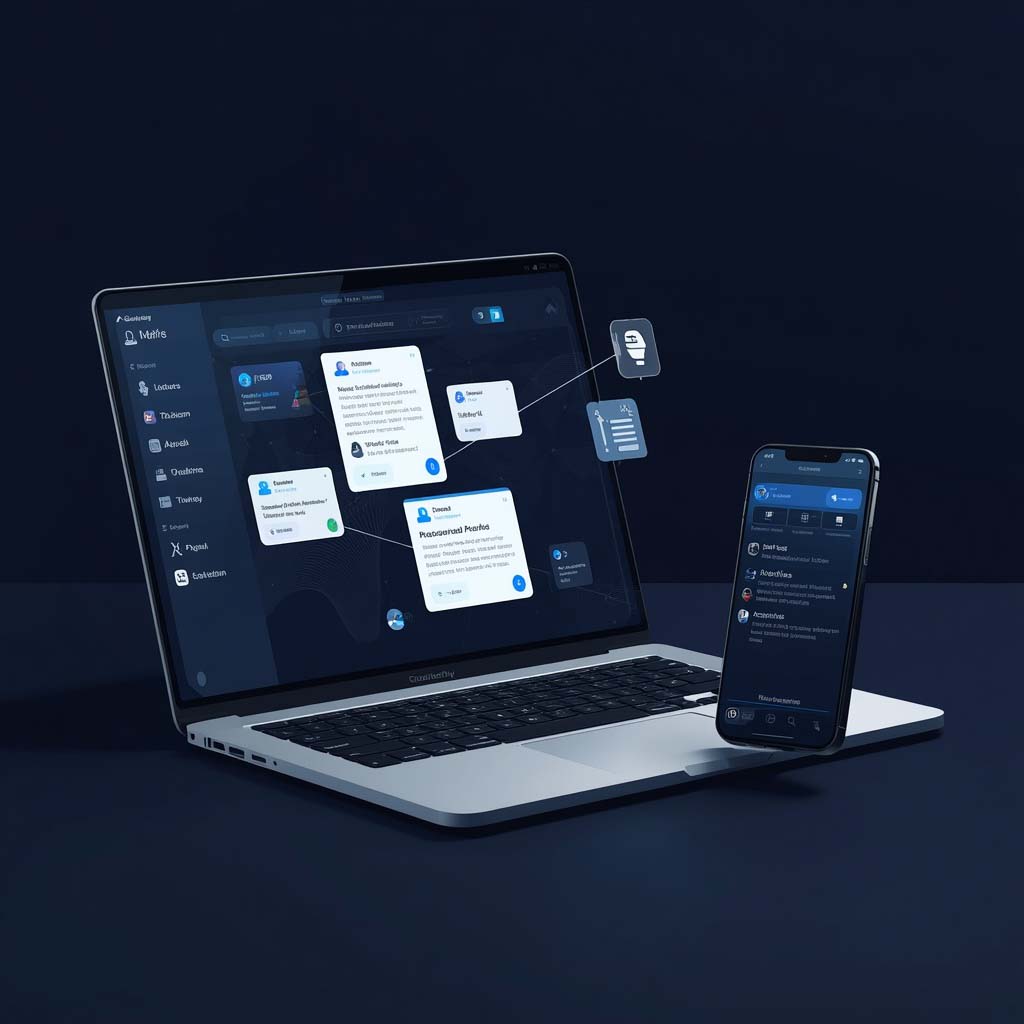
RemNote is designed around learning rather than meetings.
It combines notes with flashcards and active-recall workflows, making it particularly useful for students.
Best for
- Students
- Exam preparation
- Lecture notes
- Flashcards
- Long-term learning
If your goal isn’t simply to remember what was said, but to actually learn and recall it later, a study-focused platform may be a better choice than a meeting notetaker.
How to Choose the Best AI Note Taking App
Don’t choose an app simply because it has the most impressive feature list.
Start with your actual workflow.
1. Decide What You Need to Capture
Ask yourself:
- Do I mainly take meeting notes?
- Do I record lectures?
- Do I need research notes?
- Do I want personal knowledge management?
- Do I need voice-to-text notes?
- Do I need to capture in-person conversations?
A meeting assistant may be perfect for your job but unnecessary for studying.
2. Check How the App Captures Audio
This is one of the most important differences between modern AI note-taking tools.
Some apps use a meeting bot that joins your Zoom, Meet, or Teams call.
Others use:
- Desktop audio capture
- Browser extensions
- Mobile microphones
- Direct recording
- Uploaded audio files
If clients or colleagues are sensitive about bots appearing in meetings, choose a bot-free workflow where appropriate.
3. Look Beyond Transcription
A transcript isn’t the finished product.
A good AI note-taking app should ideally help you move from:
Conversation → Transcript → Summary → Decisions → Action items
The more of that process the tool handles well, the more time it can save.
4. Check Search and Organization

If you’re going to accumulate hundreds of notes, search becomes critical.
Look for:
- Full-text search
- Speaker search
- Date filtering
- Topics
- Tags
- Folders
- Databases
- Cross-meeting search
The value of notes increases dramatically when you can find them months later.
5. Review Privacy and Data Controls
Before recording conversations, understand:
- Where recordings are stored
- How long they’re retained
- Who can access them
- Whether recordings can be deleted
- Whether data is used for model training
- What security controls are available
- Whether your organization requires specific compliance standards
And most importantly, get appropriate consent before recording or transcribing other people.
Notion, for example, explicitly advises users to obtain participant consent before using AI Meeting Notes.
AI Note Taking Apps for Different Users
| User Type | Recommended Options |
|---|---|
| Business professional | Otter, Fathom, Notion |
| Sales team | Avoma, Fireflies |
| Student | Otter, NotebookLM, RemNote |
| Researcher | NotebookLM, Notion, Mem |
| Manager | Fellow, Notion, Otter |
| Freelancer | Fathom, Granola, Otter |
| Remote worker | Fathom, Granola, Fireflies |
| Content creator | Otter, Notion, Mem |
| Personal knowledge management | Mem, Notion |
| Lecture notes | Otter, NotebookLM, RemNote |
Best Practices for AI-Powered Note Taking
Even the best tool won’t automatically produce perfect notes.
Use these practices to get better results.
Start with a clear objective
Before a meeting or lecture, define what you’re trying to capture.
For a business meeting, that might be:
- Decisions
- Responsibilities
- Deadlines
- Risks
- Next steps
Use custom note templates
Templates can make automated notes much more useful.
For example:
Meeting Objective
Key Discussion Points
Decisions
Action Items
Owners
Deadlines
Open Questions
Next Meeting
Instead of receiving a generic summary, you’ll get information organized around the way you actually work.
Review important summaries
AI-generated summaries can miss context or misunderstand ambiguous statements.
For important meetings, verify:
- Names
- Numbers
- Deadlines
- Decisions
- Commitments
- Technical terminology
Never assume an automated summary is a perfect legal, financial, medical, or contractual record.
Common Mistakes to Avoid
1. Choosing an app based only on transcription accuracy
Good transcription is important, but it’s only one part of the workflow.
Search, organization, summaries, integrations, and action-item extraction may matter more over time.
2. Ignoring the capture method
A bot joining a client meeting can create a very different experience from a bot-free desktop application.
Know how the app records before you deploy it.
3. Forgetting privacy
Don’t automatically record sensitive conversations simply because the technology makes it easy.
Check your company’s policies and applicable laws.
4. Keeping everything in one giant archive
More notes don’t automatically mean better knowledge.
Use tags, projects, databases, folders, or meaningful titles where appropriate.
5. Never reviewing AI-generated notes
Automated note-taking should reduce manual work, not eliminate human judgment.
Spend a minute checking important summaries before sharing them.
Expert Tips for Getting More Value From an AI Note Taking App
Turn meetings into tasks
Don’t stop at a summary.
If the meeting produces:
“Sarah will send the proposal by Friday.”
your workflow should ideally turn that into an actionable task.
Search across conversations
Once you have months of notes, ask questions such as:
- “What did the client say about pricing?”
- “Which projects are waiting for approval?”
- “What deadlines were discussed last month?”
- “What objections appeared repeatedly?”
This is where automated note-taking becomes a knowledge-management system.
Combine manual notes with automated capture
The strongest workflow isn’t always 100% automated.
Your own notes provide context. Automated transcription provides completeness. AI summarization provides structure.
Together, they can be more useful than any one layer by itself.
Don’t pay for features you don’t need
If you only attend five meetings per week, you may not need an enterprise conversation-intelligence platform.
Likewise, if your company already uses Notion, Zoom, Google Meet, or Microsoft Teams with built-in note-taking capabilities, evaluate those options before adding another subscription.
People Also Ask
What is the best AI note taking app in 2026?
There is no universal winner. Otter.ai is a strong general-purpose choice for transcription and meetings, Notion AI is excellent for teams already working in Notion, Granola is attractive for bot-free personal meeting notes, and Avoma is particularly suited to sales teams. Current 2026 comparisons also frequently include Fathom, Fireflies, Tactiq, Krisp, and MeetGeek.
Is there a free AI note taking app?
Yes. Several leading services offer free tiers or trials, although limits vary considerably. Recording minutes, storage, AI summaries, exports, and integrations may be restricted. Always check the provider’s current pricing page before relying on a free plan.
Can AI note-taking apps record meetings automatically?
Yes. Some meeting assistants can connect to your calendar and automatically join scheduled meetings. Otter, for example, can automatically join Zoom, Google Meet, and Microsoft Teams meetings after calendar setup.
Can an AI note taking app be used for lectures?
Yes. Apps with real-time transcription can be useful for lectures, interviews, classes, and study sessions. Otter specifically supports education use cases and can turn lectures into searchable notes and summaries.
Are AI-generated meeting notes accurate?
They can be highly useful, but they aren’t guaranteed to be perfect. Accuracy depends on microphone quality, background noise, accents, overlapping speech, terminology, and the specific tool. Important decisions, names, numbers, and deadlines should be reviewed manually.
Do AI note-taking apps need access to meeting audio?
Usually, yes, if they are transcribing spoken conversations. The exact capture method varies. Some use meeting bots, while others capture system audio, browser captions, microphone input, or uploaded recordings.
Can AI note-taking apps identify speakers?
Many can. Otter supports speaker identification, while other platforms offer speaker labels as part of their transcription workflows.
What should I look for in an AI note-taking app?
Prioritize capture quality, transcription accuracy, summaries, action-item extraction, search, integrations, privacy controls, supported platforms, and pricing. The right combination depends on whether you’re using the app for meetings, school, research, or personal knowledge management.


Pingback: AI Voice Generator: Create Natural-Sounding Voices for Content, Business, and More
Pingback: AI Tools for Coding: 15 Best AI Coding Tools to Boost Your Productivity in 2026
Pingback: 15 Best AI Tools for Teachers in 2026: Save Time, Create Lessons & Engage Students
Pingback: 10 Best AI Tools for SEO in 2026: Boost Rankings, Traffic & Content 10 Best AI Tools for SEO in 2026: Boost Rankings, Traffic & Content