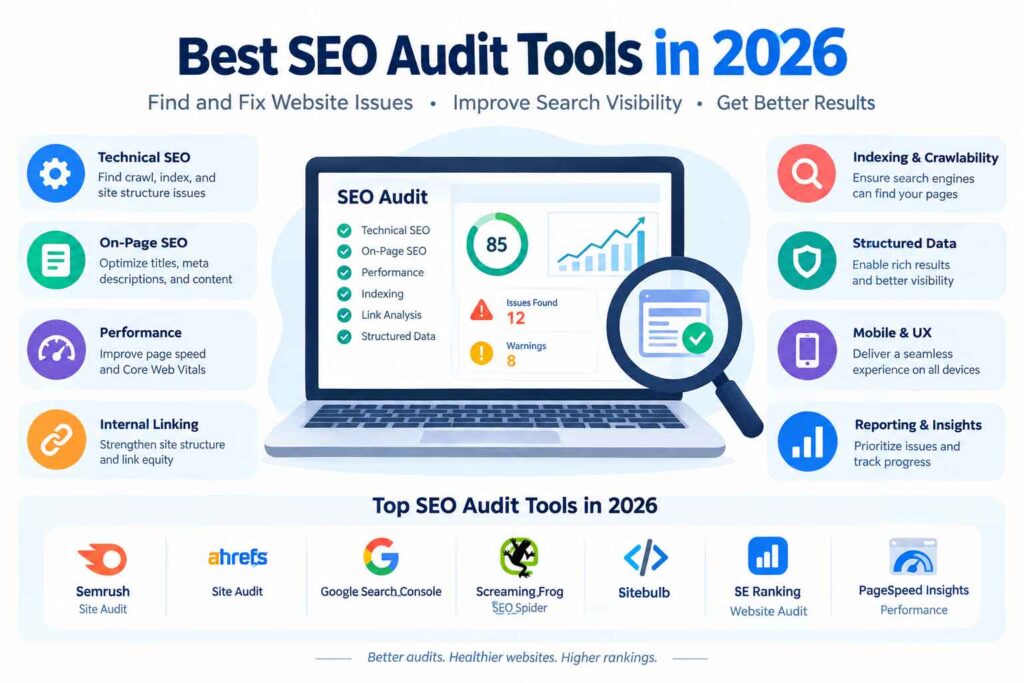
SEO has become more complex. Search results are increasingly competitive, content needs to satisfy specific search intent, and website owners have to monitor everything from keywords and backlinks to technical performance.
The good news is that you don’t need an expensive SEO platform to get started.
A growing number of free AI SEO tools can help with keyword research, content optimization, SERP analysis, SEO audits, competitor research, and other everyday tasks. Some are completely free, while others offer useful free plans with limits.
In this guide, we’ll explore the 15 best free AI SEO tools in 2026, what each tool does, its free capabilities, strengths and limitations, and the SEO tasks where it can be most useful.
Whether you’re a beginner, blogger, marketer, freelancer, or small-business owner, you’ll find practical options you can start using without committing to an expensive subscription.
What Are Free AI SEO Tools?
Free AI SEO tools use artificial intelligence to assist with tasks involved in search engine optimization.
Depending on the platform, they can help you:
- Discover keyword ideas
- Understand search intent
- Generate content outlines
- Optimize existing content
- Analyze competitors
- Improve titles and meta descriptions
- Identify content gaps
- Perform SEO audits
- Analyze backlinks
- Track rankings
- Find technical SEO problems
However, “free” can mean different things.
Some tools are genuinely free. Others provide a free tier with restrictions on searches, reports, projects, or daily usage. Before relying on a tool for ongoing SEO work, check its current usage limits and pricing.
Quick Comparison: Best Free AI SEO Tools
| Tool | Best For | Free Access | Key SEO Use |
|---|---|---|---|
| ChatGPT | SEO research & content workflows | Yes | Keywords, outlines, optimization |
| Google Search Console | Search performance | Yes | Rankings, queries, indexing |
| Google Keyword Planner | Keyword research | Yes | Keyword ideas and estimates |
| Google Trends | Search trends | Yes | Trends and topic research |
| Gemini | SEO research & ideation | Yes | Content research and analysis |
| Perplexity | Research | Yes | Topic and SERP research |
| Semrush | All-in-one SEO | Limited | Keywords, competitors, audits |
| Ahrefs Webmaster Tools | Site SEO | Yes | Site audits and backlinks |
| Screaming Frog SEO Spider | Technical SEO | Limited | Crawling and technical audits |
| AlsoAsked | People Also Ask research | Limited | Question research |
| AnswerThePublic | Topic research | Limited | Search questions |
| Ubersuggest | Keyword research | Limited | Keywords and competitors |
| Keyword Tool | Keyword suggestions | Limited | Long-tail keywords |
| Rank Math | On-page SEO | Yes | WordPress optimization |
| Yoast SEO | On-page SEO | Yes | Content and technical basics |
Important: Free plans and feature limits can change. Always verify the current terms directly with each provider before building a workflow around a specific feature.
15 Best Free AI SEO Tools in 2026

1. ChatGPT — Best for SEO Research and Content Workflows
ChatGPT can be used as a flexible assistant for many SEO tasks.
Instead of relying on it for a single function, you can build a repeatable workflow around keyword clustering, search-intent analysis, content briefs, title ideas, FAQs, internal-link suggestions, and content optimization.
What you can use it for
- Keyword clustering
- Search-intent classification
- Content briefs
- Topic ideation
- FAQ generation
- Content gap brainstorming
- Meta title and description ideas
- Internal-link suggestions
- Content rewriting and optimization
Example
Give it a primary keyword and a list of related queries. You can ask it to group those keywords according to informational, commercial, transactional, and navigational intent.
Best for: Bloggers, content marketers, freelancers, and SEO teams.
Limitation: AI-generated suggestions should be validated against real search results and reliable SEO data.
2. Google Search Console — Best for Real Search Performance Data
Google Search Console is one of the most valuable free SEO resources available to website owners.
It provides first-party information about how your website performs in Google Search.
You can examine:
- Search queries
- Impressions
- Clicks
- Click-through rate
- Average position
- Indexing issues
- Sitemap status
- Page indexing
- Search performance by page and query
One particularly useful strategy is finding keywords where a page already receives impressions but has room to improve its position and click-through rate.
Best for: Website owners who want actual search-performance data.
Limitation: It primarily covers Google Search and requires ownership or appropriate access to the website.
3. Google Keyword Planner — Best for Keyword Research
Google Keyword Planner remains useful for discovering keyword ideas and understanding search demand.
You can start with a topic, keyword, or website and generate related keyword suggestions.
It can help identify:
- Related search terms
- Keyword variations
- Long-tail opportunities
- Search-volume ranges
- Competition information
- Commercial keyword ideas
For beginners, it is a practical starting point for building a keyword list before using more specialized SEO platforms.
Best for: Basic keyword research and Google Ads-related keyword planning.
4. Google Trends — Best for Finding Search Trends
Google Trends helps you understand how interest in a topic changes over time.
This is particularly useful when choosing between similar topics.
For example, if you’re deciding whether to create content around two related subjects, Trends can help reveal whether interest is stable, seasonal, rising, or declining.
Use it for:
- Topic validation
- Seasonal SEO planning
- Trend discovery
- Comparing keywords
- Finding geographic interest
Best for: Bloggers, publishers, and marketers creating timely content.
5. Gemini — Best for SEO Ideation and Research
Gemini can support several stages of an SEO workflow, including brainstorming, content planning, summarization, and research.
You can use it to generate:
- Topic clusters
- Content ideas
- FAQ questions
- Article structures
- Keyword variations
- Content improvement suggestions
For stronger results, provide clear context and specific SEO requirements rather than asking vague questions.
Best for: Content ideation and research assistance.
6. Perplexity — Best for Research-Driven SEO Content
Perplexity is useful when you need to research a topic quickly and explore supporting sources.
For SEO, it can help you investigate:
- Industry topics
- Frequently discussed questions
- Competing viewpoints
- Supporting statistics
- Recent developments
- Content research
The important step is to verify important claims against the original sources rather than treating an AI-generated answer as authoritative by default.
Best for: Research-heavy content planning.
7. Semrush — Best Free All-in-One SEO Platform
Semrush provides a broad collection of SEO and digital-marketing tools.
Its free access is more limited than its paid plans, but it can still be useful for exploring keywords, competitors, website performance, and SEO opportunities.
Common SEO applications include:
- Keyword research
- Competitor research
- Site auditing
- Backlink analysis
- Position tracking
- Content optimization
Best for: Beginners who want to explore an extensive SEO platform before paying for advanced capabilities.
Limitation: Free usage is restricted.
8. Ahrefs Webmaster Tools — Best for Website Auditing
Ahrefs offers Webmaster Tools for verified website owners.
It can help you understand technical SEO problems and backlink information associated with your website.
Useful areas include:
- Site audits
- Technical SEO issues
- Internal links
- Backlinks
- Organic search visibility
This makes it particularly valuable for website owners who want more detailed SEO diagnostics without immediately purchasing a full subscription.
Best for: Website audits and backlink analysis.
9. Screaming Frog SEO Spider — Best for Technical SEO
Screaming Frog SEO Spider is a website crawler that can uncover technical and on-page SEO problems.
The free version can be particularly useful for smaller websites.
It can identify issues involving:
- Broken links
- Redirects
- Page titles
- Meta descriptions
- Headings
- Canonical tags
- Duplicate content signals
- URL structures
Although it isn’t primarily an AI writing assistant, it belongs in a practical SEO toolkit because technical SEO data is essential for improving website performance.
Best for: Technical SEO audits.
10. AlsoAsked — Best for People Also Ask Research
AlsoAsked focuses on questions related to Google’s People Also Ask ecosystem.
This is valuable when you want to understand the questions searchers commonly ask around a topic.
You can use those questions to build:
- FAQ sections
- Supporting H2s
- Content clusters
- Subtopics
- Search-intent maps
For example, a broad topic such as “keyword research” can be expanded into questions about tools, methods, search volume, competition, and long-tail keywords.
Best for: Question-based keyword research.
Limitation: Free searches are limited.
11. AnswerThePublic — Best for Content Topic Ideas
AnswerThePublic helps visualize questions and phrases people search around a topic.
It can be useful during the early stages of content planning when you need to expand one keyword into dozens of related ideas.
Use it to discover:
- Questions
- Comparisons
- Prepositions
- Related phrases
- Long-tail opportunities
These ideas can then be grouped by search intent and incorporated naturally into your content strategy.
Best for: Bloggers and content strategists.
12. Ubersuggest — Best for Beginner-Friendly Keyword Research
Ubersuggest provides keyword research, content ideas, competitor analysis, and SEO metrics through a relatively accessible interface.
The free version has limits, but it can still help beginners understand the basics of SEO research.
You can explore:
- Keyword ideas
- Search-volume information
- SEO difficulty
- Content ideas
- Competitor domains
- Backlink information
Best for: SEO beginners and small websites.
13. Keyword Tool — Best for Long-Tail Keyword Ideas
Keyword Tool is useful when your main goal is discovering variations of a search term.
It can generate keyword suggestions based on search-autocomplete data from different platforms.
This is especially useful for expanding a seed keyword into more specific queries.
For example:
Seed keyword: AI SEO tools
Potential variations might include:
- AI SEO tools for beginners
- free AI SEO tools
- AI tools for keyword research
- AI content optimization tools
- AI SEO tools for bloggers
Best for: Long-tail keyword discovery.
14. Rank Math — Best for WordPress SEO
Rank Math is a popular WordPress SEO plugin that combines on-page optimization with broader SEO functionality.
Depending on the current version and plan, features can include:
- SEO analysis
- Schema markup
- Meta title optimization
- Meta description management
- XML sitemaps
- Redirects
- Content analysis
Its free functionality makes it a practical option for WordPress websites.
Best for: WordPress users who want integrated on-page SEO tools.
15. Yoast SEO — Best for Simple On-Page SEO
Yoast SEO is another widely used WordPress SEO plugin.
It helps website owners manage fundamental SEO elements such as:
- SEO titles
- Meta descriptions
- XML sitemaps
- Canonical URLs
- Basic content analysis
- Readability considerations
For beginners, its biggest advantage is that many basic SEO controls are available directly inside the WordPress editor.
Best for: Beginners and WordPress publishers.
How to Choose the Best Free AI SEO Tool
There isn’t one tool that handles every SEO task equally well. Choose based on the problem you’re trying to solve.
| Your Goal | Tools to Consider |
|---|---|
| Keyword research | Google Keyword Planner, Ubersuggest, Keyword Tool |
| Search performance | Google Search Console |
| Search trends | Google Trends |
| Content research | ChatGPT, Gemini, Perplexity |
| Technical SEO | Screaming Frog, Ahrefs Webmaster Tools |
| Backlink analysis | Ahrefs Webmaster Tools |
| PAA questions | AlsoAsked |
| Content ideas | AnswerThePublic |
| WordPress SEO | Rank Math, Yoast SEO |
| Competitor research | Semrush, Ubersuggest |
A Practical Free SEO Workflow
You don’t need to use all 15 tools.
A simple workflow can combine several tools according to the stage of your project.
Step 1: Discover Keywords
Start with Google Keyword Planner, Ubersuggest, or Keyword Tool.
Build a list of:
- Primary keywords
- Secondary keywords
- Long-tail keywords
- Question-based queries
- Commercial keywords
Step 2: Analyze Search Intent
Search your target keyword in Google and examine the results.
Ask:
- Are the top results guides?
- Product pages?
- Comparison articles?
- Category pages?
- Videos?
- Local businesses?
The format of the current results provides important clues about what searchers expect.
Step 3: Expand the Topic
Use Google Trends, AlsoAsked, AnswerThePublic, or an AI assistant to identify related questions and subtopics.
Group them into logical content clusters rather than inserting every keyword into one article.
Step 4: Create the Content
Build an outline around the reader’s problem.
Include:
- Clear headings
- Direct answers
- Examples
- Relevant statistics
- Original insights
- FAQs
- Helpful internal links
Step 5: Optimize the Page
Review:
- Title tag
- Meta description
- URL
- H1
- H2/H3 structure
- Internal links
- Image alt text
- Schema where appropriate
- Keyword relevance
- Search intent alignment
Step 6: Audit the Website
Use Google Search Console, Screaming Frog, or Ahrefs Webmaster Tools to identify technical issues.
Step 7: Measure Results
After publishing, monitor impressions, clicks, CTR, rankings, and organic traffic.
SEO is an ongoing process. Publishing the article is only the beginning.
Best Practices for Using Free AI SEO Tools

1. Start With Search Intent
Don’t begin with keywords alone.
Determine why someone searches for the phrase and what type of result would actually solve their problem.
2. Combine Multiple Data Sources
No single tool provides a complete picture.
For example, combine:
Google Search Console + Google Trends + keyword research + SERP analysis
This can provide a more useful understanding than relying on one SEO score.
3. Validate AI Suggestions
AI tools can generate useful ideas, but suggestions may be incomplete or inaccurate.
Verify important:
- Statistics
- Search trends
- Product information
- SEO claims
- Industry facts
- Technical recommendations
4. Optimize for Users, Not Just Scores
A page doesn’t become valuable simply because an SEO tool gives it a high optimization score.
Focus on whether the content:
- Answers the question
- Is easy to navigate
- Provides useful examples
- Demonstrates expertise
- Addresses the reader’s actual problem
5. Build Topic Depth
Instead of repeatedly targeting nearly identical keywords, create comprehensive topic coverage.
For example, a website targeting AI SEO tools could build supporting content around:
- AI keyword research
- AI content optimization
- Technical SEO tools
- AI competitor analysis
- SEO automation
- Rank tracking
- Free SEO tools
This creates a stronger topical structure.
Common Mistakes to Avoid
Using Every Tool at Once
More tools don’t automatically produce better SEO.
Choose a small toolkit that matches your workflow.
Treating Keyword Difficulty as an Absolute Truth
SEO metrics are estimates. A keyword’s difficulty score doesn’t guarantee that ranking will be easy or difficult.
Look at the actual SERP.
Creating Content Around Keywords Without Understanding Intent
A keyword can have multiple interpretations.
Always inspect the search results before deciding what type of page to create.
Publishing Unverified AI-Generated Information
Always fact-check important claims.
An SEO article should be trustworthy, not simply comprehensive.
Ignoring Technical SEO
Great content can still struggle if a website has serious crawling, indexing, performance, or internal-linking problems.
Over-Optimizing Keywords
Don’t force exact-match keywords into every heading and paragraph.
Use natural language and related concepts.
Expert Tips for Getting More From Free SEO Tools
Use first-party data whenever possible. If your website is already receiving Google traffic, Search Console provides information about actual queries and pages rather than estimates.
Create a keyword database. Keep your keyword research organized by topic, intent, search stage, and target page.
Look for existing opportunities. A page ranking around the bottom of page one or the top of page two may provide a more realistic optimization opportunity than starting from zero.
Analyze competitors for ideas, not duplication. Identify missing topics, unanswered questions, weak explanations, and opportunities to provide a better experience.
Track changes over time. SEO performance should be evaluated over weeks and months rather than based on a single ranking check.
People Also Ask: Frequently Asked Questions
What is the best free AI SEO tool?
The right tool depends on your SEO task. Google Search Console is particularly useful for analyzing your website’s actual Google Search performance, while AI assistants can support research, content planning, and optimization workflows.
Are free AI SEO tools really free?
Some are completely free, while others provide free plans with usage limits. Features, quotas, and pricing can change, so check the provider’s current plan before relying on a specific feature.
Can I do SEO without paying for expensive tools?
Yes. A basic SEO workflow can be built using free resources such as Google Search Console, Google Trends, Google Keyword Planner, and free versions of other SEO platforms.
Which free AI SEO tool is best for keyword research?
There isn’t one universal choice. Google Keyword Planner, Ubersuggest, Keyword Tool, and other free resources can provide keyword ideas. Comparing several sources can produce a broader keyword set.
Can AI SEO tools improve Google rankings?
Tools can help with research, technical analysis, content optimization, and workflow efficiency, but no tool can guarantee higher rankings. Search performance depends on many factors, including relevance, content quality, technical accessibility, competition, authority, and user experience.
Are AI SEO tools suitable for beginners?
Yes. Many free SEO tools are beginner-friendly. Start with a small toolkit rather than trying to learn every platform simultaneously.
What is the difference between AI SEO tools and traditional SEO tools?
Traditional SEO tools generally focus on data, analysis, crawling, rankings, links, and keyword metrics. AI-powered features can add capabilities such as natural-language analysis, content suggestions, clustering, summarization, and workflow automation. Many modern platforms combine both approaches.