For a small business, SEO can be one of the most cost-effective ways to attract customers—but only when you know where to focus your time and budget.
The challenge is that there are hundreds of SEO tools available. Some specialize in keyword research, others focus on technical SEO, backlinks, local search, content optimization, or rank tracking. Using too many tools can quickly become expensive and confusing.
The good news is that you don’t need a huge SEO software stack to make meaningful progress.
The best SEO tools for small businesses help you answer practical questions: What are potential customers searching for? Which pages bring organic traffic? Why aren’t important pages ranking? What are competitors doing? And are your SEO efforts actually improving visibility?
In this guide, we’ll examine 15 SEO tools for small businesses in 2026, including free options, all-in-one platforms, technical SEO crawlers, local SEO software, and tools designed for keyword and content research.
What Should Small Businesses Look for in an SEO Tool?
Before choosing SEO software, consider what you actually need.
A useful tool should help with one or more of these areas:
- Keyword research: Discover relevant keywords, search intent, search volume, and competition.
- Competitor analysis: Understand which keywords and pages drive competitors’ organic visibility.
- Rank tracking: Monitor changes in keyword positions over time.
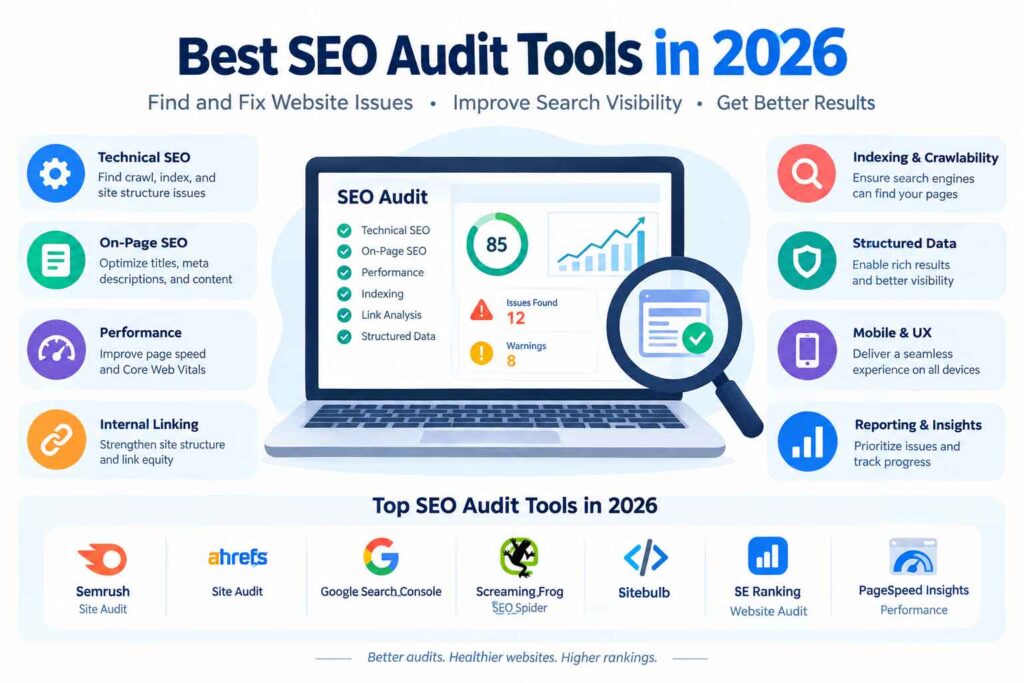
- Technical SEO: Find broken links, indexing problems, duplicate pages, missing metadata, and other issues.
- Backlink analysis: Understand your backlink profile and identify link-building opportunities.
- Local SEO: Track Google Maps and local organic visibility.
- Content optimization: Improve pages around relevant topics and search intent.
- Reporting: Turn SEO data into simple, actionable reports.
For a small business, simplicity and usefulness usually matter more than having the largest possible feature list.

15 Best SEO Tools for Small Businesses
1. Google Search Console
Best for: Free search performance data
Price: Free
Google Search Console should be one of the first tools installed for almost every website.
It provides first-party information about how your website performs in Google Search, including queries, impressions, clicks, average position, indexing, and Core Web Vitals. You can also submit sitemaps, inspect URLs, and identify pages affected by certain search issues.
Why small businesses should use it
Search Console is particularly useful because it tells you what Google is actually seeing rather than relying entirely on third-party estimates.
For example, you might discover that a service page receives many impressions but relatively few clicks. That can indicate an opportunity to improve the page’s search appearance and relevance.
Pros:
- Completely free
- First-party Google Search data
- Useful for indexing and technical monitoring
- Excellent for beginners
Cons:
- Limited competitor research
- Less comprehensive keyword research than paid SEO platforms
2. Semrush
Best for: All-in-one SEO and competitor research
Semrush is one of the most comprehensive SEO software options for small businesses that want to manage multiple SEO workflows from one platform.
Its SEO Toolkit includes tools for keyword research, competitor analysis, backlink analysis, rank tracking, on-page SEO, and technical site audits. Semrush says its SEO Toolkit contains more than 20 tools and reports.
It can also help businesses analyze competitors’ keywords, rankings, backlinks, and organic search opportunities.

Best use case
Suppose you own a local accounting firm. You could use Semrush to discover keywords such as:
- small business accountant
- tax accountant near me
- business tax preparation
- bookkeeping services
You could then analyze competing websites and track your own rankings.
Pros:
- Extensive SEO feature set
- Strong competitor analysis
- Keyword research and rank tracking
- Technical auditing
- Local SEO capabilities
Cons:
- Can be overwhelming for beginners
- Paid plans can be significant for very small businesses
3. Ahrefs
Best for: Backlink analysis, competitor research, and SEO auditing
Ahrefs is particularly well known for backlink and competitor research.
Its current free account provides limited access to Site Explorer, Site Audit, Web Analytics, AI Content Helper, Social Media Manager, and its SEO Toolbar. For verified websites, Ahrefs Free provides Site Audit and Site Explorer capabilities with usage limits.
Its Site Audit can identify 170+ technical and on-page SEO issues, including problems involving titles, meta descriptions, indexability, links, redirects, structured data, and Core Web Vitals.
Best use case
Use Ahrefs when you want to understand:
- Which websites link to competitors
- Which pages attract organic traffic
- Which keywords your site ranks for
- Where your technical SEO needs attention
- Which content opportunities may exist
Pros:
- Excellent backlink data
- Strong competitor research
- Powerful Site Audit
- Useful free options
Cons:
- Advanced features require paid access
- Data can be overwhelming for beginners
4. Google Business Profile
Best for: Local businesses
Price: Free
If your business serves a specific geographic area, Google Business Profile is essential.
It isn’t a traditional SEO platform, but it plays a major role in local search visibility. Google recommends verifying your business and keeping business information complete and accurate to improve the chances of appearing in relevant local results.
For example, a dentist, restaurant, plumber, law firm, salon, or local retailer should pay close attention to its Business Profile.
Focus on:
- Accurate business name
- Correct address or service area
- Phone number
- Business hours
- Relevant categories
- Photos
- Customer reviews
- Services and products where applicable
For many local businesses, optimizing this presence can be more immediately useful than purchasing an expensive enterprise SEO platform.
5. Google Analytics
Best for: Measuring website traffic and user behavior
Google Analytics helps businesses understand what happens after someone reaches their website.
SEO tools can tell you about rankings and search visibility, but analytics can help answer questions such as:
- Which pages attract visitors?
- Where do visitors come from?
- Which landing pages perform well?
- How do users navigate the website?
- Which channels contribute to conversions?
A practical SEO strategy should connect organic traffic with business outcomes, rather than focusing only on rankings.
6. Google Keyword Planner
Best for: Keyword discovery and search demand research
Google Keyword Planner is particularly useful for businesses that want to research search terms around their products or services.
Use it to build an initial keyword list and identify relevant search themes.
For example, a landscaping company might investigate topics around:
- lawn care
- garden maintenance
- landscaping services
- lawn mowing
- garden design
Don’t treat keyword research as simply finding the highest-volume phrase. Small businesses often benefit from specific, commercially relevant keywords that indicate a clear need.
7. Google Trends
Best for: Understanding search trends
Google Trends is useful when search interest changes seasonally or when you’re deciding which topics deserve attention.
A small business can compare related topics and examine how interest changes over time.
For example, an ecommerce store selling seasonal products could use trend information to plan content and campaigns before demand peaks.
Expert tip
Combine Google Trends with another keyword research tool. Trends helps you understand direction and relative interest, while dedicated SEO platforms provide deeper keyword metrics.
8. Moz Pro
Best for: Beginner-friendly SEO management
Moz Pro provides a range of SEO functions around keyword research, rank tracking, site crawling, and link research.
It can be a good option for businesses that want an established SEO platform without building a complicated collection of separate tools.
Best for:
- Keyword research
- Rank tracking
- Site audits
- Link analysis
- SEO reporting
The biggest advantage for many small businesses is having several core SEO workflows organized within one platform.
9. Ubersuggest
Best for: Affordable keyword research and SEO beginners
Ubersuggest is designed to make SEO research more approachable.
It’s useful for discovering keyword ideas, researching competitors, evaluating content opportunities, and performing basic website analysis.
For a small business owner who doesn’t want to spend hours learning advanced SEO terminology, a simpler interface can be a significant advantage.
Use it for:
- Keyword ideas
- Competitor research
- Content topics
- Basic SEO audits
- Backlink research
It can be especially useful when you’re building your first SEO workflow.
10. Screaming Frog SEO Spider
Best for: Technical SEO and website audits
Screaming Frog SEO Spider is a desktop crawler that can analyze websites for technical and on-page problems.
It can help identify issues involving:
- Missing or duplicate page titles
- Meta descriptions
- Broken links
- Internal linking
- Indexability
- Redirects
- JavaScript-rendered content
- Website architecture
For example, Screaming Frog can identify pages with missing or duplicate titles, while its crawler can also help find broken links and internal linking problems.
Best use case
Use it when your website has grown large enough that manually checking every page is impractical.
Pros:
- Excellent technical auditing
- Detailed crawl data
- Useful for larger websites
- Strong internal-link analysis
Cons:
- Less beginner-friendly
- Desktop software requires some technical understanding
11. SE Ranking
Best for: Small businesses wanting an integrated SEO platform
SE Ranking combines several common SEO workflows, including keyword research, rank tracking, website auditing, competitor analysis, and backlink monitoring.
This type of platform can be useful when you want to avoid paying for several separate tools.
Good fit for:
- Small marketing teams
- Agencies
- Growing businesses
- Local businesses
- Businesses managing multiple websites
Before subscribing, compare the platform’s keyword limits, tracked locations, projects, and reporting features with your actual requirements.
12. BrightLocal
Best for: Local SEO
BrightLocal focuses heavily on local search.
Its platform includes local rank tracking, citation auditing, local SEO audits, competitor benchmarking, Google Business Profile insights, review monitoring, and local search reporting.
Its Local Search Grid can show how rankings vary across geographic areas, which is particularly useful because local visibility can differ significantly from one location to another.
Ideal users
- Restaurants
- Contractors
- Medical practices
- Law firms
- Real estate businesses
- Retail stores
- Service-area businesses
If local customers are your primary audience, specialized local SEO software can provide more useful data than a general-purpose platform.
13. Mangools
Best for: Simple keyword research and SERP analysis
Mangools is designed around accessible SEO research.
Its toolkit includes keyword research, SERP analysis, rank tracking, backlink checking, and site exploration.
Its straightforward approach can make it attractive to freelancers, bloggers, startups, and small businesses that don’t need an enormous enterprise SEO platform.
Use Mangools when you need:
- Keyword ideas
- SERP analysis
- Keyword difficulty information
- Competitor keyword research
- Rank tracking
14. PageSpeed Insights
Best for: Website performance testing
Page speed and user experience matter because slow pages can create friction for visitors and make websites harder to use.
PageSpeed Insights is useful for checking website performance and identifying areas that may need technical improvement.
Small businesses can use it to investigate:
- Mobile performance
- Desktop performance
- Core Web Vitals
- Loading problems
- Performance opportunities
It’s particularly valuable when combined with a broader technical SEO audit.
15. Surfer
Best for: Content optimization
Surfer focuses on helping marketers optimize content around target search topics.
It can be useful when you already have keyword research completed and need help evaluating whether a page adequately covers the topic.
For example, instead of simply repeating a target keyword throughout an article, you can use content optimization software to identify related concepts and topical coverage opportunities.
Best for:
- Blog optimization
- Content briefs
- On-page optimization
- Topic coverage
- Content planning
Remember that optimization software should support editorial judgment—not replace it. A page should ultimately satisfy the reader’s question rather than chase a numerical content score.
SEO Tools for Small Businesses: Quick Comparison
| Tool | Best For | Free Option | Ideal Business Type |
|---|---|---|---|
| Google Search Console | Search performance | Yes | Every website |
| Semrush | All-in-one SEO | Limited | Growing businesses |
| Ahrefs | Backlinks & competitor research | Yes, limited | Content-focused businesses |
| Google Business Profile | Local visibility | Yes | Local businesses |
| Google Analytics | Traffic analysis | Yes | Every website |
| Google Keyword Planner | Keyword discovery | Yes | Most businesses |
| Google Trends | Search trends | Yes | Seasonal/trend-driven businesses |
| Moz Pro | Beginner-friendly SEO | Limited | Small teams |
| Ubersuggest | Keyword research | Limited | Beginners/startups |
| Screaming Frog | Technical SEO | Limited | Technical audits |
| SE Ranking | Integrated SEO | Trial/limited options | Growing businesses |
| BrightLocal | Local SEO | Trial | Local businesses |
| Mangools | Simple SEO research | Limited/trial | Beginners/freelancers |
| PageSpeed Insights | Performance | Yes | Every website |
| Surfer | Content optimization | Limited | Content-focused businesses |
How to Choose the Best SEO Tools for Your Small Business
You don’t need all 15 tools.
Instead, build your toolkit around your business model.
Step 1: Start with free essentials
Begin with:
- Google Search Console
- Google Analytics
- Google Business Profile, if applicable
- Google Trends
- PageSpeed Insights
These tools can provide a surprisingly strong foundation without a large software budget.
Step 2: Identify your biggest SEO problem
Ask:
- I don’t know what keywords to target. → Use Semrush, Ahrefs, Ubersuggest, or Mangools.
- My website has technical problems. → Use Screaming Frog or Ahrefs Site Audit.
- I need to monitor competitors. → Use Semrush or Ahrefs.
- I need local customers. → Use Google Business Profile and BrightLocal.
- My content isn’t performing. → Use a keyword research and content optimization workflow.
- I need to track rankings. → Use Semrush, SE Ranking, Moz Pro, Mangools, or BrightLocal for local rankings.
Step 3: Upgrade only when necessary
Don’t pay for an expensive SEO platform simply because it has hundreds of features.
Upgrade when you can clearly answer:
What SEO problem will this tool solve that my current tools cannot?
That’s a much better purchasing decision than choosing software based on the number of features alone.
Best SEO Tool Combinations for Different Small Businesses
For a local service business
Recommended stack:
- Google Business Profile
- Google Search Console
- Google Analytics
- BrightLocal
- Semrush or another keyword research platform
This combination covers local visibility, website performance, rankings, and keyword research.
For an ecommerce business
Recommended stack:
- Google Search Console
- Google Analytics
- Semrush or Ahrefs
- Screaming Frog
- PageSpeed Insights
Focus on category pages, product pages, technical SEO, internal linking, and commercial keywords.
For a startup
Recommended stack:
- Google Search Console
- Google Analytics
- Google Trends
- Ubersuggest or Mangools
- Ahrefs Free
Start lean and invest in paid software once SEO becomes an important acquisition channel.
For a content-driven business
Recommended stack:
- Google Search Console
- Ahrefs or Semrush
- Google Trends
- Screaming Frog
- Content optimization software
Prioritize search intent, topical coverage, internal linking, and content performance.
SEO Best Practices for Small Businesses
The tool is only half the equation. Your workflow matters more.
1. Target specific search intent
Don’t create content simply because a keyword has high search volume.
Understand whether searchers want:
- Information
- A product
- A service
- A comparison
- A specific website
2. Focus on commercially relevant keywords
A keyword with 500 monthly searches can be more valuable than one with 20,000 searches if the smaller keyword attracts people who actually need your service.
3. Build topic clusters
Instead of publishing random blog posts, create related content around important business topics.
For example, a web design company could create content around:
- Website design cost
- Small business website design
- Ecommerce website design
- Website redesign
- Website maintenance
- Website speed optimization
Then connect these pages with relevant internal links.
4. Audit your website regularly
Check for:
- Broken links
- Missing titles
- Duplicate content
- Indexing problems
- Slow pages
- Poor internal linking
- Redirect problems
- Mobile usability issues
Technical SEO isn’t a one-time project.
5. Measure business results
Don’t focus exclusively on keyword rankings.
Track:
- Organic traffic
- Leads
- Sales
- Contact-form submissions
- Phone calls
- Product purchases
- Conversion rate
The purpose of SEO is not simply to rank. It’s to help your business attract relevant visitors and generate meaningful outcomes.
Common SEO Mistakes Small Businesses Make
Choosing tools before defining goals
Buying expensive SEO software won’t fix an unclear strategy.
Start with your business objectives, then select tools.
Chasing search volume
High-volume keywords often have intense competition and broad intent.
Specific keywords can produce more qualified visitors.
Ignoring local SEO
If customers visit your location or you serve a defined geographic area, local SEO deserves dedicated attention.
Publishing content without search intent
A 2,000-word article isn’t automatically valuable.
The content needs to solve the problem behind the search.
Obsessing over rankings
Rankings fluctuate. Look at broader trends and connect SEO metrics to traffic and conversions.
Using too many tools
Five overlapping SEO subscriptions can create more work than they save.
A focused toolkit is usually easier to manage.
Expert Tips for Getting More From SEO Tools
Use multiple data sources
No SEO platform has perfect data.
Compare insights from your own Search Console and Analytics data with third-party SEO platforms.
Create a monthly SEO dashboard
Track a small group of metrics:
- Organic clicks
- Organic impressions
- Important keyword positions
- Organic conversions
- Indexed pages
- Technical SEO issues
- Backlinks
- Local visibility
This gives you a much clearer picture than checking rankings every day.
Turn data into actions
Don’t collect reports simply because your software provides them.
For every SEO issue, ask:
What should we change?
For every keyword opportunity, ask:
Which page should target it?
For every ranking improvement, ask:
What contributed to the improvement?
That’s how SEO data becomes a growth strategy.
People Also Ask: SEO Tools for Small Businesses
What is the best SEO tool for a small business?
There isn’t one tool that fits every small business. Google Search Console is an essential free starting point, while platforms such as Semrush and Ahrefs provide broader keyword, competitor, backlink, and technical SEO capabilities.
Are SEO tools worth it for small businesses?
They can be, particularly when the tool helps you identify opportunities or problems that would otherwise take significant time to discover. However, small businesses should choose tools based on specific needs rather than buying every available SEO platform.
What are the best free SEO tools for small businesses?
Google Search Console, Google Analytics, Google Trends, Google Business Profile, and PageSpeed Insights are useful free options. Ahrefs also offers a free account with limited access to several SEO tools for verified websites.
Do small businesses need paid SEO software?
Not necessarily. A new business can start with free tools and upgrade when it needs deeper competitor analysis, larger keyword databases, advanced rank tracking, or more extensive auditing.
Which SEO tool is best for local businesses?
Google Business Profile is fundamental for local businesses. Dedicated platforms such as BrightLocal can add local rank tracking, citation auditing, competitor analysis, and other local SEO workflows.
How often should a small business check SEO performance?
A practical approach is to monitor important issues regularly and perform a deeper SEO review at least monthly. Technical audits, content reviews, and strategic analysis can be performed less frequently depending on the size and complexity of the website.
Can free SEO tools really improve rankings?
Free tools can provide valuable data and help you identify problems, but tools don’t improve rankings by themselves. Results come from applying the insights through better content, technical improvements, relevant internal links, strong user experience, and other sound SEO practices.
Should I use one SEO tool or several?
Start with a small core stack. For many businesses, one primary SEO platform plus Google Search Console and Analytics is enough. Add specialized tools only when they solve a clear problem.
Internal Linking Opportunities
If you’re building a broader SEO content hub, consider linking this article to related resources such as:
- Best SEO Tools for Bloggers
- Best AI Tools for SEO
- Best Keyword Research Tools
- Best Local SEO Tools
- Best SEO Tools for Startups
- Best AI Tools for Content Creation
- Best Website Audit Tools
- Best Rank Tracking Tools
These pages can create a logical SEO tools content cluster and help readers move from general research to more specialized topics.
Authoritative External References
For readers who want first-party guidance, useful references include:
- Google Search Console — Search performance, indexing, and website visibility data.
- Google Business Profile Help — Guidance on improving local visibility and keeping business information accurate.
- Ahrefs Free — Free SEO tools for verified websites, including Site Audit and Site Explorer.
- Semrush SEO Toolkit — Keyword research, competitor analysis, rank tracking, and technical SEO tools.
- Screaming Frog SEO Spider — Technical crawling and website auditing resources.